Red Warriors Skin Pack
- 25-09-2025, 10:04
- 1 346
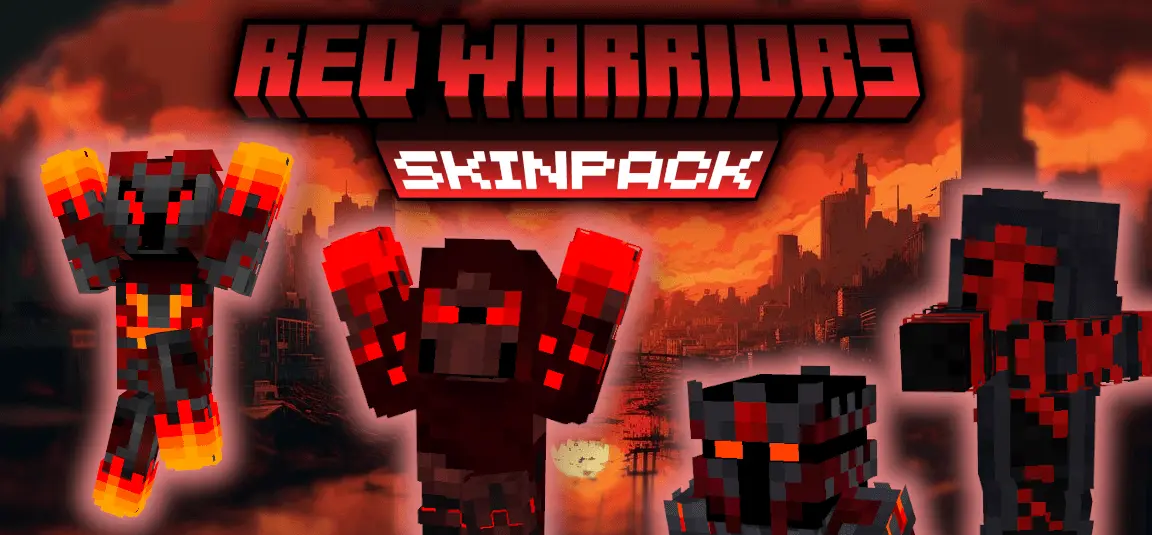
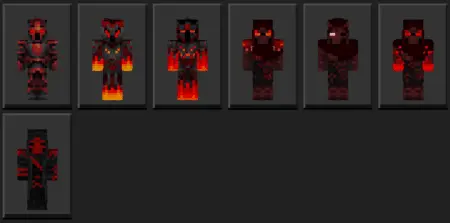
Red Warriors Skin Pack — a tight lineup of seven red-themed fighters that makes your Minecraft Bedrock crew look organized the second you load in. You’ve got the vibe covered from armored knight to stealthy ninja, a heavy barbarian for the front line, and a clean samurai look for players who like disciplined style. It’s all the same family of red tones, so screenshots pop, thumbnails read instantly, and your squad looks like it actually belongs together instead of five random skins pulled at the last minute.
In PvP, the skins do exactly what you want: easy to spot for teammates, intimidating for everyone else. Queue Bedwars or SkyWars, pick a Red Warrior each, and push as a unit—same color, different roles, clear callouts. In survival, the pack sells the story without any extra work. Set up a base with red banners, claim a valley, and run raids dressed like a real faction. The knight fits shield tanks, the ninja suits scouts and archers, the barbarian screams “first through the door,� and the samurai brings that calm, clean energy for players who like to lead.
I was trying to clear some space behind my Minecraft house when I found a shulker box I'd completely forgotten about. Inside were supplies from an addon I'd checked out weeks earlier. I remembered enjoying it, but apparently I'd gotten distracted and moved on before trying half the ideas I'd had. So I dropped everything else and spent the afternoon messing around with it again. Funny thing is, I enjoyed the second session even more. I wasn't rushing to see everything or constantly checking the description to make sure I hadn't missed something. I already understood the basics and could just play. That's something I've started appreciating about Minecraft Bedrock content. The first look is fun, but coming back after a little break can be even better. You notice different things when you're not trying to figure everything out at once. Also, I finally cleaned up that shulker box, which might be my greatest achievement of the week.
Solo play works too. Swap skins between sessions to match your mood, go knight for boss nights, ninja for cave runs, or samurai for chill building. On realms, the pack becomes a uniform you can rally around—events, screenshots, tournament nights, or just a quick arena match where everyone knows who’s on which side at a glance. It’s simple, readable, and built to feel good in motion. If you want Minecraft Bedrock skins that make your adventures look and feel like a real campaign, Red Warriors Skin Pack lands perfectly: seven fierce looks, one color story, and zero confusion when the fight starts.
How to Install Skins in Minecraft Bedrock
- Download a .png skin (64×64 or 128×128).
- Open Minecraft Bedrock.
- Go to Profile (hanger icon) → Edit Character.
- Tap Owned → Import → Choose New Skin.
- Select your .png file.
- Pick a model: Classic (Steve) or Slim (Alex).
- Confirm to equip and play.
Comments (0)