The Uncannies Skin Pack
- 25-09-2025, 10:25
- 649

The Uncannies Skin Pack — a seven-skin bundle for Minecraft Bedrock that leans creepy-cool and gives your world instant personality. It’s the kind of set you throw on before a realm night and the lobby immediately starts asking where you got it. The styles read clearly in motion and still look sharp at distance, so you keep the vibe even after you gear up.
Each design pulls its own weight. Eye of the Cliffs feels like a stone-gazed wanderer, great for explorers who live in mountains and caves. Fire Envoy and Heartigniter bring heat—lava-touched colors that just fit Nether runs and boss nights. Mossy Skeleton hits that overgrown, dungeon-ready look and blends into ruined builds without getting lost. Slime Sheep is your comic relief skin; it’s goofy in the best way and surprisingly memorable in thumbnails. Then you’ve got the duo play: Wicked Blue Dwarf and Wicked Red Dwarf are made for team IDs—clean colors, same family, zero confusion mid-fight.
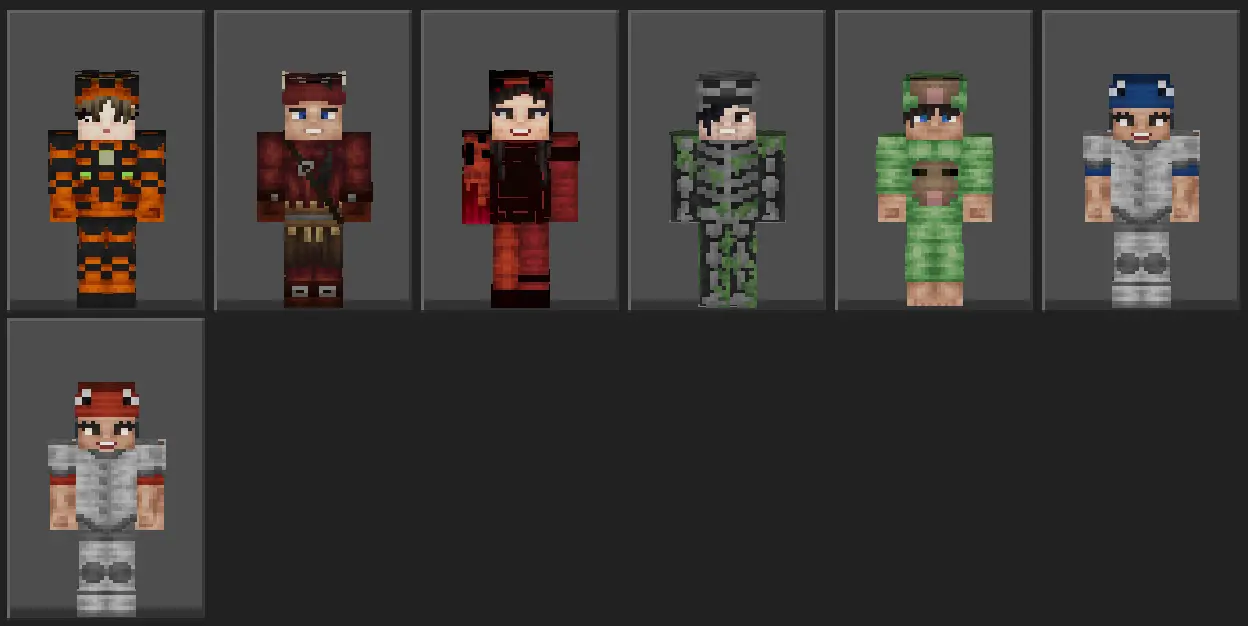
In actual play, the pack works anywhere. Queue PvP and split dwarfs by team so callouts are instant. Run hide-and-seek around overgrown bases with Mossy Skeleton and watch people walk right past you. Roll Eye of the Cliffs on a survival server if you’re the pathfinder, and switch to Heartigniter or Fire Envoy when it’s time to head into the Nether. Skins stay readable under armor on Bedrock, which means your look survives the upgrade curve.
Swapping is quick: pop into the dressing room, pick a Uncannies skin, and jump back into the world. For creators, the colors land great in screenshots and short clips without extra editing. If you want a small, punchy set that makes your crew look coordinated and your solo runs feel fresh, The Uncannies Skin Pack nails it for Minecraft Bedrock—seven distinct looks, one tight theme, and plenty of style for your next session.
The other day, I found a screenshot from a Minecraft session where four of us were standing on a tiny wooden platform in the middle of the ocean. I couldn't remember why we'd built it until I sent the picture to our group chat. Within seconds, everyone started arguing about what had happened that night. Apparently, we'd been exploring some Bedrock content, somebody had suggested moving our experiment offshore, and the whole plan had gradually turned into a mess. One guy remembered losing his boat. Another insisted we'd spent an hour collecting materials for something we never finished. I mostly remembered laughing so hard that I had to put my controller down. That's what I enjoy about trying new Minecraft stuff with friends. Sometimes the content itself becomes a favorite. Other times, it's the ridiculous situations you end up in while exploring it. We still don't know who built the platform, but everybody remembers the evening.
How to Install Skins in Minecraft Bedrock
- Download a .png skin (64×64 or 128×128).
- Open Minecraft Bedrock.
- Go to Profile (hanger icon) → Edit Character.
- Tap Owned → Import → Choose New Skin.
- Select your .png file.
- Pick a model: Classic (Steve) or Slim (Alex).
- Confirm to equip and play.
Comments (0)