Steve Plus Skin Pack
- 15-09-2025, 11:53
- 1 224
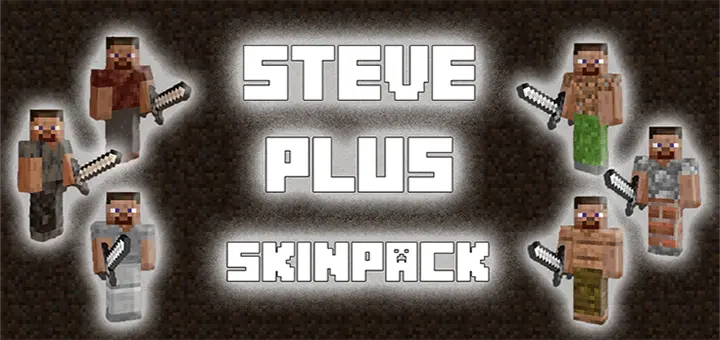
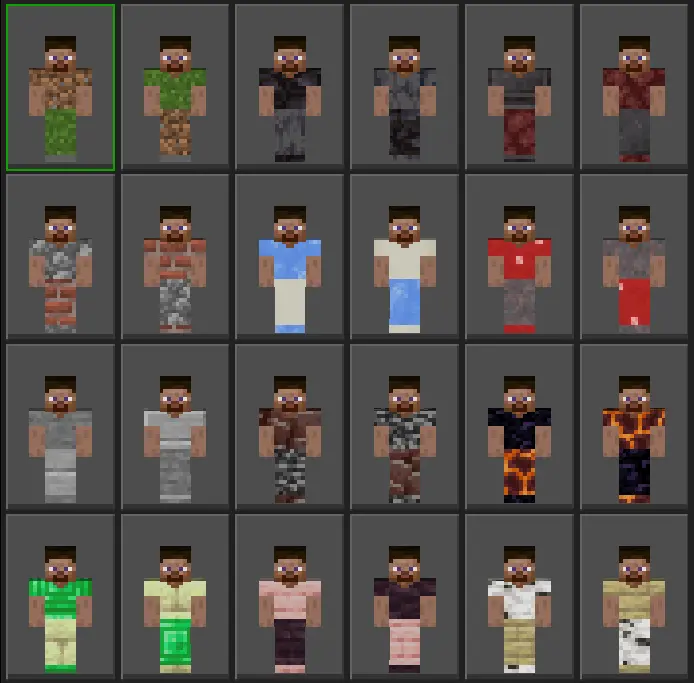
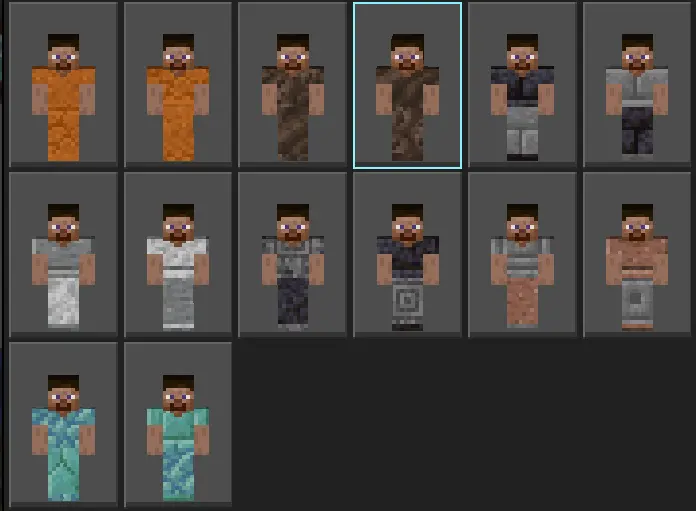
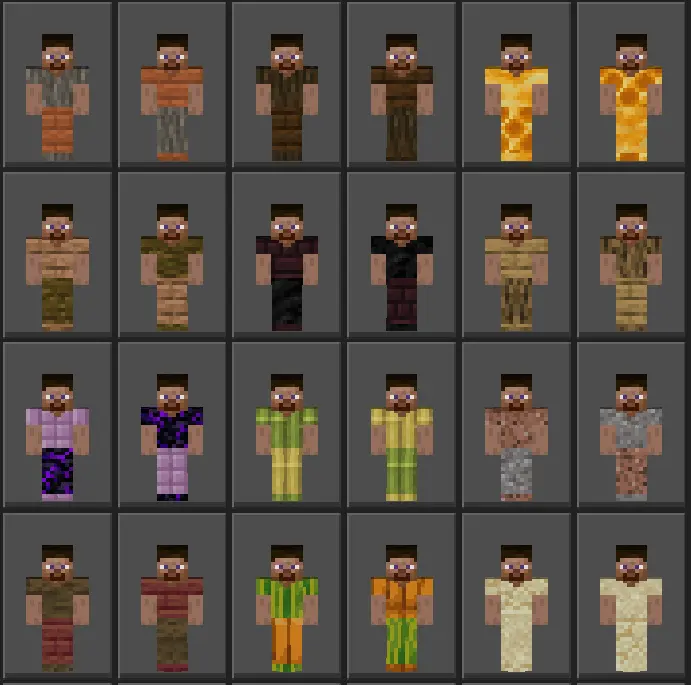
If you grew up with OG Steve, this is the glow-up that still feels like Minecraft. Steve Plus Skin Pack keeps everything vanilla-friendly—same iconic silhouette, same readable colors—then swaps in fresh outfits built from in-game block motifs. It’s the “new fit, same guy” energy that just works in Minecraft Bedrock, whether you’re grinding a fresh world or jumping on an SMP with friends.
What I love is how the styles stay faithful to the blocky aesthetic. Every texture reads like it could’ve been crafted from the world itself, so screenshots feel naturally Minecraft instead of cosplay. In third person you’re instantly recognizable as Steve; in first person, the sleeves look clean for building POVs and redstone tutorials. Throw armor on and the personality still peeks through the gaps, and Elytra doesn’t smother the look—perfect for end-game sky tours and lobby flex shots.
A skeleton with an enchanted bow nearly ended my Minecraft adventure before I'd even reached the place I wanted to explore. I'd packed supplies, traveled through a forest, and started climbing a mountain when the little jerk appeared on a ledge above me. Every time I tried moving forward, another arrow came flying down. I eventually found a way around him, but the whole situation reminded me why I enjoy trying new Bedrock content during survival gameplay. You can prepare as carefully as you want, and Minecraft will still find ways to make the trip interesting. Sometimes the journey becomes just as memorable as whatever you originally wanted to investigate. Once I reached the mountain, I spent a while exploring and ended up staying until sunset. On the way home, I spotted the same skeleton near the path. This time I had a bow ready. Consider that particular problem resolved.
On servers, the different Steve variants make quick team roles a breeze. One Steve runs farms, another handles mining ops, a third is the village trader—same face, different fit, no confusion. It’s also great for content: thumbnails pop thanks to the familiar shape and high-contrast trims, and you don’t have to fight busy patterns that muddy motion blur or shader lighting. No scripts, no stat changes—this is purely cosmetic, plug-and-play, and friendly to whatever texture pack you already love.
If “vanilla, but make it personal” is your lane, Steve Plus Skin Pack nails it. You keep the legend of Steve front and center while swapping outfits that look like they were stitched straight from blocks. Load in, pick your flavor of Steve, and let the nostalgia do the rest.
How to Install Skins in Minecraft Bedrock
- Download a .png skin (64×64 or 128×128).
- Open Minecraft Bedrock.
- Go to Profile (hanger icon) → Edit Character.
- Tap Owned → Import → Choose New Skin.
- Select your .png file.
- Pick a model: Classic (Steve) or Slim (Alex).
- Confirm to equip and play.
Comments (0)