My Hero Academia Skins
- 25-09-2025, 15:29
- 2 351
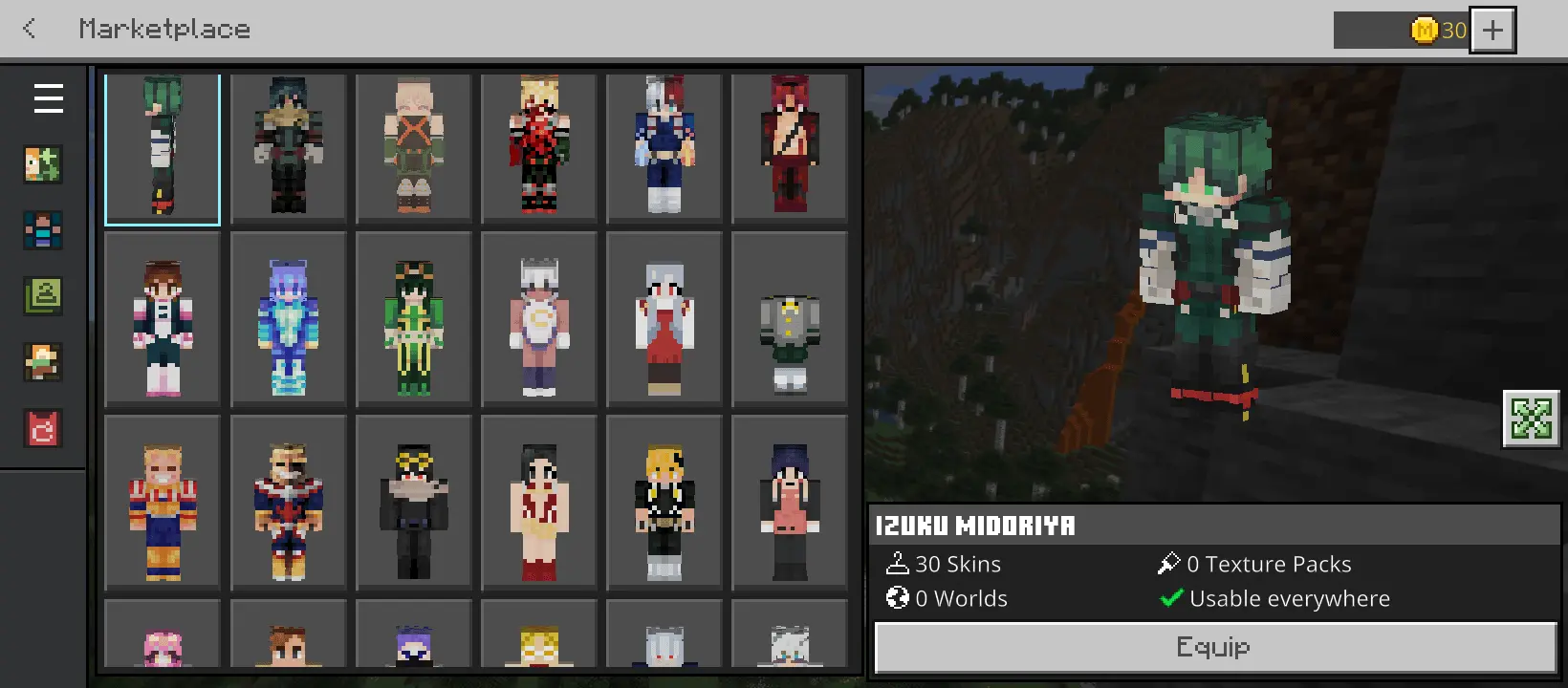
My Hero Academia Skins — a clean, high-quality skin pack that drops the U.A. High vibe straight into Minecraft Bedrock so your lobby looks like a hero course the second you load in. You’re not just swapping outfits; you’re stepping into characters players actually recognize, from Deku’s focused grind to Bakugo’s loud swagger, with teachers and select villains in the mix so every round tells a story. The art sticks close to the anime look while still reading perfectly on Bedrock’s blocky silhouettes, which means skins pop in motion and stay clear at distance in PvP.
In role-play, the pack shines fast. Stage class drills around your base, run “work studies” in nearby towns, or spin up arena nights where heroes defend while villains push objectives. For minigames and servers, it’s plug-and-play: pick a homeroom squad, call targets by character, and roll into Bedwars or SkyWars with instant team identity. Skins are readable under armor too, so you keep the hero energy even after you gear up. If you’re into screenshots or short clips, the colors and capes read clean on rooftops, city maps, or school builds.
A friend once asked me why I kept traveling on horseback when I had an Elytra sitting in my ender chest. Because I actually like seeing where I'm going, dude. Flying is convenient, but you miss plenty when the landscape is rushing past underneath you. We were heading toward an area where I wanted to explore some Minecraft Bedrock content, and I convinced him to leave his wings at home. The journey took longer than he'd expected. We crossed a river, stopped near a village for supplies, and found a little meadow that looked perfect for a campsite. By the time we reached our destination, we'd already had a decent adventure. He admitted the trip was more entertaining than he'd expected, although he complained about having to ride around a mountain instead of flying over it. I told him he was welcome to walk next time. He kept the horse.
The best part is how easily it fits your routine. Solo world? Pick a favorite and grind like you’re training for the Sports Festival. Realm night? Assign classes, draft support and assault roles, and let the trash talk write itself. Because it’s built for Minecraft Bedrock, you swap skins in seconds and jump right back to playing—no weird setup, no extra steps. If you want your sessions to feel louder, cleaner, and way more “hero course,” my hero academia skins gets you there with a roster that’s wide enough for a full party and sharp enough to carry a thumbnail all by itself.
How to Install Skins in Minecraft Bedrock
- Download a .png skin (64×64 or 128×128).
- Open Minecraft Bedrock.
- Go to Profile (hanger icon) → Edit Character.
- Tap Owned → Import → Choose New Skin.
- Select your .png file.
- Pick a model: Classic (Steve) or Slim (Alex).
- Confirm to equip and play.
Comments (0)