Pigman Skin Pack
- 15-09-2025, 09:07
- 1 432
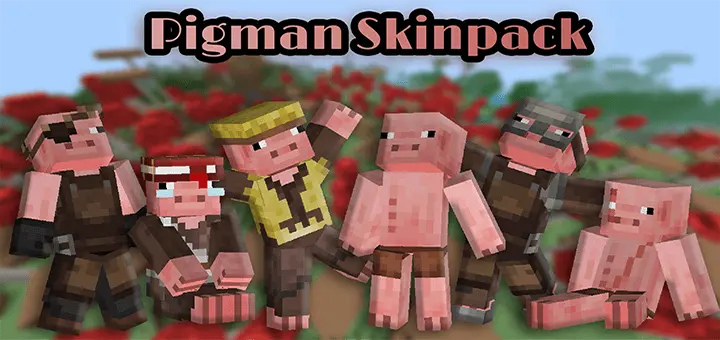
Old rumor, new drip. The Pigman Skin Pack takes that pre-villager concept we all joked about and makes it real for Minecraft Bedrock: a proper lineup of humanoid pig designs that look great in third-person and stay readable in first-person sleeves. You’ve got the primitive loincloth classic, plus profession-style spins that feel like the “what if� timeline where Pigmen actually populated villages—farmhand earth tones, smithy soot marks, cleric robes, guard accents, even merchant colors that pop in screenshots. Throw them into a plains hamlet or march them through a crimson forest and the vibe just clicks.
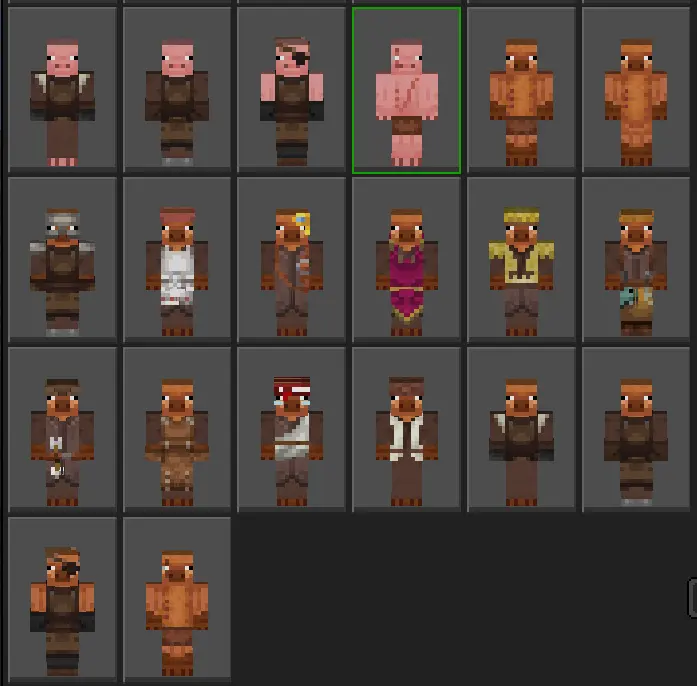
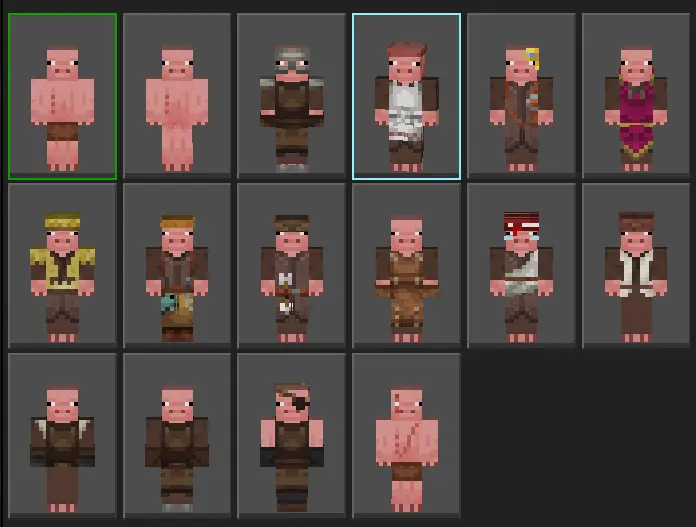
These skins play nice with armor and shaders. Iron and diamond frames leave enough of the snout, ears, and trim peeking through that you still read as Pigman mid-fight; netherite over the guard variant looks mean without turning into a black blob. On the build side, the palette pairs perfectly with copper roofs, mud bricks, mangrove planks, and Nether brick—easy recipe for a Pigman market square or a warped-wood outpost on the lava sea. If you’re running a Realm, split roles by skin and watch the server feel like an alternate history: Pigman farmers tending beetroot rows, a smith ringing the bell at dusk, a guard posting up by the gate while a “priest� trades at the lectern.
One guy in our Discord keeps asking whether a Minecraft addon is worth downloading without telling us what he actually enjoys doing in the game. He'll send a link, ask for opinions, and then disagree with every answer. Recently, I finally asked what kind of world he was playing. Turns out he's building an enormous medieval city and barely touches survival mode. Suddenly, it made sense why he wasn't interested in half our suggestions. We started talking about what he wanted for his project instead of throwing random downloads at him. He found something he liked, and the following evening he was already experimenting with it. That's something I think people forget when discussing Minecraft Bedrock content. A download can be great for one player and completely unnecessary for another. It depends on what you're trying to do. Our friend is still asking for recommendations, but at least he finally tells us what he's looking for.
For creators, it’s thumbnail gold—strong silhouettes, consistent greens/reds that read against stone and sky, and clean first-person hands for POV building. It’s purely cosmetic, achievement-friendly, and zero performance tax—swap fits without breaking a thing. If you’ve always wanted to see what Minecraft would feel like if Pigmen won the village pitch, this pack nails the fantasy: pick a role, build the settlement, and let the old legend finally breathe.
How to Install Skins in Minecraft Bedrock
- Download a .png skin (64×64 or 128×128).
- Open Minecraft Bedrock.
- Go to Profile (hanger icon) → Edit Character.
- Tap Owned → Import → Choose New Skin.
- Select your .png file.
- Pick a model: Classic (Steve) or Slim (Alex).
- Confirm to equip and play.
Comments (0)