Cactus Skin Pack
- 7-09-2025, 09:15
- 1 349
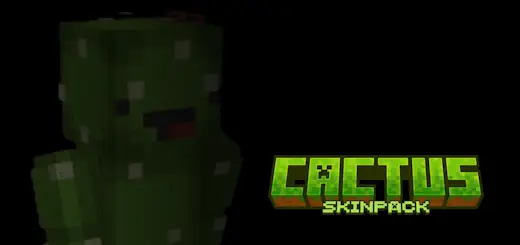
Cactus Skin Pack — desert-tough style for Minecraft Bedrock
Need a look that screams “I thrive where everything else dries out”? The Cactus Skin Pack gives your Minecraft Bedrock character that sun-baked, thorny attitude without going full costume party. Think textured greens with sandy undertones, thorn-lined sleeves, and subtle bloom accents—clean silhouettes that read from across a lobby and still look great under armor.
I’ve been running a few favorites:
Desert Ranger — muted greens, tan wraps, perfect for badlands screenshots and raid nights in savanna villages.
Bloom Variant — tiny flower details that pop at sunrise; looks killer with amethyst armor trims.
Sand Nomad — lighter palette for hot biomes; pairs with dyed leather for a survival-film vibe.
Prickly Guard — heavier thorn pattern for PvP thumbnails where you want your outline to stand out.
There's something satisfying about finding a Minecraft addon that makes you want to revisit an area you've been ignoring. I had an old watchtower sitting on the edge of a birch forest, and I hadn't bothered going there in months. The thing was basically an empty stone building with a ladder and a decent view. While exploring some Bedrock content, I remembered the tower and decided to see whether I could do something interesting with the space. I brought a few supplies, climbed to the top, and started messing around. Before long, I was changing the interior, cleaning up the surrounding path, and wondering why I'd abandoned the building in the first place. It turned into a pretty good afternoon. I still haven't figured out what the tower is actually supposed to watch, considering there's nothing dangerous nearby except a couple of sheep. Maybe I'll give one of them a suspicious name and call it security.
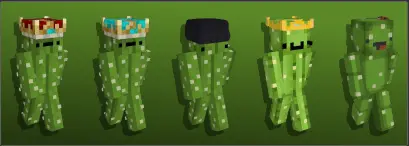
These skins travel well. In deserts they blend just enough to feel on-theme; in forests they contrast nicely for videos and reels. Roleplay servers get instant character hooks—frontier scout, caravan guard, dune courier—without touching commands. And because it’s a skin pack, achievements stay on and performance is a non-issue.
Tips to make it sing: toss a banner cape with a green/white motif, use gold or amethyst trims for contrast, and set your hub in badlands or warm ocean for those warm-lit evening shots. Hosting an event? Try a “Cactus Run”—no shields, limited water (just for the bit), sprint between desert obelisks at dusk and grab the group photo on a mesa.
Bottom line: if you want a look that’s rugged, readable, and instantly recognizable, the Cactus Skin Pack brings that tough-as-thorns energy to every Bedrock adventure.
How to Install Skins in Minecraft Bedrock
- Download a .png skin (64×64 or 128×128).
- Open Minecraft Bedrock.
- Go to Profile (hanger icon) → Edit Character.
- Tap Owned → Import → Choose New Skin.
- Select your .png file.
- Pick a model: Classic (Steve) or Slim (Alex).
- Confirm to equip and play.
Comments (0)