GOKU SKIN PACK
- 20-08-2026, 10:13
- 687

Power up and dominate your next server wipe with this custom Goku outfit. It’s time to drop the boring default Steve look and bring true Saiyan energy to your Bedrock realms.
Nothing flexes on your server quite like pulling up in that iconic orange and blue gi. Whether you’re grinding through a hardcore survival world, building a massive base with your squad, or just flying around with an Elytra acting like you’re using instant transmission, this fit goes incredibly hard. The pixel artists actually understood the assignment here. They locked in that classic spiky hair without making the head model look like a chunky, unplayable mess.
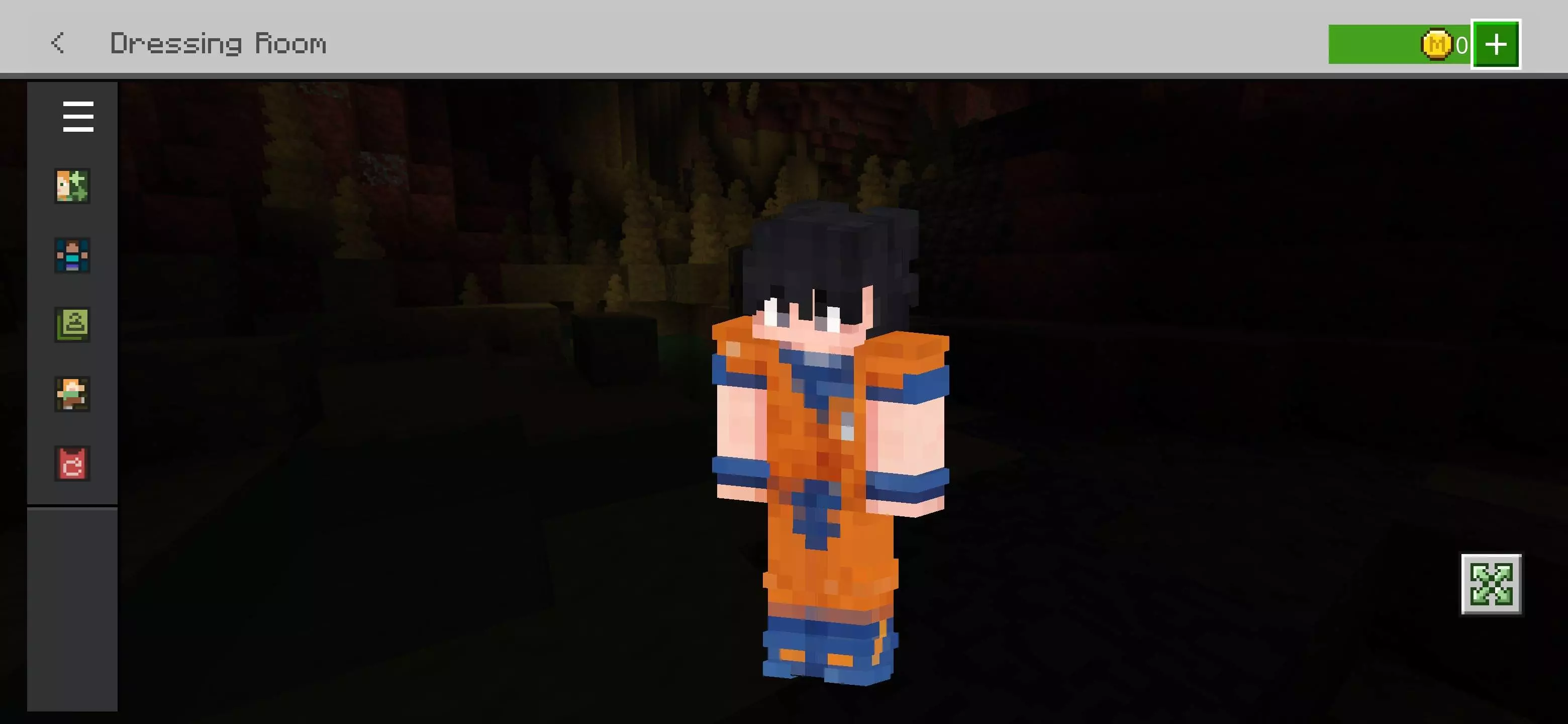
If you spend half your time sweating it out in minigames, you already know clunky cosmetics are a massive throw. This specific design stays completely sleek. There’s no weird geometry jutting out to block your peripheral vision when you switch to a third-person camera, meaning your screen stays completely clear for those clutch combo hits. Plus, the bright colors give you a super sharp, high-contrast aesthetic that pops perfectly even if you aren't running heavy shaders.
Trying to find a top-tier Minecraft anime skin that actually looks authentic is usually a total headache. Skip the sketchy downloads and add this premium MCPE custom skin right into your daily rotation. Download this Minecraft Bedrock skin pack today, queue up for a match, and go absolutely Super Saiyan on your lobby.
Quick guide: How to install this Minecraft skinpack
Downloaded the .mcpack file? Here is exactly how to get it into your game depending on what device you are using right now.
- On Windows or Android: Just click or tap the downloaded file twice. Minecraft will open up on its own and load the skins immediately.
- On iPhone or iPad: Save the file, open your Files app, and hold your finger on it. Hit Share, select Minecraft from the list, and the game will handle the rest.
To put the skins on, just open Minecraft, head over to the Dressing Room (Profile), click on Classic Skins on the left, find this pack under Owned, and tap Equip.
Comments (0)