LUFFY Skin Pack
- 20-08-2026, 10:04
- 529

Stop looking like a completely random NPC and bring that future Pirate King energy to your next server wipe. This Luffy skin by Baku gives you the exact Straw Hat aesthetic you need to completely take over.
Let’s be real, pulling up to an SMP spawn hub rocking that iconic red shirt and straw hat just hits different. If your crew is heavily into building massive pirate ships, setting up island bases, or just messing around with boat racing, having the right outfit is mandatory. You don't want to be the one guy running around in basic iron armor while everyone else looks like they just escaped the Grand Line. It seriously elevates the vibe when you're grinding out ocean monuments or exploring massive cave systems with the squad.
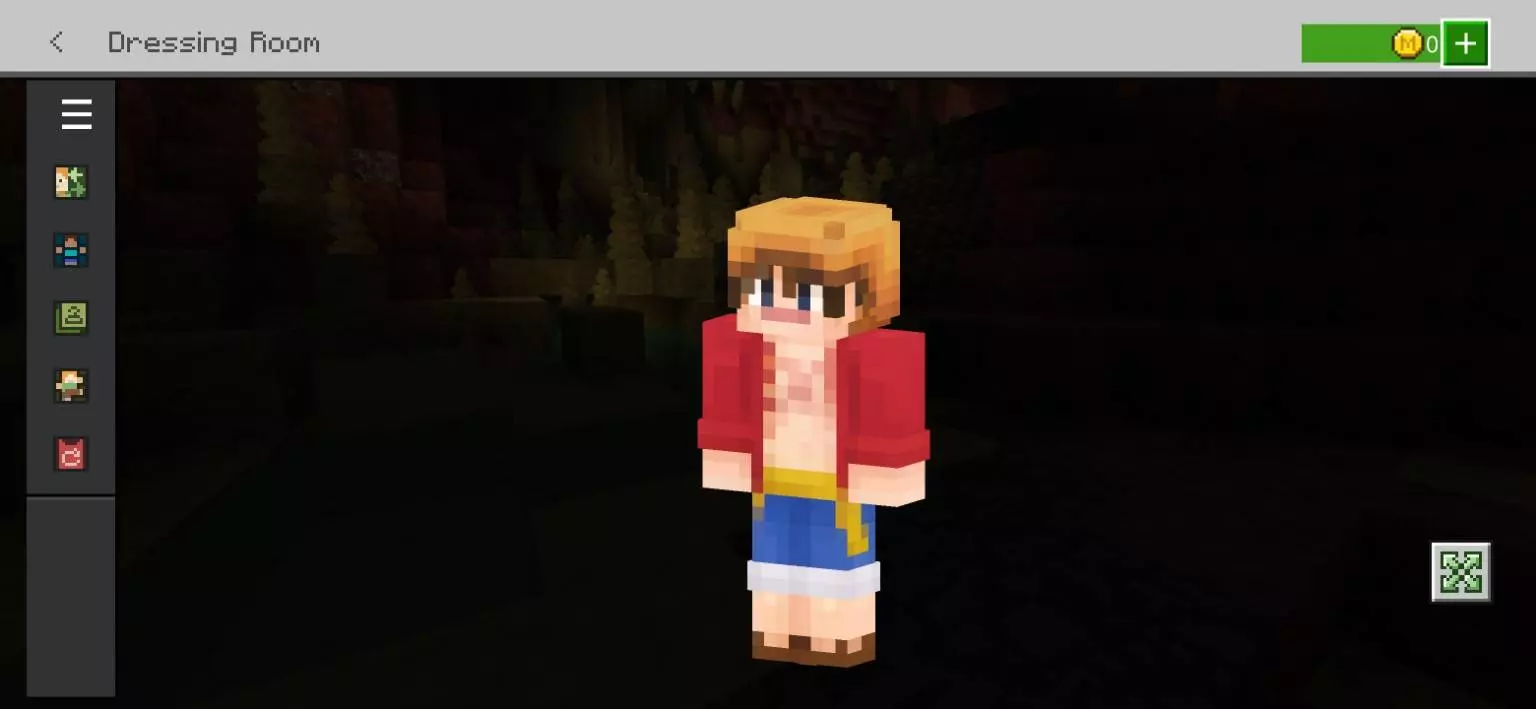
Baku absolutely nailed the pixel art here. A lot of anime crossover cosmetics end up looking super messy with way too much shading, but this keeps the character model ridiculously crisp. That clean design actually matters when you are sweating it out in competitive game modes, too. There is no clunky 3D geometry blocking your camera angle when you swap to third-person view, keeping your visibility wide open for clutch plays.
Hunting down a reliable Minecraft anime skin shouldn't take hours of digging through sketchy modding forums. Snag this Minecraft Bedrock skin pack right now, lock in your fresh MCPE custom skin, and start building your own pirate crew today.
Quick guide: How to install this Minecraft skinpack
Downloaded the .mcpack file? Here is exactly how to get it into your game depending on what device you are using right now.
- On Windows or Android: Just click or tap the downloaded file twice. Minecraft will open up on its own and load the skins immediately.
- On iPhone or iPad: Save the file, open your Files app, and hold your finger on it. Hit Share, select Minecraft from the list, and the game will handle the rest.
To put the skins on, just open Minecraft, head over to the Dressing Room (Profile), click on Classic Skins on the left, find this pack under Owned, and tap Equip.
Comments (0)