Not Enough Bricks Mod / Addon
- 8-04-2026, 08:26
- 520
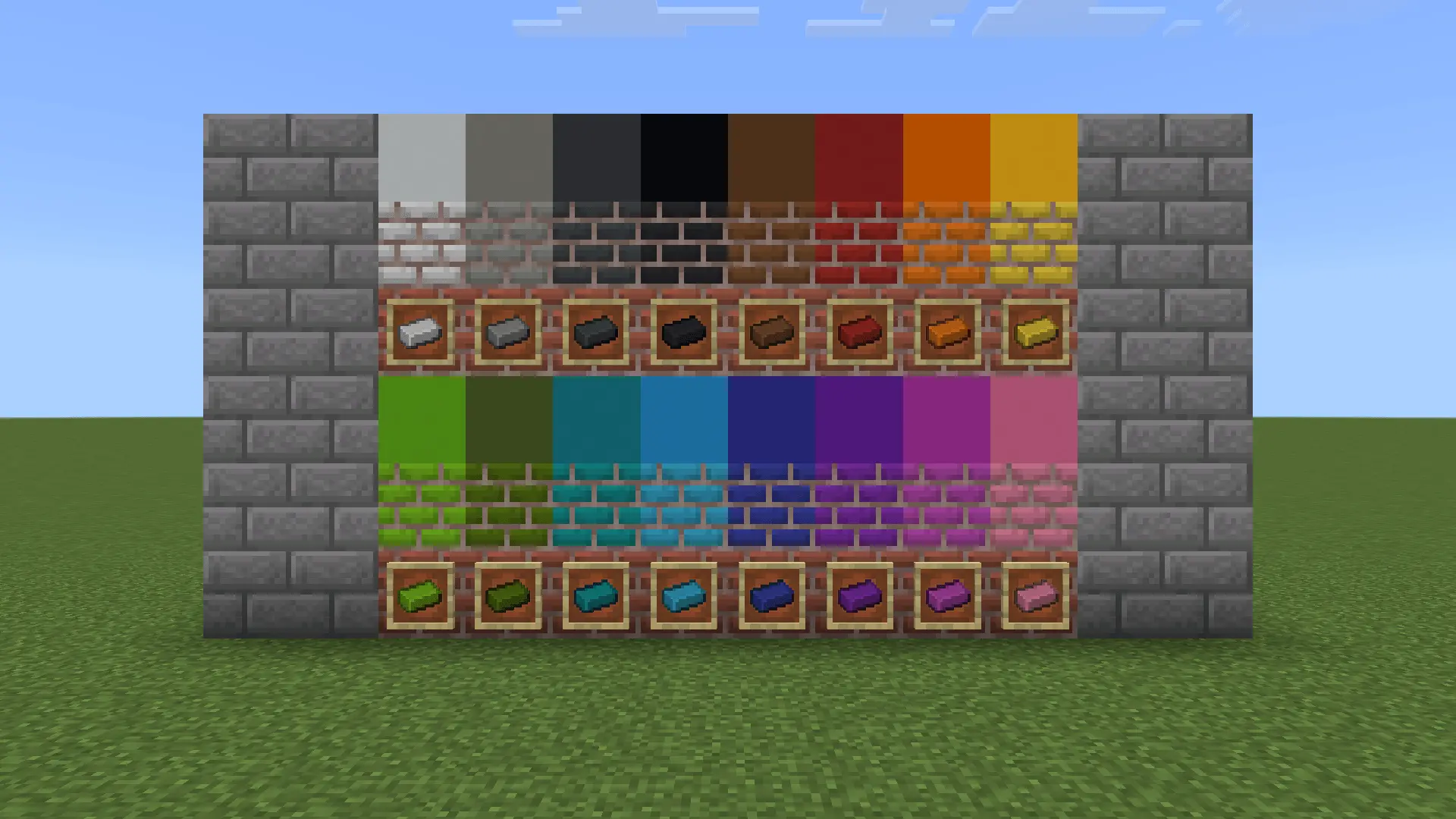
Not Enough Bricks is a great mod for builders, it adds more options for crafting bricks in Minecraft Bedrock. A brick wall can look right on a city street and completely out of place on a seaside house. Sometimes the shape is just what you need, but the color doesn’t fit. Not Enough Bricks gives Minecraft builders more choices by adding colored bricks and new stone brick blocks. You can keep the familiar brick pattern while choosing a shade or material that better suits the building you have in mind.
There are brick blocks in all 16 dye colors, from white and light gray to blue, green, pink, and purple. That gives you room to make a row of houses with different facades or pick a single color for a shop you want people to notice. Dark bricks could work around the base of a building, while lighter ones might suit an interior wall or a courtyard. You can also mix colors in the same build: try framing windows with one shade and filling the walls with another, or use a contrasting strip to break up a tall, flat surface. The blocks keep a brick texture, so even a bright color can fit into a design where you want the walls to look like masonry.
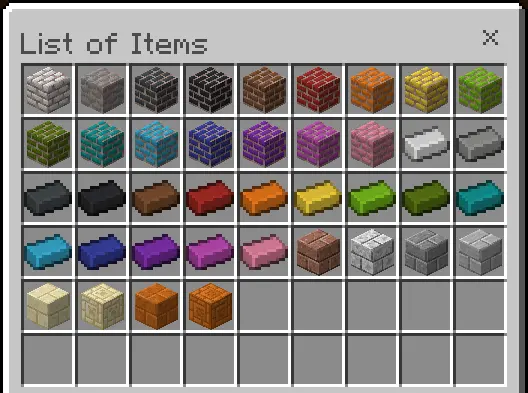
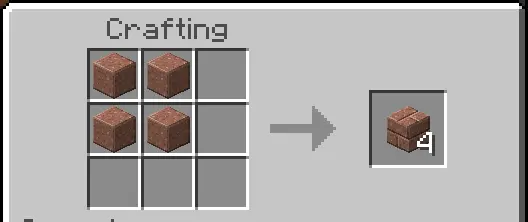
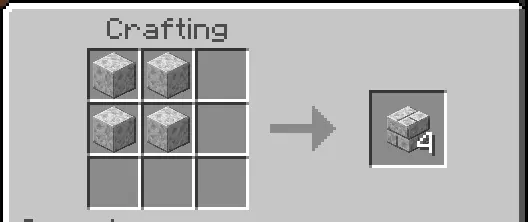
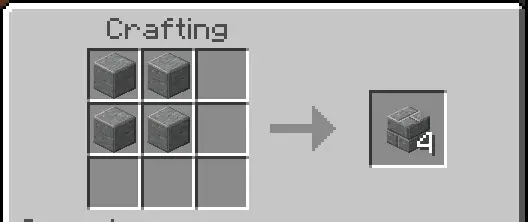
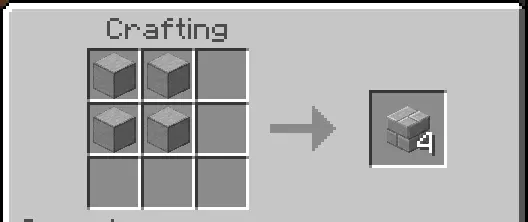
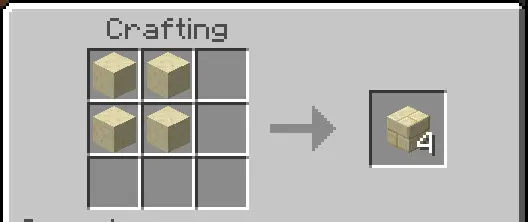
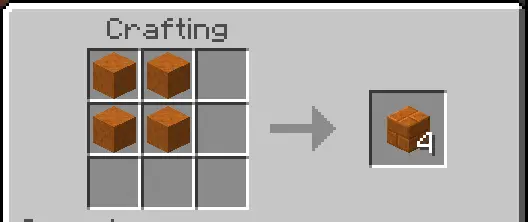
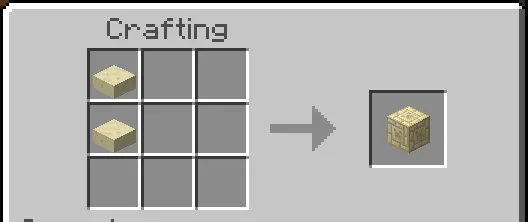
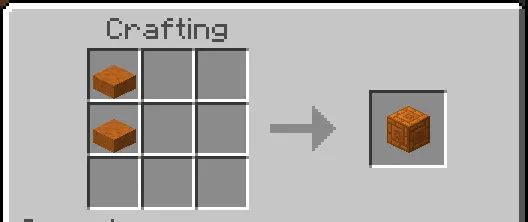
If you prefer the colors of natural stone, there are several additions for that too. Polished granite, diorite, and andesite each have their own brick blocks, as does smooth stone. Smooth sandstone and smooth red sandstone come in brick forms, with chiseled blocks available for both. The sandstone options could be a good fit for a desert settlement, especially if you want neighboring buildings to use similar colors without giving them all identical walls. Granite bricks might add warmth to a workshop, while diorite or smooth stone could give a hall a lighter finish. Place a few blocks next to your usual materials before starting a large build; seeing them beside your chosen wood, glass, and roofing can make it easier to settle on a palette.
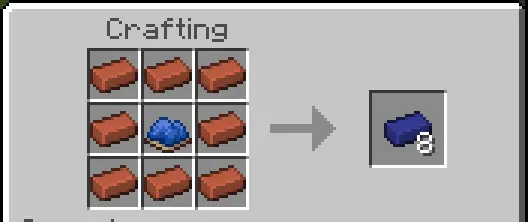
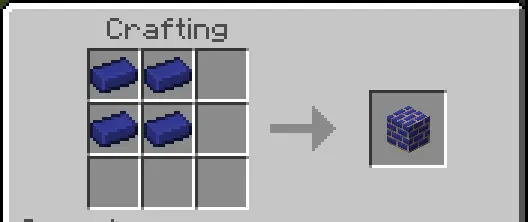
You can use the blocks in both Creative and Survival. To make colored bricks, combine eight ordinary bricks with a dye, then arrange four matching colored bricks in a square to create a block. For the stone varieties, four blocks of the appropriate polished stone or smooth material can be arranged in a square to make four brick blocks. Several can also be made with a stonecutter. Chiseled sandstone brick blocks use smooth sandstone slabs, with a stonecutter option available as well. In Creative, look for the colored and stone bricks among the decorative stone blocks; the sandstone additions are in the sandstone section. Whether you’re planning a new town or just want to replace one wall in your base, it’s easy to start with a small sample and see how the new bricks look in your world.
Installation Mod:
- Download the .mcaddon / .mcpack;
- Open the file to import into the game;
- In World Settings → Resource Packs and Behavior Packs, enable it (turn on Experiments if needed);
- Have fun!
Comments (0)