OP PICKAXES Mod / Addon
- 20-08-2025, 12:05
- 1 773
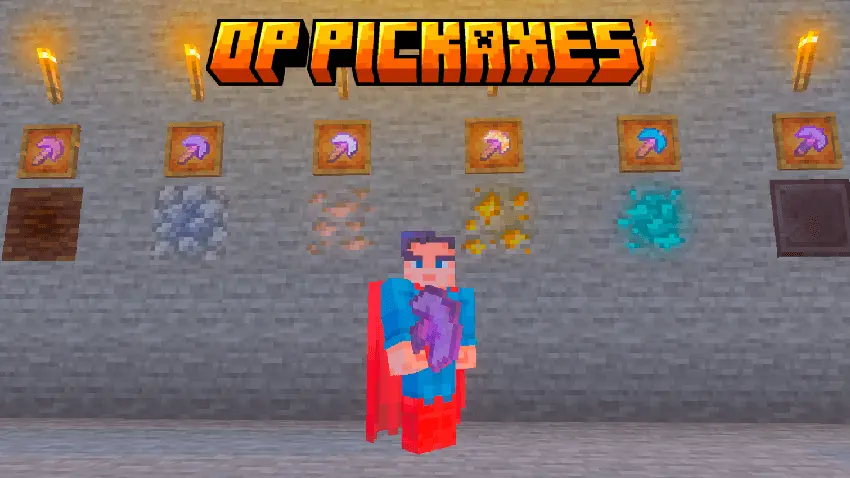
Mining in Minecraft Bedrock can get repetitive fast — breaking one block at a time, carving endless tunnels just to get resources. The OP Pickaxes mod blows that grind wide open by adding six brand-new pickaxes that mine in a full 3x3 area. Instead of chiseling block by block, you’re clearing out whole chunks with every swing.
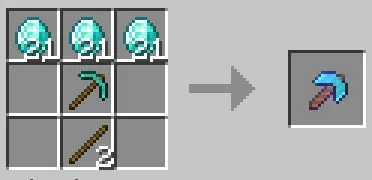
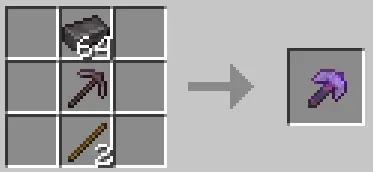
Each pickaxe is crafted from its vanilla version, but you’ll need some extra rare resources to unlock the real power. That means you still have to progress through the game, starting with basic tools and working your way up until you’re swinging something that can hollow out caves in seconds.
I tested it while branch mining for diamonds, and the difference is insane — tunnels that would normally take 15 minutes were done in under two. It’s also great for big building projects, like carving out underground bases or flattening terrain. The balance is solid too, since you can’t just craft them on day one. You’ll need to grind materials before earning that insane mining speed.
If you’re tired of slow digging and want your mining sessions to feel powerful instead of tedious, the OP Pickaxes mod is a must-try. It turns the most boring part of survival into pure destruction fun.
Nine blocks disappear where your pickaxe used to break one. OP Pickaxes gives Minecraft Bedrock miners a bigger bite out of every tunnel.
The add-on introduces six upgraded pickaxes designed to mine a three-by-three area. That extra reach makes a difference the moment you start carving out a passage: instead of making separate cuts for the floor, ceiling, and sides, you can clear a wider section as you go. It’s especially appealing when your plans involve more than a quick trip underground. A long branch mine, a route between two bases, or the first room of an underground workshop can all demand a lot of digging. With a larger mining area, you can spend less time shaping the initial space and more time deciding what to do with it. Bring torches and food as usual, and keep an eye on the blocks you’re removing; a wider swing calls for a little more attention near anything you want to keep. If you’re expanding an existing base, take a moment to check where your walls and storage rooms are before you start cutting into them.
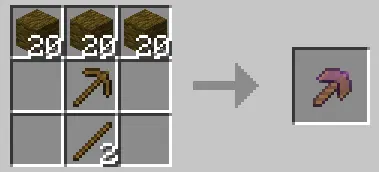
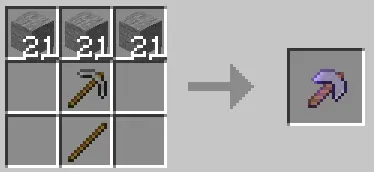
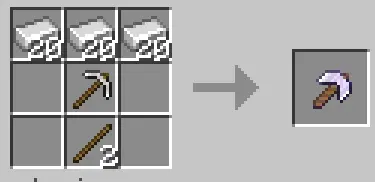
The pickaxes follow familiar material tiers, with upgrades based on regular Minecraft tools. The listing describes using the corresponding vanilla pickaxe and additional resources to craft an OP version. Wood, stone, iron, diamond, and netherite are among the tiers mentioned in a related listing, so there’s room to work toward different tools as your survival world develops. Check the recipes available in your crafting menu to see what each upgrade requires; the linked page doesn’t give a complete ingredient list. If you’ve just started a new world, you can make gathering those supplies an early goal. Later on, you might build an OP pickaxe for a much bigger project, such as excavating a storage hall or opening up space for an underground farm. It gives the resources you collect another purpose beyond the usual equipment upgrades. For a mining-focused survival run, working toward a better tool can make a good goal between larger adventures.
There are plenty of ways to put that wider cut to work. Dig a roomy mine entrance with space for signs and storage, or clear a straight corridor that can eventually become part of a rail route. If your base is already tucked into a mountainside, expanding it for an enchanting room or a new set of furnaces becomes a more manageable job. You can still finish the details with ordinary tools when you want more control around walls and decorations. Before heading underground, consider making space in your inventory for the blocks you collect: a large excavation can leave you sorting through a lot of stone. You might even set up a chest near the entrance so you can drop off building materials between trips. The download page provides separate behavior and resource packs, so import and activate both for the add-on. OP Pickaxes is built for players who enjoy seeing a big project take shape and would rather get to the building part without spending the whole evening digging its outline.
Installation:
- Download Mod;
- Open the downloaded file to install;
- Select it in the settings;
- Have fun!
Comments (0)