Star's AutoTool Mod / Addon
- 13-08-2025, 09:09
- 936
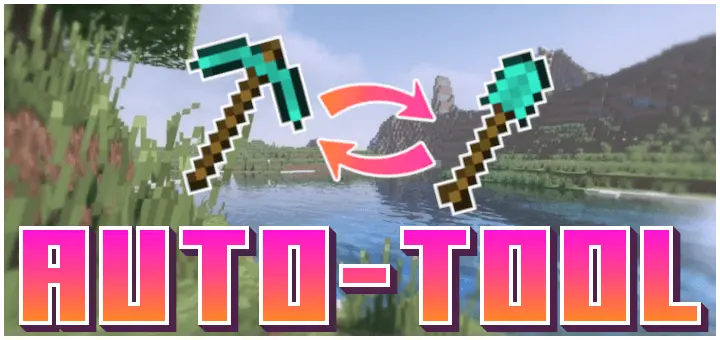
I’ve been using the Star’s AutoTool mod in Bedrock, and it’s one of those quality-of-life addons you don’t realize you needed until you try it. Basically, the second you start breaking a block, it auto-switches to the best tool you’ve got in your hotbar for that job. No more scrolling, tapping, or fumbling to grab the right pickaxe, axe, or shovel.
It’s especially nice on mobile, where switching tools mid-mining can be a pain. I tested it while clearing an area that had mixed stone, dirt, and wood — usually, that means constant swapping, but with AutoTool, it just picked the right gear instantly. You keep mining without breaking your rhythm.
It works with whatever tools you’re carrying, so if you’ve got an enchanted pick or an efficiency axe, it’ll go straight for that. Simple idea, flawless execution, and after using it for a while, going back to manual tool switching feels slow and clunky. Star’s AutoTool just keeps the flow going.
You’re digging through stone, hit a patch of dirt, and suddenly your pickaxe is doing a shovel’s job. Star’s AutoTool handles that awkward switch for you, choosing a suitable tool from your hotbar as soon as you start breaking a block.
The idea is straightforward: keep your tools on the hotbar, and the add-on picks the best available one for the block you’re mining. Start working on stone and your pickaxe comes out; move on to dirt and your shovel gets its turn. Wood calls for an axe, so clearing a tree or taking apart a wooden structure involves less flipping between slots. You still decide which blocks to break and where to go. AutoTool simply takes over the repetitive part of matching a tool to the job. There’s no new machine to build and no special tool you need to hunt down before you can try it. Put your usual gear within reach and get back to work.
This can feel especially useful during those projects where every few blocks demand a different tool. Picture carving a room into a hillside: there’s stone behind the wall, dirt along the ceiling, and a few tree roots in the way outside. Normally, you’d be bouncing between your pickaxe, shovel, and axe the whole time. With automatic switching, you can concentrate on the shape of the room and keep chipping away at whatever is in front of you. The same goes for tidying up around a base or opening a path through mixed terrain. On a phone or tablet, where selecting a specific hotbar slot can take an extra tap, that convenience is particularly welcome. It won’t dig the room for you, but it can make a long building session feel less fiddly.
A little hotbar planning still matters. The add-on chooses from tools you have there, so a shovel sitting elsewhere in your inventory won’t be part of that selection. Before heading underground or starting a big clearing job, check that the tools you want to use are in your hotbar and have enough durability for the trip. You’ll also want to pay attention when carrying tools you use for different purposes; the add-on selects what it considers best for the block, so make sure you’re comfortable with what it pulls out before working on something valuable. Import the add-on and activate its behavior pack in your world, then try breaking a few different materials to get a feel for the switching. Star’s AutoTool is a handy fit for survival players who spend a lot of time gathering blocks, digging out builds, or simply roaming with a full set of tools. It keeps the familiar Minecraft routine intact while cutting down on the tiny interruptions that add up over an evening of play.
Installation:
- Download Mod;
- Open the downloaded file to install;
- Select it in the settings;
- Have fun!
Comments (0)