Blinds Mod / Addon
- 5-08-2025, 07:53
- 1 135
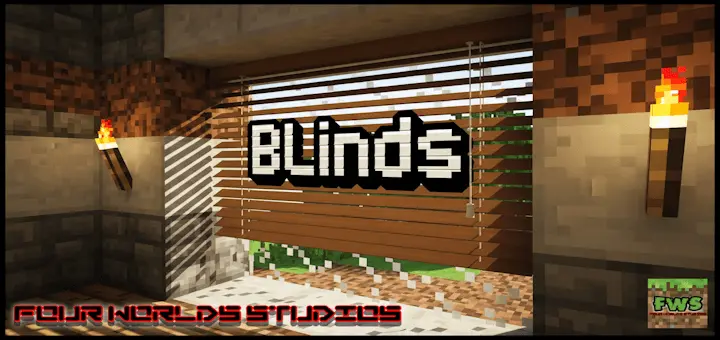
Blinds [Block the light out in Style!] mod is one of those lowkey mods that completely upgrades your Minecraft interior game. Forget those basic trapdoors or janky banners you’ve been using as makeshift curtains — this add-on gives you legit blinds. And not just one type. We’re talkin’ full sets of openable, closable, craftable blinds in a bunch of different wood types and styles.
You can actually open and close them with a single tap, which means you can finally block sunlight from flooding into your base, or just add some sleek modern vibes to your windows. Got a cozy cabin? There’s spruce blinds. Going full modern house? Birch and quartz-style blinds got you. And these aren’t just for show — they actually stop light, so you can use ‘em to control mob spawning, make secret rooms look darker, or just set the mood.
They fit perfectly into survival too — you craft them from planks and sticks, no weird materials needed. If you’re into building detailed bases or care about aesthetics, this is a tiny mod with massive impact. Style + function in one.
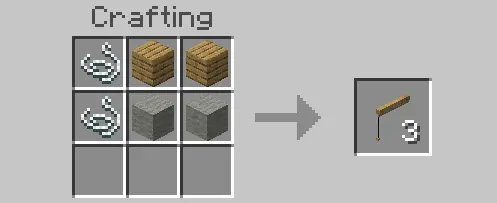
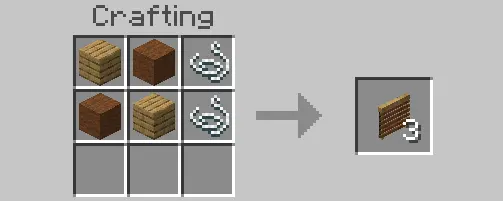
You’ve built the perfect Minecraft bedroom, complete with a lake view, and then the sunrise blasts straight through the window. Blinds gives you a way to cover that window when you want a darker room—and make it look good while you’re at it.
There are two styles to work with. Standard blinds use wool, planks, and string, with the wool color determining their appearance. That makes it easy to coordinate your windows with the rest of a room: try a color that matches your bed, pick something bright for a playful build, or keep things understated in a modern house. Venetian blinds offer a wooden look and use planks and string, making them a natural fit for cabins, workshops, and countryside homes. Check the crafting recipes in-game, gather the materials you want, and start dressing those windows. You can stick to one style throughout a house or give each room its own personality. A cozy reading room might call for wooden blinds, while a colorful bedroom could use wool to match its furniture and walls.
The blinds are functional as well as decorative. Place them at a window and interact with them to close them; to open them again, crouch and interact. Closed blinds block light, so you can change the feel of an interior without rebuilding the window or covering it with solid blocks. Open everything up while you’re working on a bright kitchen, then close the blinds when you want a more sheltered space for your enchanting room. They’re a nice touch in a survival base, too, where the same room often serves as a bedroom, workshop, and storage area. Add a few lamps or lanterns and experiment with the lighting until the room feels right. Just remember that the blinds affect the window area; other openings and light sources can still brighten the room.
There’s plenty of room to get creative with the details. Give each room in a shared house a different color, add wooden blinds to a lakeside cabin, or use matching window coverings across the apartments in a city build. A café could have bright windows during the day and a more intimate look once the blinds are closed. In a mansion, try pairing them with bookshelves and darker wood for a study that feels tucked away from the rest of the house. The behavior and resource packs are provided separately, so import and activate the required files in your world before getting started. Then pick a room, craft a few blinds, and try them on its windows. It’s a small detail, but one you can interact with every time you come home—and it might be the finishing touch your favorite build has been missing.
Installation:
- Download Mod;
- Open the downloaded file to install;
- Select it in the settings;
- Have fun!
Comments (0)