Better Glowstone Mod / Addon
- 27-07-2025, 23:17
- 1 073
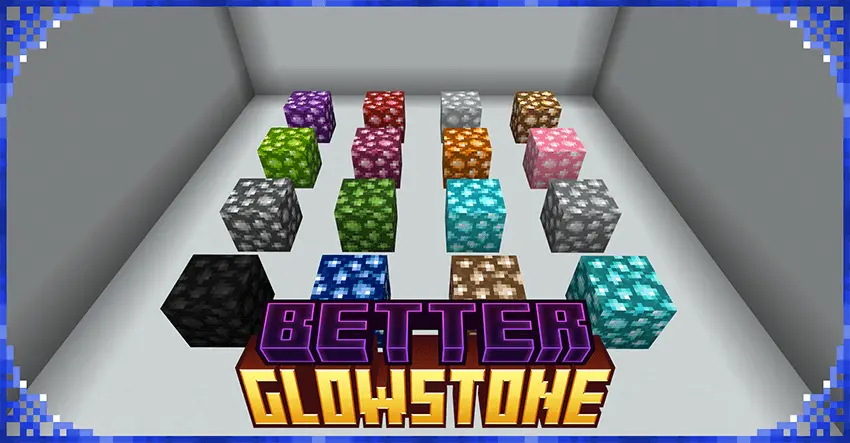
Better Glowstone Addon – Colored Light for Real
Sick of the same boring yellow glow? Better Glowstone lets you light up your builds in full color. This addon adds 16 new glowstone blocks, each glowing in a different color—blue, green, red, purple, and a bunch more. Perfect for customizing your base, making spooky vibes, or turning your underground cave into a glow rave.
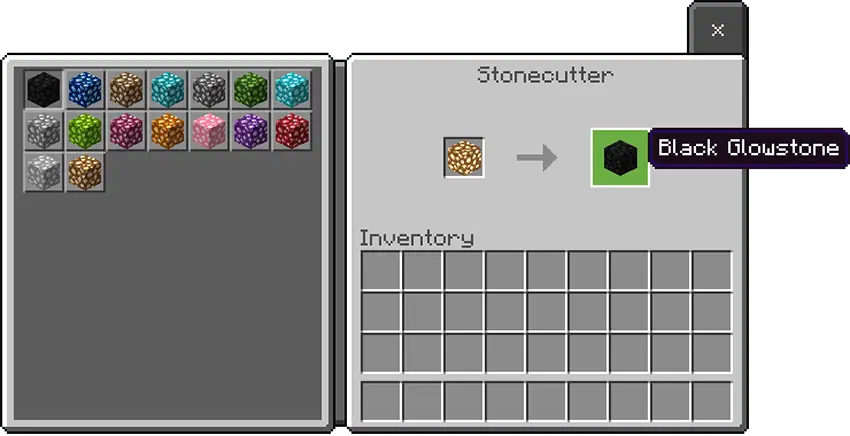
Each glowstone block lets you control its light level. Tap it to cycle from 0 to 15 brightness, and sneak-click to reset. You’ll even see the light level on screen as a quick subtitle. All 16 colors are craftable in the stonecutter—no weird recipes, just clean and easy.
Give your glowstone a new color and dial in the brightness yourself. Better Glowstone adds sixteen colorful blocks to Minecraft Bedrock, with adjustable light levels for every kind of build.
The new variants bring blues, greens, reds, purples, and more to a block that usually comes in one familiar shade. That opens up plenty of decorating ideas: use a color that fits your base’s palette, mark different wings of a large build, or add a striking centerpiece to an underground room. A purple block could look at home in an enchanting area, while green might suit a greenhouse or a laboratory build. You can mix colors throughout a project or stick with one for a more consistent style. The blocks themselves provide the color choice; how the surrounding area appears can depend on your game’s visual settings, so try them in the space you’re decorating before committing to a whole room.
Brightness is adjustable on each block. Interact with one to cycle its light level from zero up to fifteen, and the current level appears on screen above your hotbar. If you want to start over, sneak and interact with the block to reset it to zero. That makes it easy to experiment without replacing the block every time you change your mind. Try a lower setting for a quiet hallway, then raise the level in a workshop where you want a clearer view. You can even give different parts of the same build their own feel: a brightly lit entrance leading into a dimmer bedroom, for example, or a display room where the blocks themselves are part of the decoration. Take a walk through the finished space at night and adjust any spots that feel too bright or too dark for your taste.
All sixteen variants can be made with a stonecutter, using a one-to-one conversion. Bring glowstone to the stonecutter and choose the style you want for your project. That gives a Nether gathering trip a new purpose if you’re planning a colorful base or want a set of matching lights for a larger build. Before you start placing blocks everywhere, try a few samples beside the materials you’re already using; the right color for dark stone might look quite different next to pale wood. The addon’s setup information calls for both its behavior and resource packs, along with the Beta APIs experiment. Better Glowstone is a handy choice for builders who like treating lighting as part of the design. Pick a color, set the level, and give each room the atmosphere you had in mind.
Installation:
- Download Mod;
- Open the downloaded file to install;
- Select it in the settings;
- Have fun!
Comments (0)