Kitchen Kings Skin Pack
- 20-09-2025, 14:28
- 776
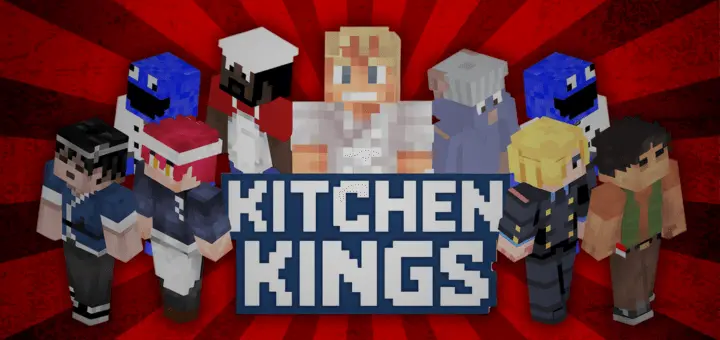
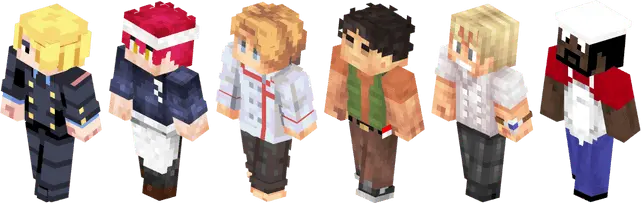
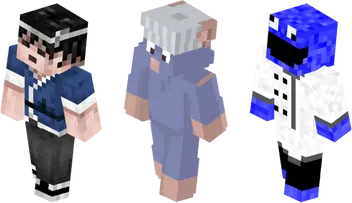
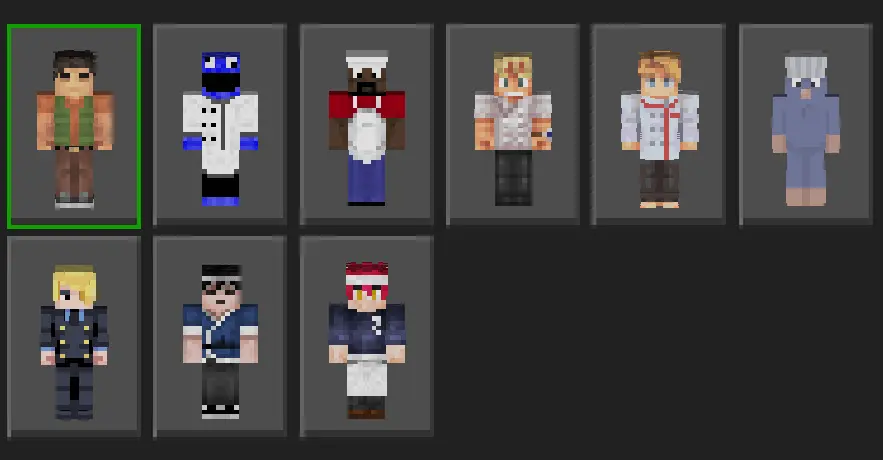
Kitchen Kings Skin Pack is Carryover’s day-two spotlight: a curated set of creator-made skins that leans hard into restaurant vibes and team identity on Minecraft Bedrock. I dropped it into a modern city world and it instantly clicked—clean silhouettes, readable colors, and enough personality that your group photo in the spawn plaza looks like a real crew clocking in for the dinner rush. It’s a skin pack, not a gimmick, which is exactly why it works: no menus to fight, just equip, hop in, and your server suddenly has a front-of-house, line cooks, managers, and a “we actually work here” energy.
There's a particular kind of Minecraft chaos that happens when everyone starts experimenting without telling each other what they're doing. Our group was exploring some Bedrock content in a shared world, and somebody decided to build a little work area near the village. Another player began changing the surrounding terrain while I was gathering materials. By the time I returned, the place looked nothing like it had twenty minutes earlier. Nobody had done anything especially wrong. We'd just been working on completely different ideas without talking. So we stopped, compared what we wanted to try, and divided the space into a few smaller areas. Problem solved. We could mess around without constantly getting in each other's way. Naturally, somebody immediately built a giant dirt wall between the sections and called it a privacy fence. We kept it for the rest of the evening because arguing about a dirt wall seemed like more effort than it was worth.
In practice, it’s perfect for roleplay loops. We ran a diner shift: one player taking orders, two on “grill,” one handling deliveries across the block. The uniforms make callouts simple—“runner to booth three,” “chef to the window”—and your screenshots look organized instead of random skins mashed together. Outside pure RP, the pack is sneaky good for events: we used it to split teams in a cooking-themed build battle, and later as a unified look for a Bedwars squad so spectators could track us instantly. If you stream or post shorts, these skins pop in thumbnails without clashing with shaders or busy backgrounds.
What sells me is the curation angle. Carryover’s mission to surface talented skin artists shows in the pack’s consistency—styles vary, but everything belongs on the same server. You can theme a food court, run a food-truck festival, or just rock a crisp chef fit while grinding survival. If you want a reliable, creator-forward skin pack that upgrades your server’s look and gives your group an identity, Kitchen Kings Skin Pack delivers exactly what you need with zero fuss.
How to Install Skins in Minecraft Bedrock
- Download a .png skin (64×64 or 128×128).
- Open Minecraft Bedrock.
- Go to Profile (hanger icon) → Edit Character.
- Tap Owned → Import → Choose New Skin.
- Select your .png file.
- Pick a model: Classic (Steve) or Slim (Alex).
- Confirm to equip and play.
Comments (0)