Dynamic First Person Model Mod / Addon
- 14-06-2026, 01:16
- 5 051
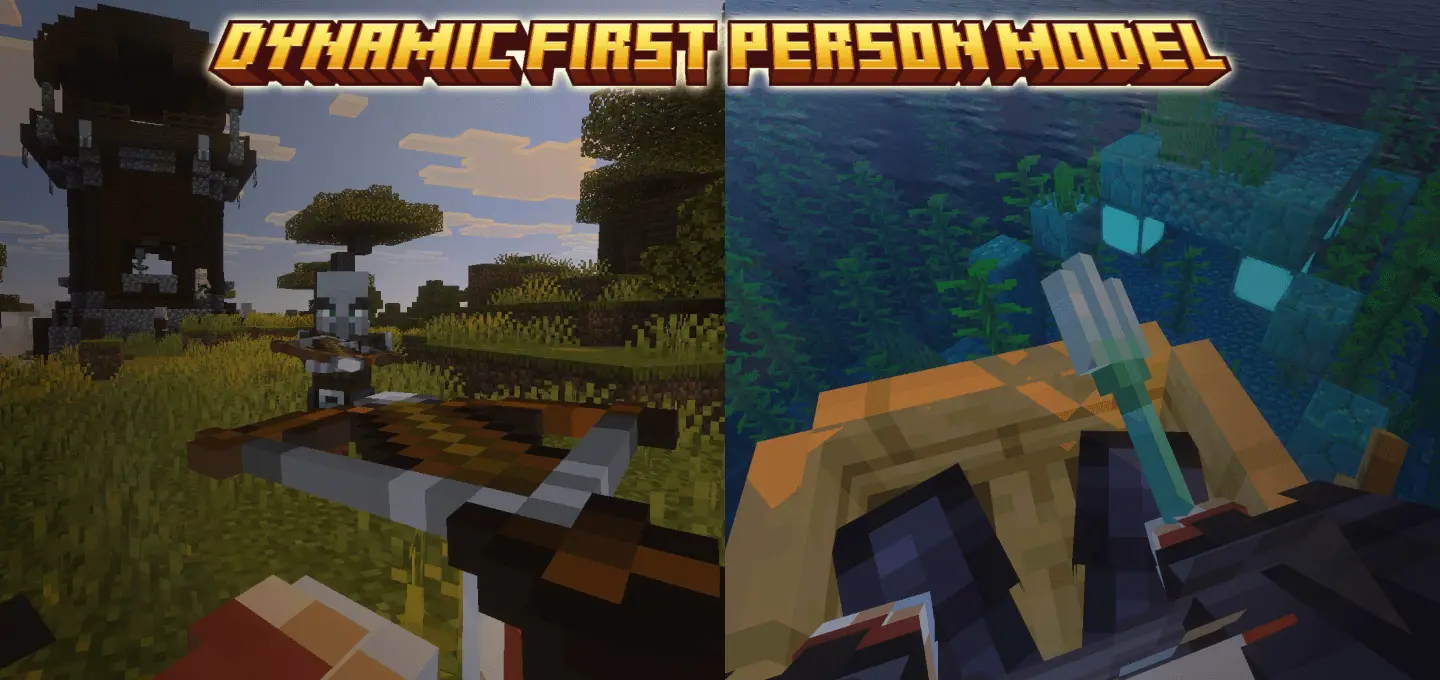
Dynamic First Person Model mod
See what your character is really doing. Dynamic First Person Model replaces the default “floating hands� with your full player model in Minecraft Bedrock, so swings, blocks, bow draws, ladder climbs, and parkour landings all read exactly the way they look in third-person. It’s not perfect (the creator worked hard to hide visual hiccups), but the payoff is big: tighter spatial awareness in caves, cleaner melee spacing in PvP, and screenshots that look like you’re actually there.
Setup is simple. Pop the pack in, set your FOV to around 70 for the best feel, and you’re good. If your device stutters, it’s almost always the camera motion—not the model—so open the camera settings and toggle movement off for a stable frame rate. You can switch the whole feature on or off anytime with the in-game command ae_fpm:toggle_model, and if you want to dial behavior (motion, smoothing, etc.), use ae_fpm:camera_settings to open the tweak menu and find your sweet spot.
Staring down at empty space where your legs should be has haunted Bedrock survival for years, but the Dynamic First Person Model Mod / Addon finally fixes that disconnect by rendering your actual body, armor, and limbs directly in your field of view. It ditches the floating-hand syndrome entirely, swapping Minecraft’s ancient perspective for a true, immersive first-person camera that mirrors every single physical action you take in real time.
Vanilla Minecraft has always treated first-person like you're an invisible floating camera holding a sword. You spend hours grinding out enchanted Netherite gear, trimming your armor with custom smithing templates, or rocking a fire skin, only to see none of it unless you awkward-toggle into third-person F5 mode. The second you look toward your boots with this addon active, that illusion breaks away for good. You actually see your character’s knees driving forward during a full sprint, your torso twisting as you swing a pickaxe, and your armored shoulders dipping when you duck into a one-block crawlspace. It gives your character physical weight in the sandbox, making the Overworld feel grounded instead of floaty.
Moment to moment, the immersion is legit. Mining tunnels with a pick actually shows your body leaning; building high feels steadier when you see your legs on the edge; timing shield raises or sword swings is easier because your arms match the rhythm of combat. Bow tracking and trident throws are cleaner too—you get that satisfying full-body draw in first person instead of a detached animation.
Creators get nice hooks for compatibility: simple tags let you detect dynamic first person, disable the head-hide animation, or force default first-person when needed, so custom add-ons don’t clash with the view. If you’ve wanted your Minecraft Bedrock sessions to feel as physical as they play, Dynamic First Person Model is a clean, toggleable way to make every swing, jump, and clutch save look right from your own eyes.
Installation:
- Download Mod;
- Open the downloaded file to install;
- Select it in the settings;
- Have fun!
Comments (0)