Advance Settings Mod / Addon
- 13-05-2026, 04:41
- 1 219
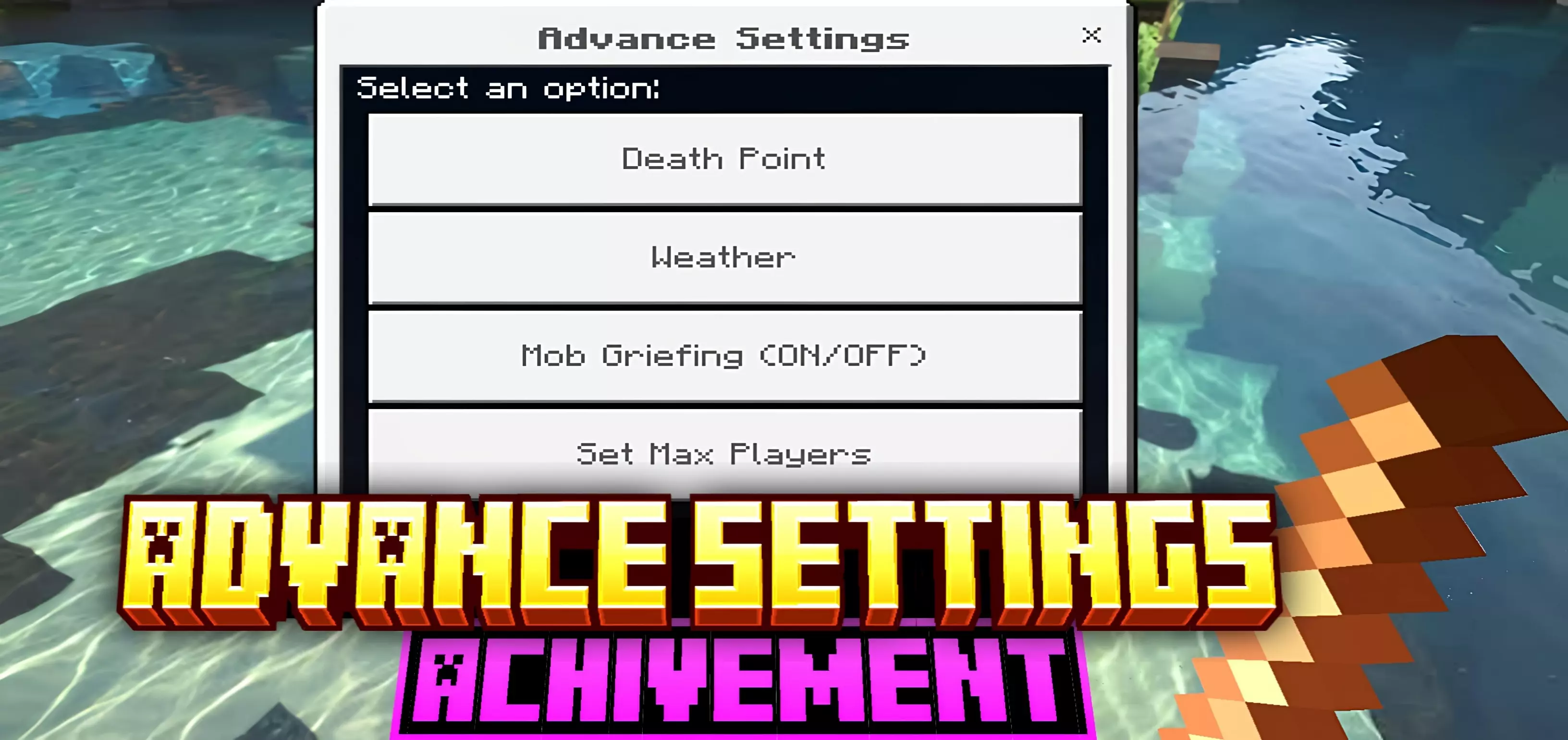
The Advance Settings addon is one of those hidden gems for Minecraft Bedrock that makes survival worlds way easier to manage without breaking achievements. Normally, if you want extra controls over your world, you’re stuck turning on cheats or experiments — which kills progression and feels like a cop-out. This addon skips all that and still lets you keep achievements on.
When I tried it, the first thing I noticed was how smooth it was to use. You get new world controls right inside survival: toggles for stuff you normally can’t mess with, easy options to adjust, and all of it without the “cheats enabled� warning. I used it to tweak a few things while still grinding achievements, and it felt like playing Minecraft with actual quality-of-life updates instead of hacks.

It’s perfect for players who love survival but want just a bit more control. Builders can manage their worlds better, survival players don’t have to restart just to adjust a setting, and achievement hunters get to keep their progress. If you want extra freedom in Bedrock without losing the legit feel, the Advance Settings addon is the way to go.
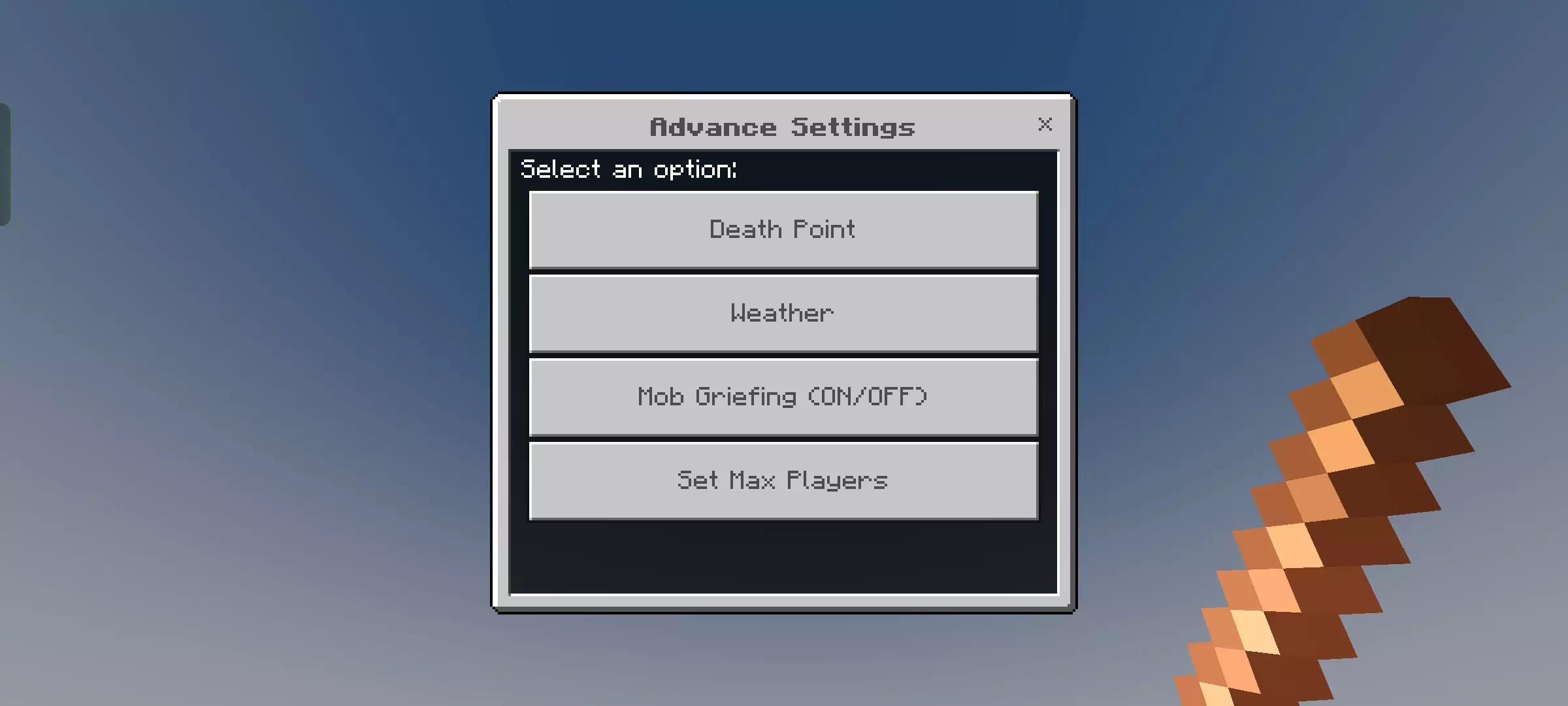
Hitting the escape key in the middle of an intense Bedrock fight only to get blinded by a clunky, full-screen menu that covers your whole monitor is peak frustration. Advance Settings Mod Addon solves that exact design flaw by stripping out the console-centric UI bloat and handing you a fast, transparent configuration hub that keeps your eyes glued to the battlefield.
Pause screens on console and mobile ports have always felt out of touch for anyone who values quick reflexes. In the base client, whenever you want to tweak render distance, drop your music volume, or check coordinates, the game forcibly covers your entire perspective behind heavy dark grey panels. If a rogue skeleton walks up while you adjust your camera sensitivity, you have zero situational awareness and end up eating critical hits through no fault of your own. This interface overhaul strips away that sluggish layered architecture in favor of a lean, semi-transparent overlay that hugs the edges of your screen. You keep complete visual contact with your character, nearby mobs, and environment while adjusting critical video and audio toggles in real time.
Navigating complex options becomes way less of a chore because the layout condenses deeply buried settings into smart, instant toggles. Key survival metrics that usually require digging through multiple tabs are now laid out right in front of you. Field of view sliders, brightness levels, perspective switches, and hide-HUD functions sit within arm’s reach of a single click or quick controller tap. Competitive players jumping into high-stakes PvP servers or realm wars gain a massive advantage here, as switching perspectives to scout around a corner or checking player names takes a split second instead of an eternity inside the default menu maze.
Performance junkies will also appreciate how responsive the lightweight framework feels when cycling options under heavy load. Many interface packs end up hitching your game when rendering custom assets, especially on mid-range Android devices or older Xbox consoles. This utility stays featherlight by cutting out decorative nonsense and focusing strictly on operational speed. Changing your graphic fidelity on the fly to stabilize your frame rate during massive wither raids or heavy redstone operations happens without stutter, preventing that nasty lag spike that usually hits when closing out of standard settings.
Beyond raw convenience, the cleaner aesthetic makes long survival sessions feel much less disruptive. The minimalist iconography blends naturally with the modern Bedrock design language, ditching the chunky, outdated buttons from older editions. It gives you the impression of a sleek heads-up display rather than an ancient software panel from twenty years ago.
Getting this configuration suite running on your client is as straightforward as importing the resource file straight into your active global packs. Activate it under your general storage management tab, boot into your favorite realm or local world, and enjoy a pause screen that respects your screen real estate. Anyone who spends serious hours grinding survival, building complex machinery, or sweating in PvP arenas will immediately feel the upgrade in their daily play sessions.
Installation:
- Download Mod;
- Open the downloaded file to install;
- Select it in the settings;
- Have fun!
Comments (0)