Minecraft Tools Mod / Addon
- 16-07-2025, 11:23
- 979
Minecraft Tools Add-on – Utility Without Losing Achievements
This add-on gives you a simple item that unlocks useful tools and features — all without disabling achievements. You can manage world options, access quick utilities, and use helpful functions without switching to creative or using commands.
It’s lightweight, survival-friendly, and keeps your progress legit. Perfect for players who want a little more control without breaking the game. More features are on the way, so expect updates soon.
Just install, use the item, and make survival smoother.
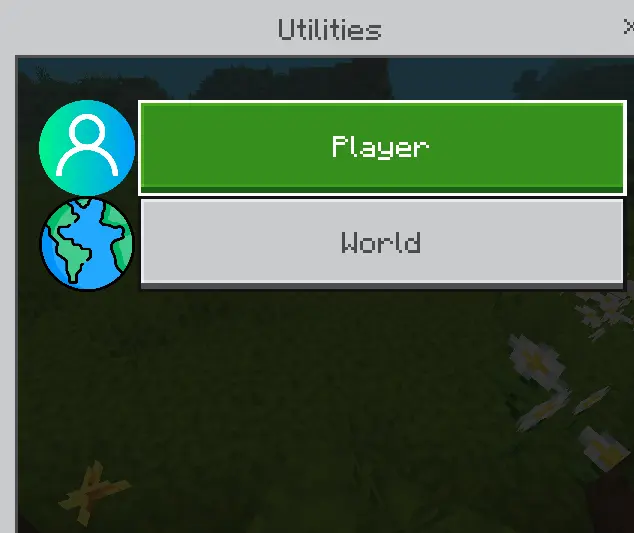
Your friend is halfway across the map, rain is ruining the view, and you’ve forgotten where you last set your spawn. Minecraft Tools puts fixes for all three situations into one handy in-game menu.
The addon gives you an item that opens a collection of utilities for your Minecraft Bedrock world. You can teleport, adjust the time and weather, set your respawn point, and change your own game mode. It’s a useful companion when you’re building, exploring, or organizing a session with friends and want to make a quick adjustment without stopping to type a string of commands.
Teleportation is probably the feature you’ll reach for first. The menu lets you travel to another player or enter specific coordinates, which makes meeting up much easier when everyone has wandered off in a different direction. It can also help you return to a location you’ve written down, such as a village you want to develop or the entrance to a cave you plan to explore later. Check the coordinates before confirming, though: arriving at the wrong height can turn a shortcut into a rather awkward landing.
You can also set your respawn point from wherever you are. That comes in handy when you’re spending a while working on a distant project and don’t want every mishap to send you all the way back to your original home. Set up near your new build or expedition camp, then get on with the task. Remember where you placed that respawn point, especially if you move on to another part of the world afterward.
The world controls are great for creative projects and screenshots. Want to see how your castle looks at sunset? Change the time and take a look before deciding where to put your lanterns. Rain getting in the way while you’re showing a friend around your town? Adjust the weather and continue the tour. The game-mode option gives you another way to change how you play, although switching modes through the addon isn’t supported in Hardcore.
Minecraft Tools is designed for players who like having these options close at hand. It can make a group building session easier to manage, help friends reunite quickly, or let you experiment with the look of a place at different times of day. The addon’s listing also says its features are intended to keep achievements enabled. Open the utility menu, choose what you need, and spend more of your session on the part you actually came to play.
Installation:
- Download Mod;
- Open the downloaded file to install;
- Select it in the settings;
- Have fun!
Comments (0)