Infinite Сhest Mod / Addon
- 9-09-2025, 07:02
- 1 797

Stop swimming in double chests. Infinite chest mod turns one block into a bottomless, page-split vault that feels like an Ender Chest built for grown-up storage in Minecraft Bedrock. Drop it, pop it open, and your gear is laid out across multiple pages so sorting actually makes sense—tools on one, ores on another, mob loot on a third—without building a giant warehouse before you even start your run.
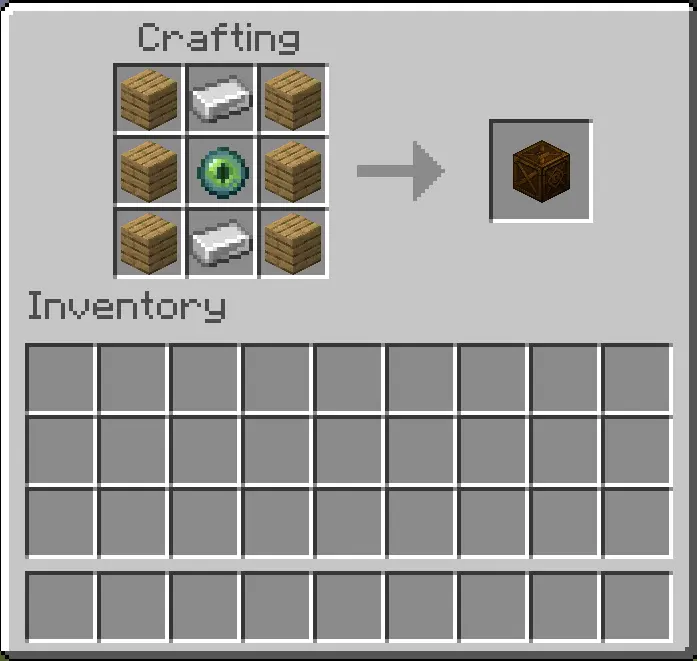
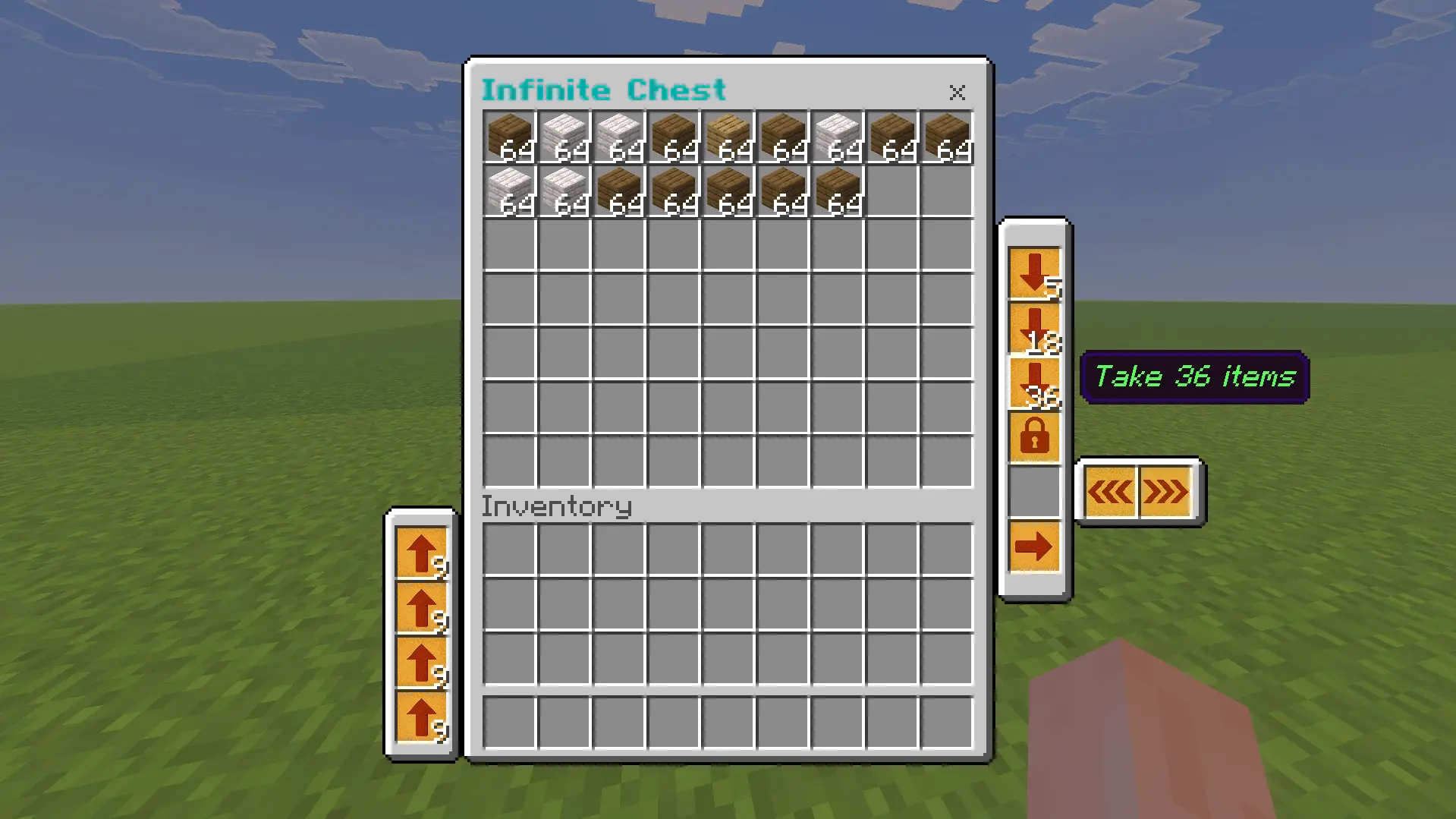
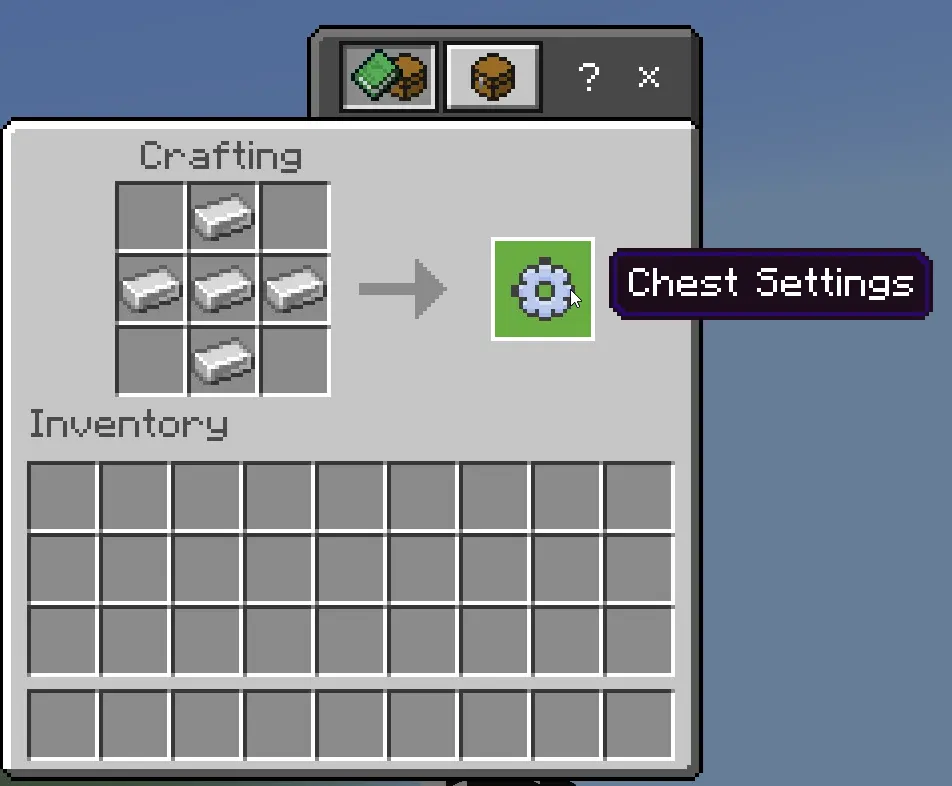
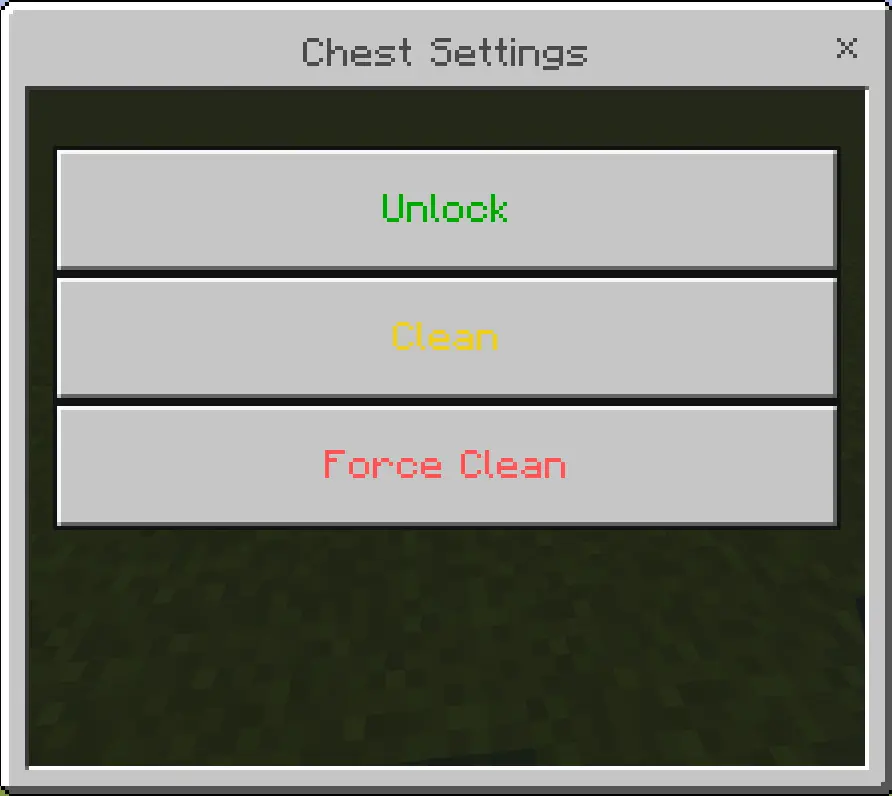
Getting started is easy: craft the chest or pull it from the Creative menu, place it, then right-click (or tap “open� on touch) to dive in. Flip pages with the arrow controls; on touch, press the arrow icon and drag to switch. When you’re ready to automate, hit the Lock Chest button to let hoppers siphon from the vault. While the chest is locked, the add-on keeps you from using other chests so transfers stay clean and you don’t cross-contaminate inventories. Done feeding your sorter? Use the included Settings item from anywhere in the world—right-click it to open the control menu, Unlock the chest, or tap Clean if you need to fix a glitchy state after a messy session.
Your storage room doesn’t have to grow every time you bring home another stack of blocks. Infinite Chest puts a huge collection of items into a single, page-based container.
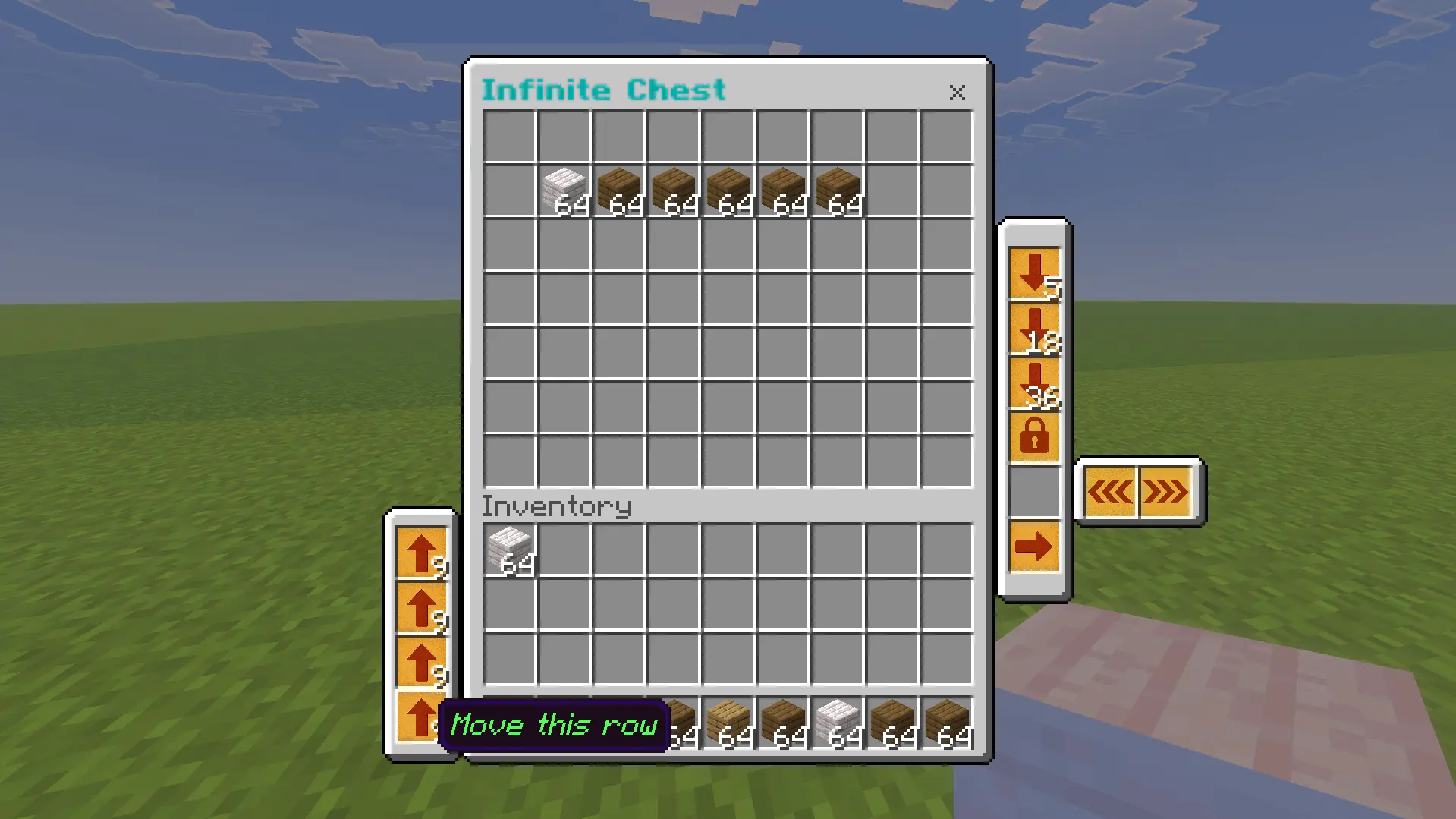
The add-on introduces a chest for Minecraft Bedrock that works similarly to an Ender Chest and lets you organize its contents across multiple pages. Craft one or take it from the Creative inventory, place it down, and open it to start storing your gear. Arrow controls let you move between pages, so you can give your supplies some order instead of dropping everything into the first available slot. Keep building blocks together on one page, reserve another for tools, and use a different section for the loot you bring back from exploring. The chest is designed for extensive storage, though you’ll still need to decide where things belong. A little organization pays off when you return from a mining trip carrying ores, spare equipment, and several stacks of stone. Put everything away, flip to the page you need next, and get back to your project.
There are a few controls worth learning before you fill the chest. Open it normally to browse your items, but crouch while mining it if you want to break and move the block. On a touch screen, the page controls are used by pressing the arrow and moving it to another slot. The add-on also includes a Settings item that opens a menu with Unlock and Clean options. That gives you a way to unlock a chest from elsewhere in the world or try the Clean option if the chest runs into a problem. If you’re setting up a busy workshop, take a few minutes to practice opening the chest and changing pages before relying on it for your entire collection. You might discover that keeping frequently used materials near each other makes your building sessions much easier, especially when you’re switching between wood, stone, and decorative blocks.
Hoppers can pull items from the chest when you use its Lock Chest control. While that chest is locked, the add-on prevents you from using other chests until you unlock it with the Settings item, so remember to release the lock when you’re finished. The project also notes that only one player can use the same chest at a time; friends can wait their turn or use another chest. Avoid hopper minecarts if you’re setting up hopper transfers, as the instructions recommend. Before adding the chest to a world with valuable supplies, make a backup and get familiar with the controls. Then try it in the kind of project that usually fills your base with containers: a large build, a long mining expedition, or a collection of materials gathered across several biomes. Infinite Chest gives you more room to keep those finds together, with pages that let you arrange them around the way you play.
The best part: it plays nice on servers and Realms. One chest handles the whole trip, and page breaks keep your squad’s stuff organized instead of piled in a single tab. I like to run a page per task—mining, building, food—and flip between them mid-adventure without jogging back to base. With Infinite chest mod, you still play Survival, you just stop losing half your night to storage Tetris. Craft, place, page through, lock for hopper pulls, unlock from anywhere, and keep the run rolling.
Installation:
- Download Mod;
- Open the downloaded file to install;
- Select it in the settings;
- Have fun!
Comments (0)