Dynamic Light + Offhand Torch [Second Hand] Mod / Addon
- 28-09-2025, 13:21
- 2 329
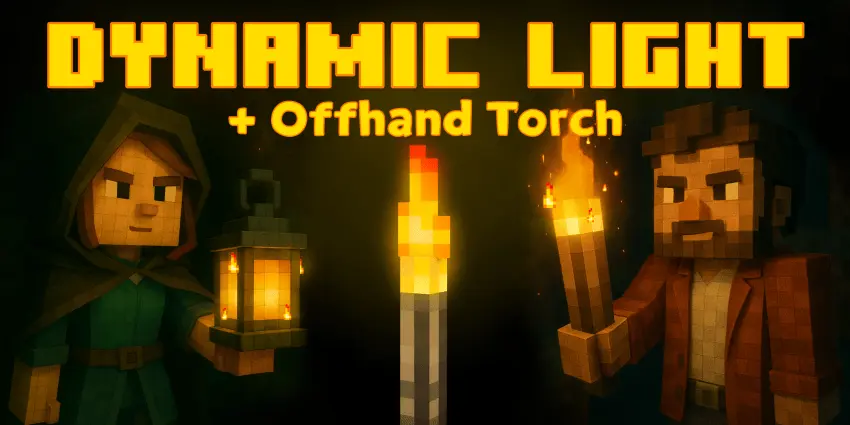
Dynamic Light + Offhand Torch (Second Hand) — OptiFine-style lighting for Minecraft Bedrock, achievements on
Caving in Bedrock without this is pain. With Dynamic Light + Offhand Torch you just hold a light source—torch, lantern, whatever—and the world around you actually lights up. No more “place… break… place… break” every five blocks. I ran a dripstone cave with a stack of food, a pick, and a single torch in hand and it felt like spelunking, not janitorial work. The glow follows you through mineshafts, underwater tunnels, and even those sketchy lava cuts in the Nether, so you can scout first and only place torches where you want permanent light.
The killer quality-of-life bit is the Second Hand trick. Tap jump + crouch and the addon flicks your torch to the offhand instantly—perfect when a skeleton appears and you need your sword up now. Swap back just as fast and keep moving. It plays nice with survival (yep, achievements stay enabled), and it doesn’t mess with your hotbar dance; you still decide when to plant a torch, you just aren’t spamming them to see three feet ahead.
You hear a skeleton somewhere in the cave, but the only way forward is pitch-black. With Dynamic Light + Offhand Torch, you can carry the light with you and keep your sword ready.
This Minecraft Bedrock addon makes supported items shine while you hold them. Grab a torch or lantern, head underground, and the area around you lights up as you move. It’s a small change that makes cave exploration feel much more natural. You can peek down a passage or check the edge of a ravine without stopping every few blocks to place another torch.
The offhand feature is especially handy when you’re mining. Hold a torch or lantern in your main hand, then press jump and sneak at the same time to move it to your second hand. Now your pickaxe is free to do its job while the light stays with you. The same trick helps when a zombie wanders around the corner and you need to switch from mining to fighting in a hurry. No more digging through your hotbar just to see what’s hitting you.
Torches aren’t the only items that work. The addon also supports soul torches, lanterns, glow berries, blaze rods, glowstone, lava buckets, and plenty of other items. Different objects can produce different light levels, so it’s worth trying a few to see what suits you. A regular torch is an obvious choice for a mining trip, but carrying glow berries through a lush cave has a certain charm. Available items can vary between addon versions.
Even with a light in your hand, you’ll still want to bring a stack of torches underground. Your portable glow moves with you, so it won’t leave a lit trail behind when you walk away. Placing torches at junctions can help you find your way back, and lighting up an area you plan to revisit is still a smart move. Think of the handheld light as a way to scout ahead and work comfortably, while placed torches make your routes and rooms easier to navigate later.
The addon is described as achievement-friendly, making it an appealing option for a survival world where you’re still chasing goals. Download the version that matches your Minecraft release, open the .mcaddon file, and activate the imported pack in your world settings. Once you’re in game, grab a torch and try the jump-and-sneak shortcut before your next cave trip. It won’t make the mobs any friendlier, but at least you’ll have a better chance of seeing that creeper before it gets uncomfortably close.
A few tips from testing:
Bring a lantern for water caves—the steady radius helps when you’re bubbling up in a tight spot
Use the offhand swap before parkour sections so your main hand is free for clutch blocks.
Still mark routes. Dynamic light is mobile; placed torches are your breadcrumbs.
If you’ve been craving OptiFine-style dynamic lighting on Minecraft Bedrock, Dynamic Light + Offhand Torch (Second Hand) is the plug-and-play upgrade. Explore first, decorate later.
Installation:
- Download Mod;
- Use Minecraft
- Open the downloaded file to install;
- Select it in the settings;
- Have fun!
Comments (0)