Infinite Placement Range Mod / Addon
- 23-08-2025, 16:56
- 1 432
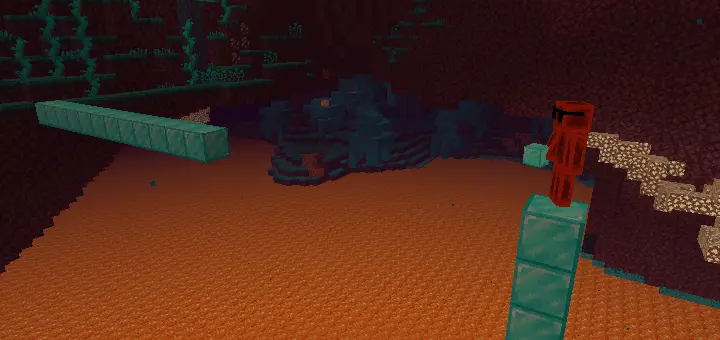
The Infinite Placement Range mod is a total lifesaver if you’ve ever been annoyed by Minecraft Bedrock’s short building reach. Normally, you’ve got to stack blocks under yourself or shimmy along an edge just to keep building — super clunky, especially on big projects. With this addon, you can place blocks from any distance, no matter how far you are.
I tested it while building a sky base, and it felt insane. Instead of crawling along scaffolding, I stood safely on my platform and built bridges across the gap without moving an inch. Lighting up caves or high walls was just as easy — I could slap down torches in spots I’d normally never reach without risking a fall. That one missing block at the top of your wall shouldn’t require another trip up the scaffolding. Infinite Placement Range lets you place blocks from much farther away in Minecraft Bedrock, making awkward building jobs a lot less awkward.
The addon removes the usual short placement limit, giving you more freedom to work on a structure from a distance. Need to extend a bridge across a gap? You can place blocks ahead without constantly edging forward. Want to add a section to a tall wall? Find a good spot to aim from and work on it without building a temporary staircase first. You’ll still need the materials for your project, but you have more options for where to stand while using them.
Large builds are where the extra reach can really pay off. If you’re constructing a castle, a long bridge, or a platform high above the ground, moving back and forth just to reach the next block can interrupt your flow. With this addon, you can look at more of the structure while you work. That’s handy when you’re trying to keep a wall even, extend a line of blocks, or make the two sides of a build match.
It’s useful for lighting, too. Spot a dark ledge across a cave and you can try placing a torch there without first climbing over to it. The same idea works around a base when the top of a wall or the far side of a courtyard needs a little more light. Aim carefully, though: the farther away the target is, the easier it can be to put a block on the wrong face. Take your time with the tricky spots and check your work from a closer angle when needed.
There is a limit worth knowing despite the addon’s name: the chunk where you’re placing a block must be loaded and ticking. If a distant placement isn’t working, move closer so the area is active and try again. The addon focuses on placing blocks, so you should still be ready to travel to a build when you need to inspect it, gather materials, or fix a mistake. It gives you a longer reach, not a reason to stop exploring your world.
Infinite Placement Range is listed as achievement-friendly, making it an option for builders working on a survival base as well as Creative projects. To install it, open the downloaded .mcaddon file with Minecraft Bedrock and activate the imported addon in your world settings. Pick a project, stand back, and try placing a few blocks beyond your normal reach. Once you get used to aiming from farther away, finishing that high wall may take a lot fewer trips up and down.
It doesn’t break survival either, it just takes away the grindy part of building. You’re still gathering materials and planning, but now the actual construction is smooth. If you like building mega projects, floating islands, or massive walls, the Infinite Placement Range mod saves time and lets you focus on creativity instead of wrestling with placement limits.
Installation:
- Download Mod;
- Open the downloaded file to install;
- Select it in the settings;
- Have fun
Comments (0)