SAO Damage Indicator Mod / Addon
- 6-08-2025, 18:07
- 1 085
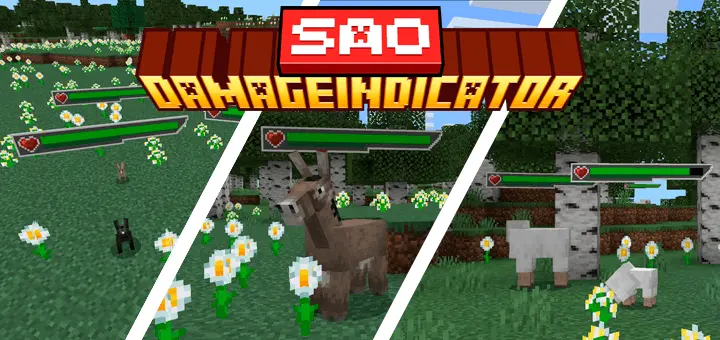
SAO Damage Indicator Mod brings Sword Art Online vibes straight into your Minecraft fights — and it honestly changes the whole feel of combat. Every mob and enemy now shows a clean, floating SAO-style health bar, so you can actually see how much HP they’ve got left mid-battle. No more guessing if that zombie’s about to drop or if the boss still has half his bar left.
The bars float above heads and update in real time as you land hits. It's slick, fast, and super helpful whether you're fighting solo or running with a squad. The style matches the SAO UI perfectly — it looks like you're in an actual anime battle. Works with most mobs out of the box, and it doesn’t slow down your game at all.
If you love clean UI, anime aesthetics, or just want more feedback during fights, this mod’s a must-have.
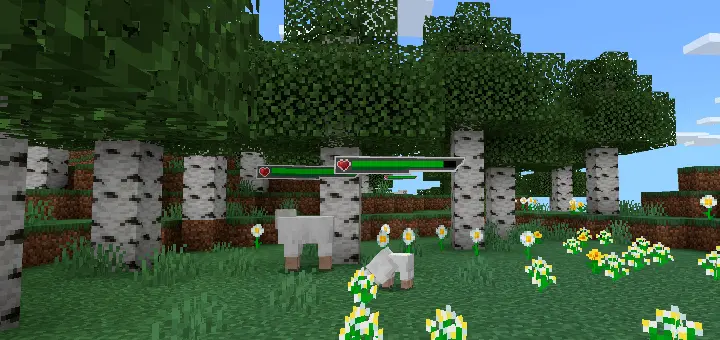
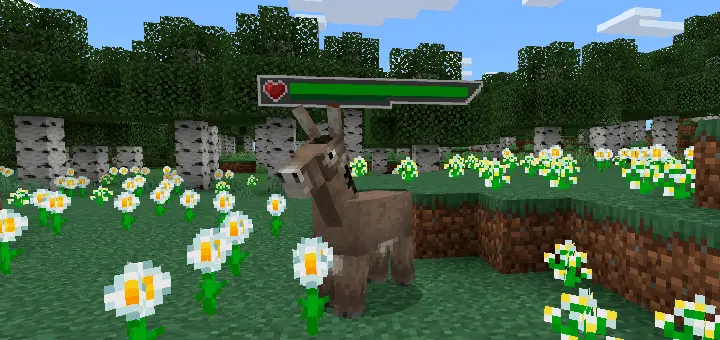
The health bar above that zombie looks like it belongs in Sword Art Online, but the sword swinging at it is all Minecraft. SAO Damage Indicator brings anime-inspired combat feedback to Bedrock, letting you see how much health mobs have left as the fight unfolds.
The change is easy to appreciate the moment you run into trouble. Mobs display health bars above them, and those bars update as they take damage. Instead of wondering whether the skeleton in front of you can survive another hit, you get a visual read on how the battle is going. The interface takes its cues from Sword Art Online, adding a bit of RPG style to encounters without asking you to learn a new combat system. You still aim your bow, swing your sword, use your shield, and move around the same way you normally would. The difference is that you have more information to work with while you’re doing it. If you enjoy the look of anime game interfaces, that familiar touch can make even an ordinary nighttime skirmish feel a little more dramatic.
The display follows you beyond the Overworld, too. Head into the Nether and you can keep track of hostile mobs there; travel to the End and the same style of health feedback comes along. It’s particularly helpful when you’re figuring out how your equipment performs. Take a swing with a sword, watch the bar change, and you’ll get a better feel for the damage you’re dealing. A bow can be fun to test this way, especially when you’re trying to judge whether to take another shot from a safe distance or move in closer. During a crowded fight, the bars can help you keep an eye on an enemy you’ve already wounded while you deal with another threat. Don’t get so focused on the display that you forget your surroundings, though. A low-health enemy is still dangerous, and a creeper doesn’t need much time to turn a confident victory lap into a trip back to your spawn point.
For an RPG-themed world or adventure map, the health bars add a nice finishing touch to the action. Build a training arena, bring a few friends, and compare how different weapons feel against the mobs you encounter. You could also work the interface into a survival world where you’re gradually upgrading gear and taking on tougher challenges. Seeing a bar shrink gives each hit a bit more weight, especially during a long fight where progress can otherwise be hard to judge. Install the add-on, activate it in your world settings, and look for the indicators as you explore. Whether you’re an SAO fan chasing that familiar visual style or a survival player who wants clearer combat feedback, this is a small change you’ll notice every time a mob steps into your path.
Installation:
- Download Mod;
- Open the downloaded file to install;
- Select it in the settings;
- Have fun!
Comments (0)