Trapify Mod / Addon
- 28-07-2025, 13:55
- 1 277
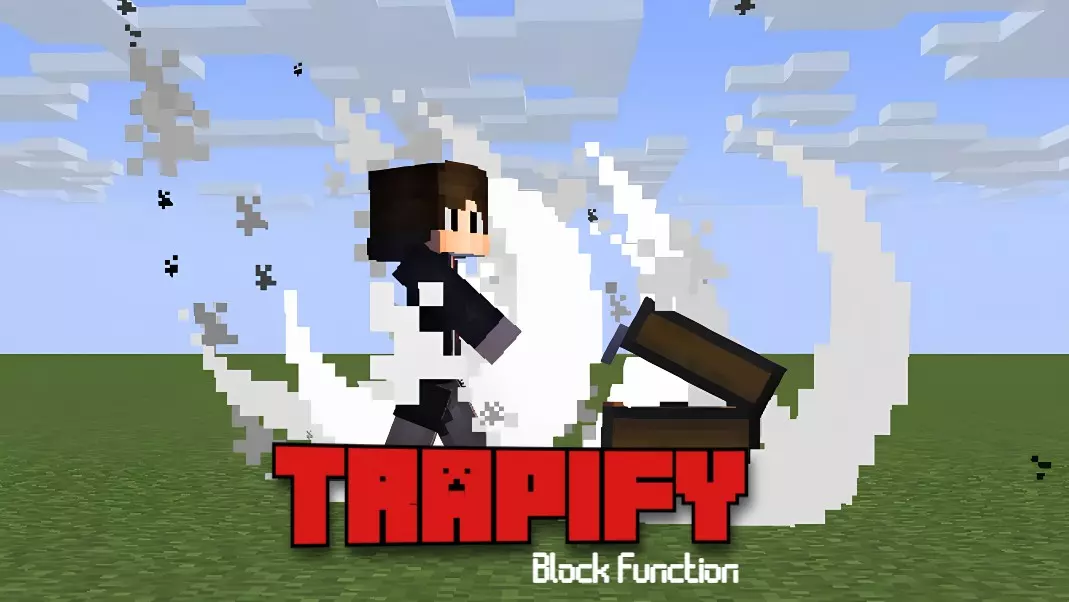
🔥 Trapify Addon – Turn Blocks into Traps in Minecraft Bedrock
Tired of boring base security or want to mess with your friends? Trapify lets you turn literally any block into a deadly surprise. Step on it, click it, break it—boom, it triggers whatever madness you’ve set. Fire? TNT? Teleport? You pick. It’s like having Redstone traps without all the hassle.
This addon adds a clean UI and a special wand that makes setting up traps stupid easy. You don’t need to mess with commands or laggy contraptions. Just tap, pick your block, assign the effect, and done. Step on that diamond block? Say goodbye. Break the wrong door? Poison time.
Trapify is perfect for PvP arenas, trolling your realm buddies, or just making your survival world feel way more intense. Hide it in your base, defend your loot, or turn the floor into chaos. Simple idea, big fun.
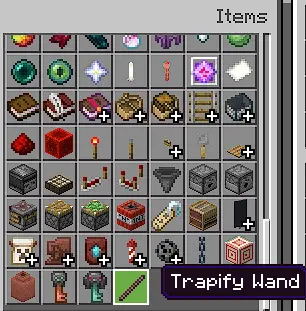
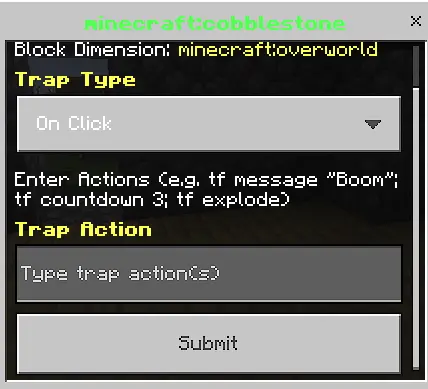
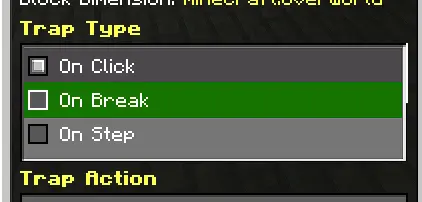
That innocent block in the hallway could teleport your friend across the map—or simply display a message telling them they’ve been fooled. With Trapify, you decide what happens when someone interacts with it.
Trapify gives Minecraft Bedrock builders a way to assign actions to blocks using a special wand and an in-game menu. You can set a block to respond when a player clicks it, breaks it, or steps on it. That means the same ordinary-looking floor, wall, or piece of furniture can become part of a trap or a useful feature in your build. The fun is deciding what the player expects to happen—and what actually happens instead.
The setup starts with the Trapify Wand. Use it on a block to open the interface, choose a trigger, and enter the action you want to assign. The addon uses short, command-style instructions in the menu; you can also combine actions by separating them with semicolons. For example, a block could display a warning, start a countdown, and then cause an explosion. Start with one action while you learn the syntax, then try combining a few when you’re comfortable.
There are plenty of effects to experiment with. A block can trigger teleportation, lightning, damage, or a launch, while other actions can display text, play sounds, or apply effects such as blindness. You don’t have to make every setup deadly. A message hidden in a wall can be a clue in a puzzle map, and a sound triggered underfoot can make a quiet hallway considerably less comfortable. A well-placed countdown is also a great way to make someone panic before anything has even happened.
For adventure maps, these functions can give ordinary rooms a bit more personality. Place a message where players discover an important location, use a step trigger to send them somewhere unexpected, or add a surprise to a treasure room. In a minigame arena, you can experiment with blocks that change the pace of a round when players interact with them. Test each setup yourself so you know where it activates and what the result looks like from the player’s side.
Trapify works just as well for a silly prank between friends as it does for a carefully planned map. Import both the behavior and resource packs, activate them in your world settings, and try the wand on a block in a test area. Once you understand the triggers and action syntax, you can start putting ideas into your own builds. Whether the result is a hidden clue or an explosive surprise, the next person to touch that block is in for something memorable.
Installation:
- Download Mod;
- Open the downloaded file to install;
- Select it in the settings;
- Have fun!
Comments (0)