Item Pipe Mod / Addon
- 14-11-2025, 10:48
- 1 435
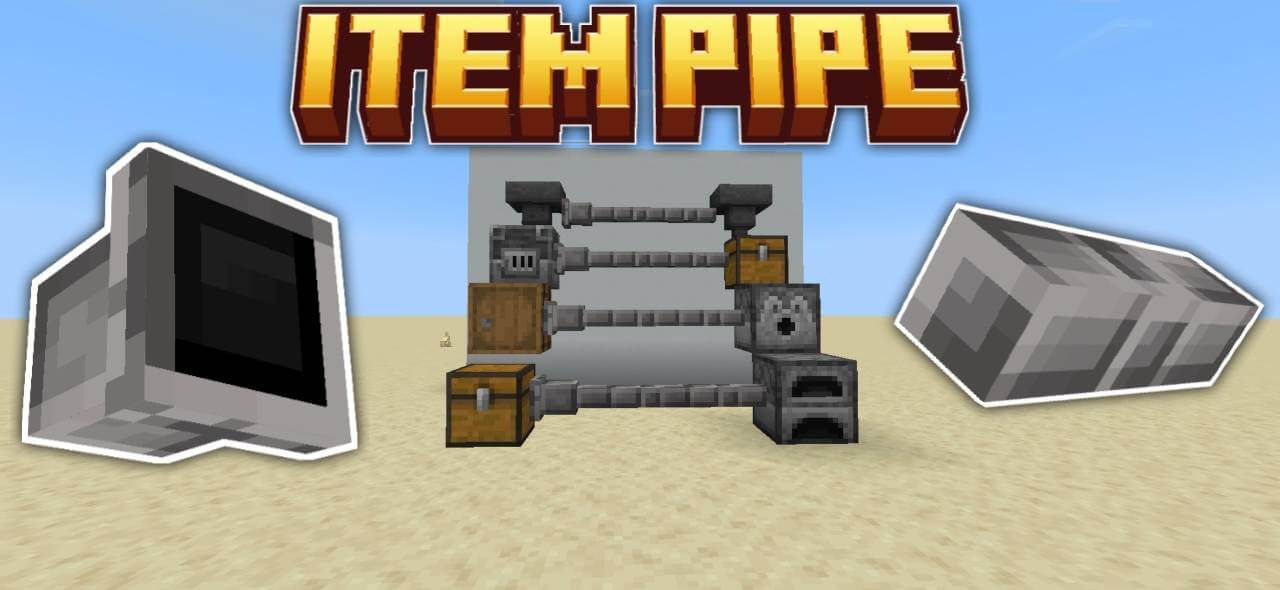
Item Pipe Mod will add pipes to the game for the industrial part of Minecraft. Your storage room has enough chests. Now give your items a way to travel between them with Item Pipe, a Minecraft Bedrock add-on built for automatic item transport.
Once the route is connected, items can be pulled from the source and sent through the network to a chest with available space. The pipes connect and align as you place them, so you can see the route take shape while you build. Start with a short line between two chests to get a feel for the system, then plan a longer path when you’re comfortable with it. Watching your first batch arrive at the other end is pretty satisfying, especially when the alternative was another trip across the base with an inventory full of blocks.
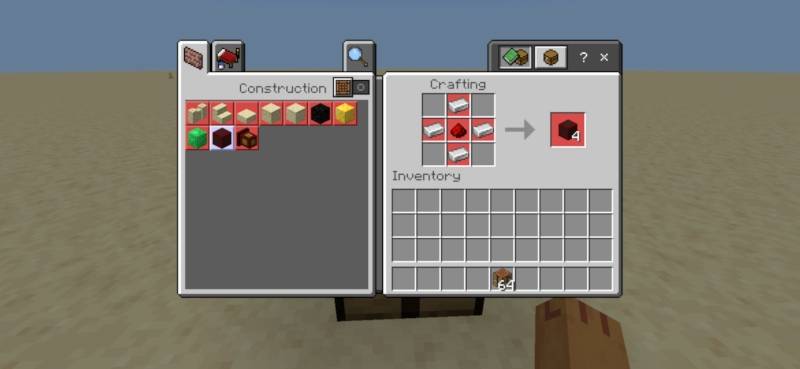
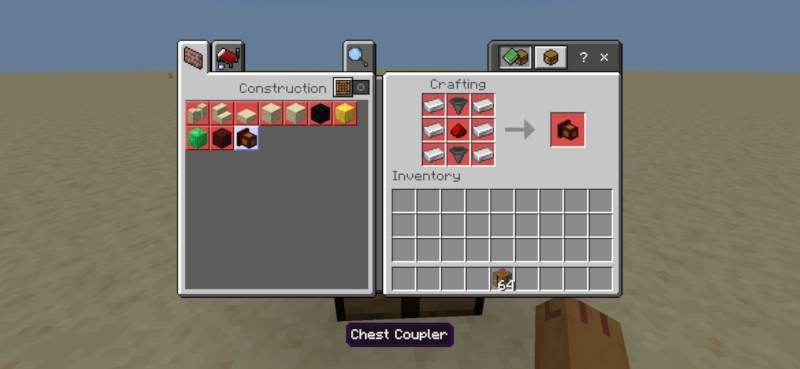
The add-on also supports branched pipe paths, giving you room to design a network around your storage area. Keep in mind that the documented transfer behavior sends items to the first available chest the system finds, so a branch doesn’t automatically mean every chest gets its own neatly sorted category. Think about where you place receiving chests and leave enough space for incoming supplies. A filter is included among the add-on’s features, alongside an item pipe dropper and a wrench, though the available instructions don’t explain every setting or interaction for those components. The main pipe, coupler, and dropper use materials that include iron ingots, redstone, and hoppers; check the in-game recipes for their exact layouts. As for containers added by other add-ons, don’t assume they’ll all connect: the available compatibility information is limited.
There are plenty of ways to put a pipe network to work without building a massive factory on day one. Set up a collection chest near a farm and route its contents toward a storage chest closer to your crafting area. Or use a line between two parts of your base so you can drop off a load and get back to mining, building, or exploring. The pipes themselves can become part of an industrial build, winding around walls and connecting different rooms instead of sitting out of sight. Before committing to a sprawling system, test a small section with a few spare items and check the receiving chest. That gives you a chance to adjust the layout while changes are still easy. Import the add-on file, activate its packs in your world settings, and start planning where your supplies should go. Once the first route is in place, expanding your storage setup becomes a building project of its own.
Installation:
- Download Mod;
- Open the downloaded file to install;
- Select it in the settings;
- Have fun!
Comments (0)