Library Enchants / Library Enchantments Mod / Addon
- 20-12-2025, 07:17
- 1 587
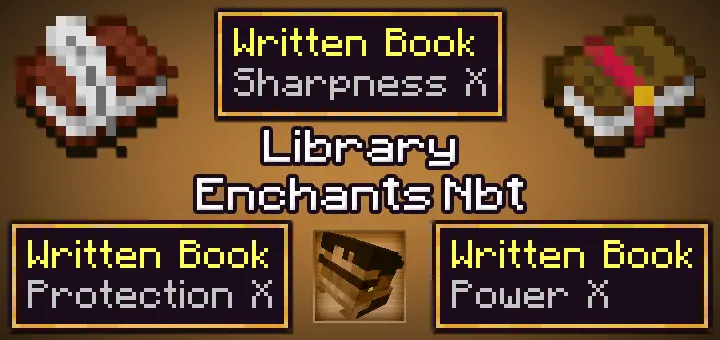
Library Enchants / Library Enchantments Mod is the little backend you use when vanilla caps won’t let you run your experiments. It exposes higher enchant levels—up to Level 10 (Level X) where they actually behave—and intentionally keeps a few at lower ceilings when extra tiers either do nothing or break. The result is a controlled sandbox: you can push power for testing or challenge runs without turning the whole save into spaghetti.
In practice, the flow is simple. Treat this like a utility: prep your gear or books, then apply or merge with a minimum cost of 1 XP level. If an anvil/enchanting merge refuses a combo, don’t force it—apply pieces individually and you’ll get there cleanly. Because the library is designed for NBT workflows, creators and mapmakers can wire it into builds, trials, or showcase worlds where you want “impossible” tiers to exist without homebrewing a dozen separate packs.
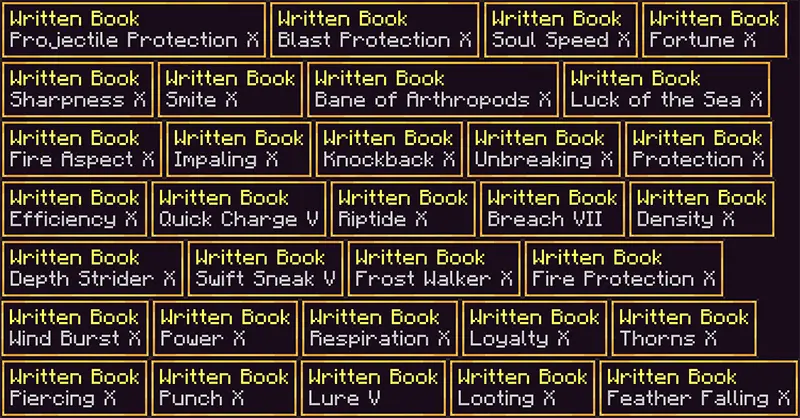
Level V used to be the point where your sword felt finished. Library Enchants looks at that limit and keeps going—all the way to Level X for some enchantments.
This Minecraft Bedrock addon provides a collection of familiar enchantments at levels you normally can’t obtain. It’s a chance to take a favorite piece of gear and push it well past the usual survival limits, whether you’re preparing for a fight or experimenting with tools. One example is Bane of Arthropods X, a particularly unfriendly option for the spiders and other arthropods standing between you and your next cave haul. The library doesn’t make every enchantment reach the same level, though. Some stop lower because raising them further would have no useful effect or could cause problems. That makes checking the available books part of the fun: look through the collection, find an enchantment that suits your gear, and decide how far you want to take it. You can go all in on an overpowered setup or pick a smaller upgrade that gives your favorite item a boost without turning every encounter into a one-hit highlight reel.
The cost is surprisingly manageable for gear this powerful. The enchantments are set to require just one experience level, so you can spend more time trying combinations and less time building up a huge stack of levels for every attempt. If the game refuses to combine books or apply several enchantments together, try adding them individually. It’s also worth checking the item you’re working with before committing to a setup: familiar enchantment restrictions and interactions can still affect what you can put together. A dedicated test area in Creative is a useful place to see how a high-level enchantment behaves before you take the same idea into a longer survival session. Try your upgraded weapon against a few mobs, see how the result feels, and decide whether that much power is what you want for your world. There’s a big difference between enjoying a stronger tool and accidentally making your favorite challenge disappear.
Library Enchants is particularly fun for custom adventures and multiplayer worlds where everyone agrees on the level of chaos they want. Set up a friendly arena with enhanced gear, compare different builds with friends, or use the books to prepare for a dangerous expedition. The addon keeps its focus on enchantments, so you can bring those upgrades into the worlds and projects you already enjoy. If you’re planning a group event, decide on the allowed levels beforehand; a regular sword and an extremely enchanted one may make for a very short duel. To get started, import the downloaded pack into Minecraft Bedrock, activate it in your world settings, and inspect the enchantment collection. Choose an item, apply an available book, and try it out somewhere you have room to experiment. You might discover that the perfect upgrade is a modest one—or that watching a spider encounter a Level X weapon is exactly the kind of ridiculous Minecraft session you were looking for.
How it feels in play depends on the dials you turn. Crank a weapon or tool for a boss-night event, spin up a speedrun playground where durability is a non-issue, or script a late-game arena that expects players to arrive with absurd but consistent gear. The guardrails matter: some enchants are capped lower on purpose because higher numbers either mirror the same behavior or misfire. That transparency keeps the experience stable while still letting you color outside the lines.
Best use is in a copy or creator world first—learn which combos your scenario needs, then bring the ones that behave into your main save. If you’ve ever wished you could try “Level X” responsibly, Library Enchants / Library Enchantments Mod gives you the switchboard and keeps the wiring tidy.
Installation Mod:
- Download the .mcaddon / .mcpack;
- Open the file to import into the game;
- In World Settings → Resource Packs and Behavior Packs, enable it (turn on Experiments if needed);
- Have fun!
Comments (0)