Essential menu Mod / Addon
- 23-09-2025, 19:18
- 2 280
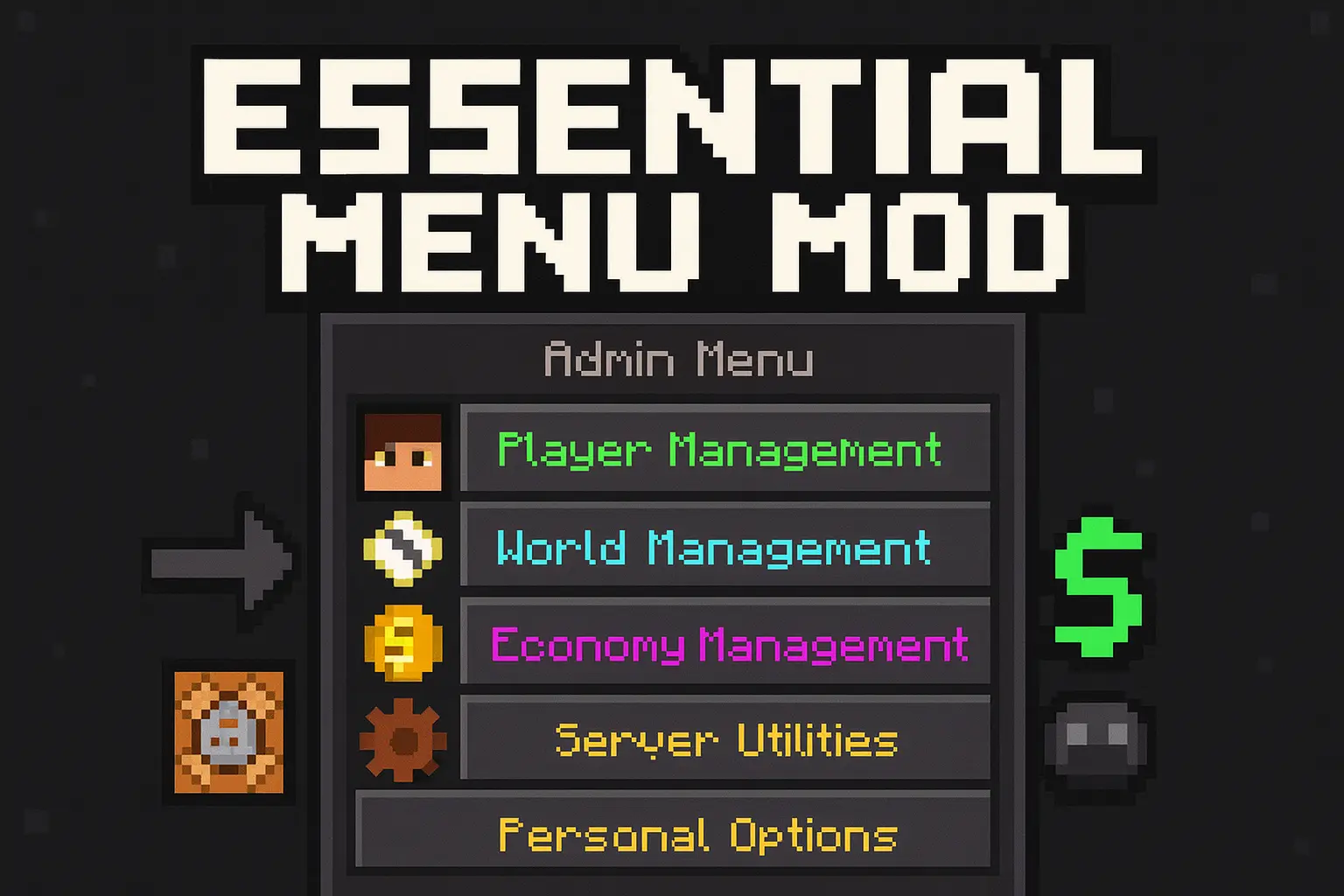
Essential menu Mod — a single in-game menu that gives players quick tools and gives admins full server control in Minecraft Bedrock, all from a clean GUI. That’s the hook: type !menu, play the game, and run the server without living in command blocks or config files.
On the player side it feels instant. You pop open the menu to warp back to spawn, hop into public warps the staff set up, grab a kit with visible cooldowns, send money to a friend, or skim the server rules. If you get stuck in a cave or soft-locked during a raid, the self-reset option is there so you aren’t DM’ing an admin at 2 a.m. It’s lightweight QoL that keeps Survival moving.
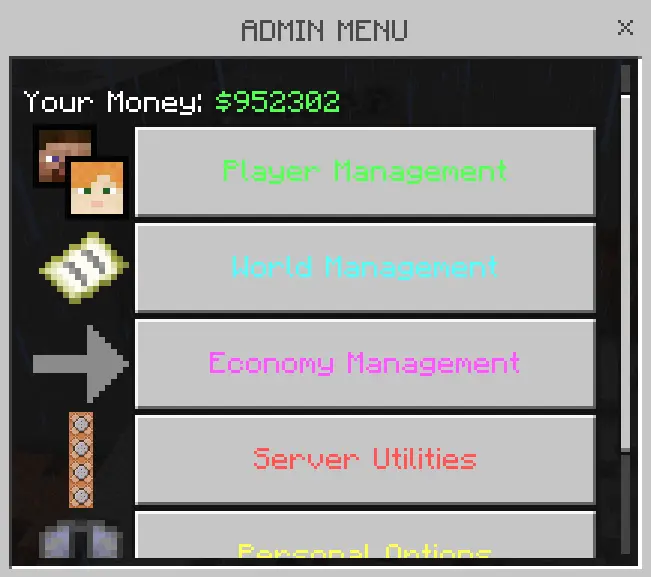
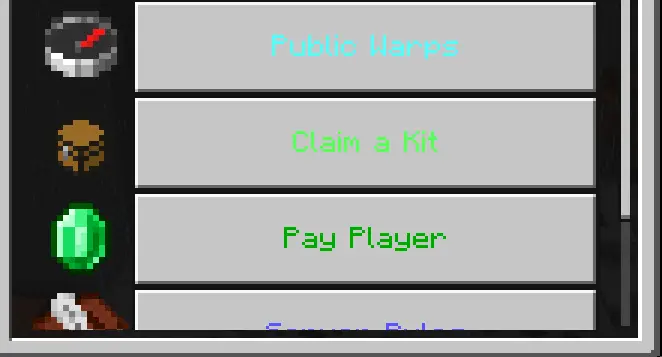
Your friends are scattered across the map, someone needs a starter kit, and the arena is stuck in a thunderstorm. Essential Menu puts server tools into one Minecraft Bedrock interface, so you can spend less time typing commands and more time running the world.
Players open the menu by typing !menu in chat. From there, they can return to spawn, visit public warps, check the rules, and claim available kits. A warp to the community market saves a long walk when you need supplies, while a separate arena warp makes it easier to get everyone together for a match. Kits can have cooldowns, which are shown in the menu, so players know when they can claim their next set of items. There’s also an option to send in-game money to another player—handy when your friend buys the supplies for a shared build and you need to pay them back. What’s available depends on how the server is set up, but the point is straightforward: common actions are collected in one place instead of being buried in a list of instructions.
For admins, the menu goes much further. You can create and edit kits, change their names, add items, set cooldowns, and restrict certain kits with permission tags. That gives a server room for anything from a basic starter bundle to equipment for a special event. Public warps can be placed at useful destinations such as shops, arenas, or a meeting point near spawn. The rules can be edited in-game, too, so there’s somewhere players can check them when they join. Admins also have player-management tools for viewing information such as health, coordinates, and balance, along with options to teleport players, change game modes, manage items, mute, or kick. These controls are best kept for trusted staff: a button that makes running an event easier can also make a mess if the wrong person has access.
The world controls come in handy when you’re putting together an activity. Set the weather before a building contest, adjust the time for a nighttime challenge, or send a broadcast when it’s time for everyone to meet at the arena. If an overloaded mob farm causes trouble, targeted mob removal is available as well. Essential Menu also keeps information such as warps, balances, cooldowns, and configuration in the world, so your setup can carry over after a restart. To get started, import the downloaded pack, activate it in your world settings, and open the menu in-game. Take a few minutes to set up the player-facing options before inviting everyone over: a clear spawn warp, readable rules, and a useful starter kit can make a new world feel ready to play. From there, you can add more destinations and tools as your community grows.
Tag yourself Admin, hit !menu, and the real power shows up. You’re editing kits live—adding items, tweaking names, setting cooldowns, even locking some behind a permission tag for VIPs. You drop new warps at shops and arenas, tune the auto-announcer timing, rewrite rules on the fly, and even change the trigger command if !menu isn’t your style. Player management is one click deep: inspect health/coords/balance, flip gamemodes, mute with a timer, kick griefers, clear or grant items, or teleport either way. World controls are right there too—time, weather, targeted mob wipes when a farm goes wild—plus economy edits and high-visibility broadcasts when you’re spinning up an event.
The best part: everything saves to the world. Money, cooldowns, warps, rules, announcer lines, your whole config—persistent through restarts, cozy on Realms, and friendly with other packs. Spinning up a PvP night? Drop a warp, push a kit, set clear weather, broadcast the start, and go. It’s the server toolbox that actually lets you play.
Installation:
- Download Mod;
- Use Minecraft
- Open the downloaded file to install;
- Select it in the settings;
- Have fun!
Comments (0)