Ultra Heavens Hunt Map
- 24-09-2025, 07:36
- 711
Adventure Maps / Creation Maps / Minigame Maps
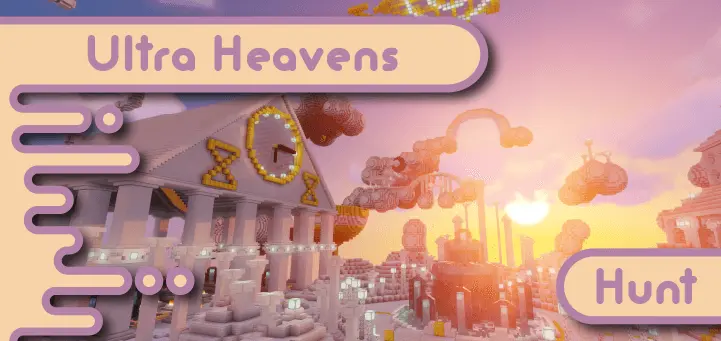
Ultra Heavens Hunt Map — a cloud-top Minecraft Bedrock scavenger hunt where you sprint, scan, and snatch 54 hidden items before anyone else. The whole arena floats over a sea of fluff, so it’s all about fast routing and sharper eyes. Every target lives inside a barrel; crack it first and you’ll claim the enchanted version, which swings the scoreboard hard in your favor. It’s simple on paper and spicy in practice: you’re juggling memory, pathing, and split-second loot calls while the lobby is breathing down your neck.
Scoring keeps the race tense to the final chest. You’re chasing three milestones that convert to points: be the first to complete the full list, finish with the most enchanted items, and snipe the Lily of the Valley before anyone else. Most points takes the crown, so you can play it wide (cover ground for list completion) or go surgical (camp high-value routes for enchanted steals). In my run, a single enchanted pickup flipped the lead with seconds to spare—brutal and beautiful.
There’s a Lily of the Valley hidden somewhere above the clouds, and finding it before your friends could win you the game. Ultra Heavens Hunt turns a peaceful sky setting into a frantic Minecraft scavenger hunt with 54 items to track down.
Your targets are hidden in barrels throughout the map. As you explore, check each barrel you come across and collect the items on your list. The first player to reach a barrel gets the enchanted item inside, so there’s a good reason to move quickly. But speed alone won’t do much if you keep running past the hiding spots. Take a moment to look around, remember where you’ve searched, and keep track of what’s still missing from your collection.
There are three ways to earn points: be the first to find all the listed items, collect the most enchanted items, and be the first to find the Lily of the Valley. Whoever earns the most points wins. That makes each discovery exciting, even if another player seems to be ahead. You might not finish the list first, but finding that flower and grabbing more enchanted items can still put you in the running.
Playing with friends is where the competition gets loud. Split up at the start, explore different parts of the map, and try not to give away too much when you find a barrel. Of course, the moment someone announces they’ve found the flower, everyone else has a decision to make: keep searching at their own pace or pick up the speed and chase the remaining points. A rematch is a chance to try a different route and see whether remembering the map gives you an edge.
There are a few rules to keep the hunt fair. Take only one of each item on the list, and leave items in frames and books on lecterns where they are. Don’t interfere with entities, and don’t eat or otherwise consume the items you’re supposed to collect. Everything needed for the hunt is in barrels, so there’s no need to strip the scenery while searching. Keep your finds safe until it’s time to compare collections and count the points.
To play, download the Minecraft Bedrock map and open the .mcworld file to import it. If the download comes in a ZIP archive, extract it first and look for the world file. Load the map, invite your friends, and make sure everyone understands the scoring before the hunt begins. You can also explore on your own and challenge yourself to find every item, but racing someone else to a barrel makes that enchanted find feel a lot sweeter.
To keep things fair, the rules are tight: take only one of each listed item, leave item frames and lectern books alone, don’t mess with entities, and don’t eat your finds. Everything you need is in barrels; everything else is noise. With clean visuals, readable layouts, and that “one more round” energy, this is perfect for parties, realms, or quick tournament brackets. Queue up, pick a lane through the clouds, and go prove you’re the best scavenger in the sky.
How to install?
Android: you need to find the downloaded file on your phone, use any file manager for this and import the map into the game by opening it.
IOS: after receiving the map, the device itself will offer to install it.
Windows 10: go to the folder where the files are downloaded, find mcworld there and activate it.
Comments (0)