Better Enchanted Books – Addon / Texture Pack
- 6-07-2025, 09:18
- 1 358
Mods 1.21 / Mods 1.20 / Mods 1.19 / Textures
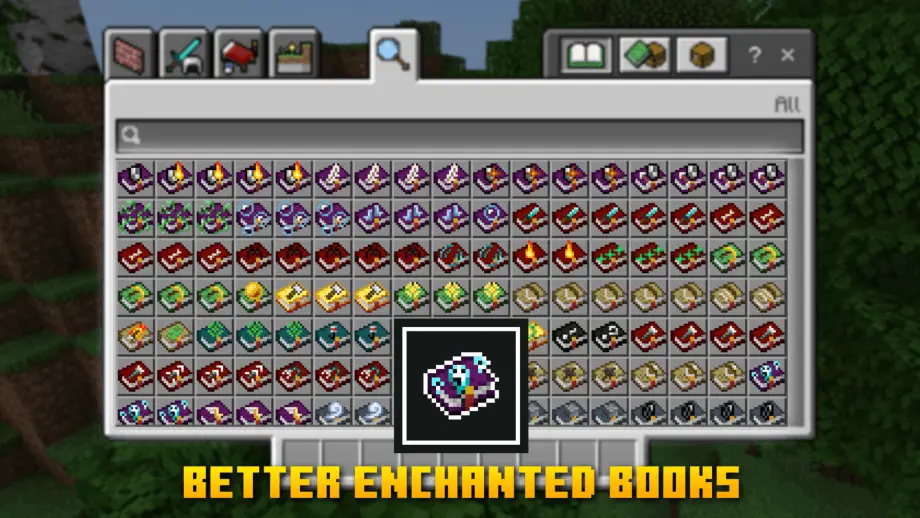
Better Enchanted Books The addon will change the fonts of enchanted books to make them easier to distinguish and use.
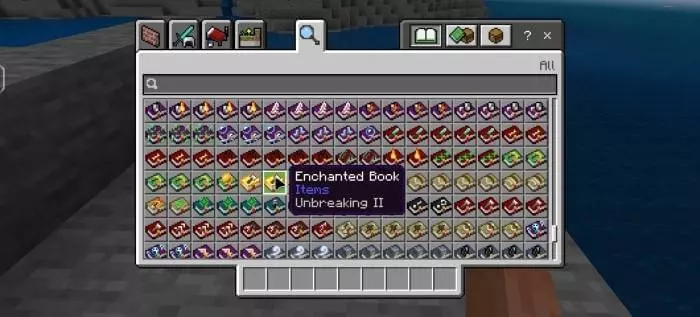
A chest full of enchanted books is exciting until you have to inspect every purple icon to find the one you need. Better Enchanted Books gives those books more distinctive looks in Minecraft Bedrock’s interface, making your collection easier to browse.
The change shows up where you spend time sorting gear: in the game’s menus. Instead of staring at a row of identical-looking books, you get a more varied set of icons to help you pick out what you’re after. That’s useful when your storage room has accumulated books from fishing trips, trading sessions, and structures you’ve explored along the way. Open a chest, scan the selection, and use the artwork as a visual clue while you look for an upgrade. It’s still sensible to check the item details before using a book, especially if you care about its enchantment level or it has more than one enchantment. The pack makes browsing more convenient; it doesn’t change what’s written inside the book or add new enchantments to your world.
A collection doesn’t have to be huge for the new icons to be useful. Maybe you keep a few books beside your anvil for your favorite pickaxe, or perhaps your trading hall has produced enough enchanted books to fill several chests. Either way, having more visual variety gives those menus a little more personality. It can also make organizing a storage room more enjoyable: put aside the books you plan to use soon, keep spare upgrades near your tools, and leave a separate chest for finds you haven’t sorted yet. The resource pack won’t sort everything for you, but it gives you a clearer view while you do the job yourself. And when you come back from an adventure with another enchanted book in your inventory, checking where it belongs feels a little less like reading through a stack of identical labels.
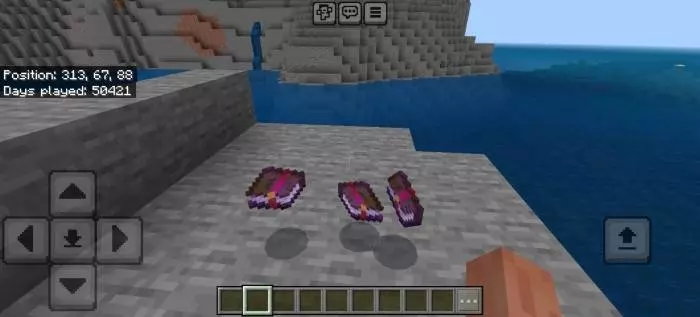
There are a couple of details worth knowing. The redesigned textures appear in the interface; if you drop an enchanted book into the world, the item keeps its usual appearance. On the hotbar, the changed texture applies to the selected item, and there can be a small visual glitch when interacting with slots. Those limits don’t stop the pack from being useful in chests and inventory menus, but they explain why the book on the ground may look different from the icon you just inspected. To get started, open the downloaded resource-pack file with Minecraft, activate it in your settings, and check a chest containing enchanted books. Take a moment to compare the icons, then hover over them to see which enchantments they contain. Once you’re familiar with the artwork, finding the right book for your next piece of gear should be a much nicer job.
Installation:
- Download Texture;
- Open the downloaded .mcpack to install;
- Select texture in settings;
- Done.
Comments (0)