Vibrant Legacy Texture Pack
- 3-10-2025, 11:12
- 1 200
Vibrant Legacy — the original vision that set the bar for how Minecraft Bedrock can look without losing its vanilla soul. This pack leans into balanced color, steady contrast, and calm lighting cues so biomes feel distinct, builds read clearly, and screenshots come out crisp right out of the gate. Think brighter days that don’t wash out your base and nights that keep their mood while still letting you read paths, roofs, and tree lines.
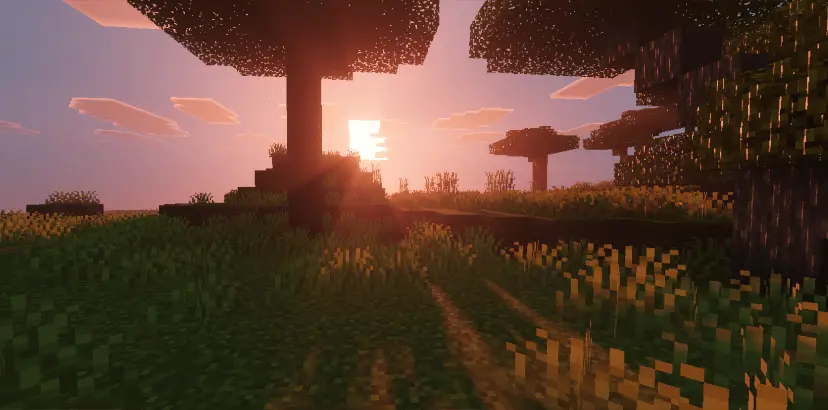
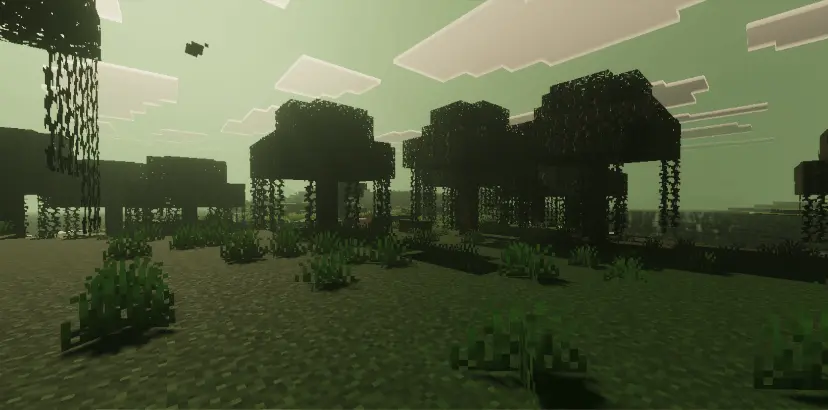
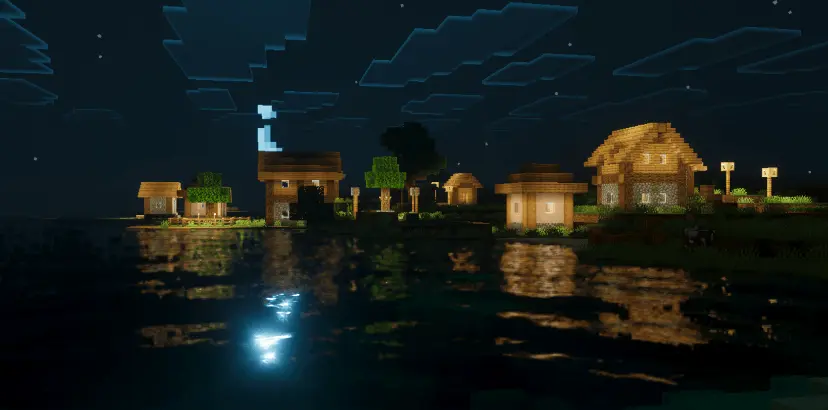
I built my survival base beside a river for the view. With Vibrant Legacy on, I’d probably waste the first Minecraft morning standing on the porch instead of getting anything done.
Vibrant Legacy changes the way light and color come together in Minecraft Bedrock. Sunny days look brighter, interiors feel warmer, and nighttime keeps a darker mood without turning every building into a silhouette. The blocks are still recognizably Minecraft, which is nice if you’ve spent months choosing the right wood and stone for your base. Your builds don’t suddenly look like they belong in a different game; they just get a new atmosphere.
The best test is a place you already know. Walk through your usual forest path and look at the contrast between the trees, the sky, and the stone underfoot. Then head down to the river or coast. The water gets a subtle sheen that can make a simple dock look like somewhere you’d actually want to spend the evening. If you have a house overlooking the water, there’s a decent chance you’ll end up taking screenshots from the same window at three different times of day.
Lighting inside a build is worth playing with, too. Put lanterns around a wooden dining room, leave a torch beside the stairs to your mine, or add a few lights to the porch you keep forgetting to finish. Warm light helps those small details stand out, particularly after the sun goes down. A room doesn’t need fancy furniture or a massive floor plan to look good; sometimes a workbench, a window, and a well-placed lantern are enough.
For builders, the pack is a good excuse to revisit older projects. That stone tower you rushed through last month might look much better against an evening sky. The path between your house and the village could use a few lights, and the little bridge over the stream might finally get the attention it deserves. Take a look at your usual block combinations in different biomes as well. Oak, dark oak, stone, and copper can feel different depending on the surroundings and the time of day.
The linked download is Vibrant Legacy version 3. Open the .mcpack file with Minecraft, activate it in your resource pack settings, and load up a world you know well. Vibrant Legacy is associated with Bedrock’s Vibrant Visuals mode, so check your video settings and device support if the effects aren’t showing up; requirements can vary between releases. Once it’s working, take the long way home. You might spot a perfect place for a cabin that you’ve walked past a dozen times.
Out in survival, the differences stack up fast. Sunrise over a spruce ridge has separation between sky, canopy, and stone, so you judge slopes and plan routes at a glance. Torchlight settles warmly across interiors, helping slabs, stairs, and trims hold shape instead of collapsing into flat shadows. Rivers and coastlines pick up a tidy sheen that makes boating between markers feel clean, and long views across plains stop turning fuzzy when you sprint toward a village bell.
Builders will love how palettes stay consistent across biomes. Oak and dark oak keep their character under the same sun, copper accents catch just enough highlight to feel finished, and interiors stop fighting you when you’re capturing progress shots. It’s still Minecraft Bedrock—no gameplay changes, just a visual pass that makes everyday play easier on the eyes. Drop Vibrant Legacy at the top of your resource order, reload, and tune brightness to taste if you want a gentler evening look.
If you want the classic game to feel unified and modern without drifting from vanilla, Vibrant Legacy delivers that grounded, atmospheric style—and it’s the DNA that later shaped the Vibrant Enhanced Deferred line for Minecraft Bedrock.
Installation:
- Download Texture;
- Use Minecraft PE
- Open the downloaded .mcpack to install;
- Select texture in settings;
- Done.
Comments (0)