Skys Blue Skin Pack
- 11-08-2025, 09:24
- 1 597
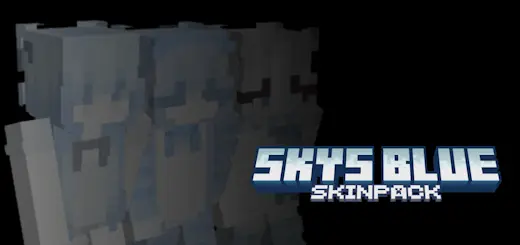
Sky’s Blue Skin Pack keeps it simple but makes your Minecraft character look way better than default. It’s packed with skins that all play with different shades of blue — bright and clear like a summer sky, soft like ocean water, and deep like the night just before the stars kick in. No weird overdesign, just clean, solid pixel work that fits perfectly in-game.
This pack works anywhere. Building up in the clouds? The lighter blues make you blend right into the sky. Chilling by the beach or sailing across a huge ocean? Those soft, mid-blues match the water perfectly. Sneaking through caves or hitting a PvP arena at night? The darker skins keep you low-key but still sharp. You’ve got enough variety here to swap your style whenever you want without losing the overall theme. If you want your Minecraft look to stay fresh, smooth, and sky-level cool, this pack’s an easy pick.
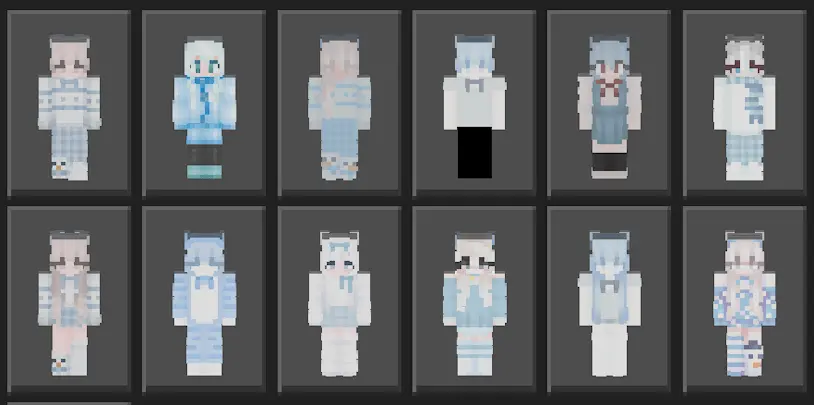
Blue doesn’t have to be boring. Skys Blue Skin Pack brings a collection of blue-themed looks to Minecraft Bedrock, from light, sky-inspired shades to darker colors that give your character a quieter style.
The appeal is in the variety within one color palette. Some designs lean toward bright, clear blues, while others use deeper tones that feel closer to the evening sky. The pixel work keeps the looks recognizable in Minecraft without piling on so many details that they get lost on a small character model. If blue is already your go-to color for banners, builds, or armor trims, these skins give you another way to bring it into your world.
There are casual outfits in the collection, including hoodie and jacket styles, alongside looks with more of a fantasy feel. That gives you room to pick something that suits the way you play. A laid-back outfit feels right for a long building session with friends, while a darker look might be your pick when you’re heading into an adventure map. You can stick with one favorite or change your character whenever you feel like a fresh look.
The colors also pair nicely with different places around your world. A lighter blue skin can look at home on a beach, on the deck of a ship, or beside an ice-blue build in a snowy biome. Deeper shades suit a mountain base or a nighttime screenshot with your crew. There’s no special effect tied to the scenery, of course; it’s just fun to find an outfit that looks right in the places you spend the most time.
For multiplayer, the pack is a good choice if your group wants a shared color theme without everyone wearing the exact same skin. Pick different designs, gather for a screenshot, and you’ve got a crew that looks coordinated while keeping some personality. Or forget the group theme and choose the skin you like best for survival, creative mode, minigames, or whatever server you’re playing on. Your character’s appearance is the part you’ll see again and again, so it’s worth picking one you actually enjoy.
To use the pack, open the downloaded file with Minecraft and choose a skin from the available collection in the dressing room. Take a moment to look through the options before settling on one; the lighter and darker designs can feel surprisingly different once you see them on your character. Skys Blue keeps its focus on a single color, but it leaves you free to choose whether your next Minecraft look is bright and relaxed or a little more understated.
Comments (0)