Main Characters With Expressions Skin Pack
- 3-10-2025, 19:28
- 1 891
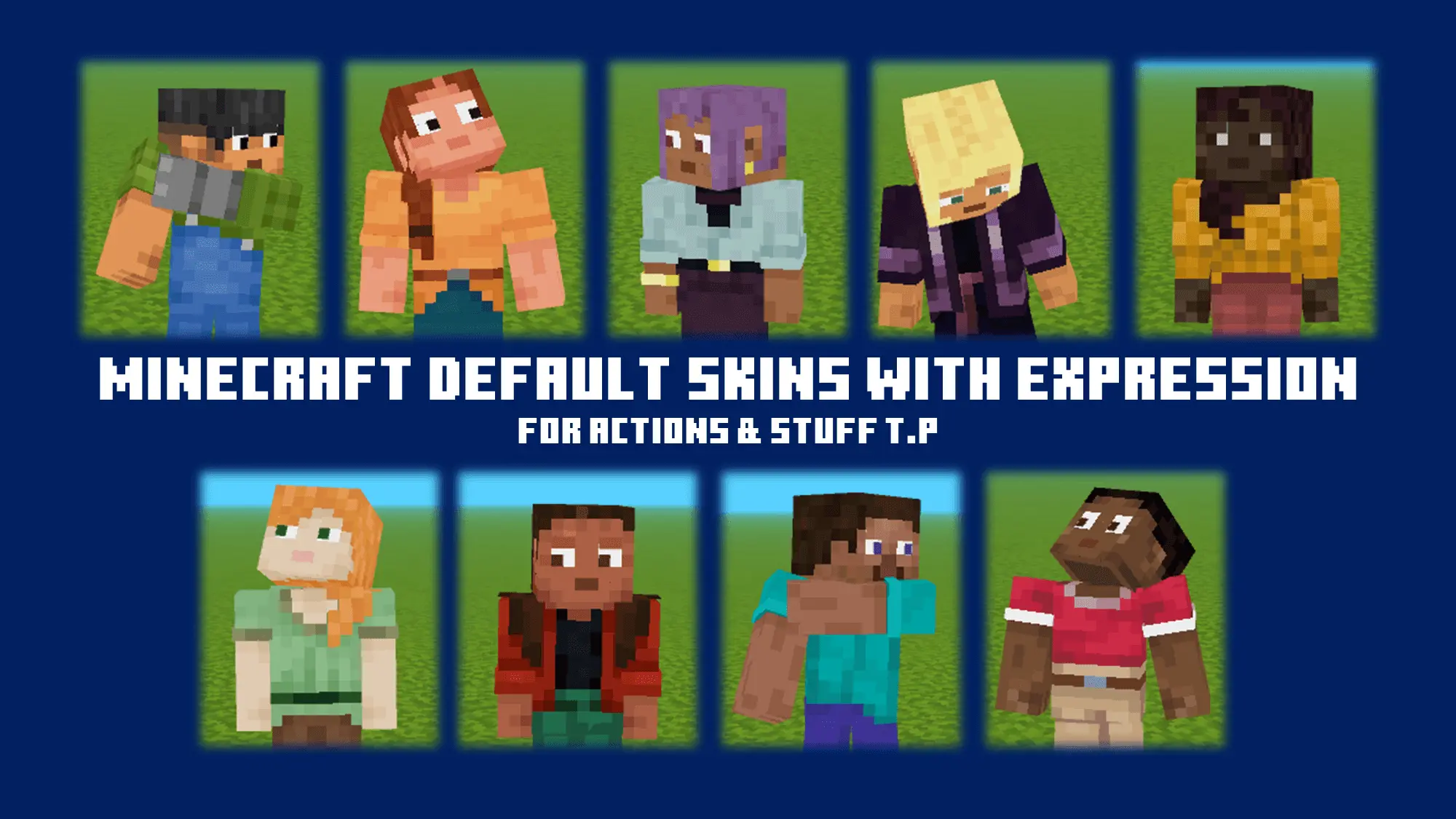
🎭 Main Characters with Expressions – Finally, Skins That Show Emotion
This skin pack gives you main character vibes with actual expressions.
Smirks, angry eyes, surprised faces — it’s a small thing, but it makes a big difference when you’re playing with friends or recording videos.
Perfect for roleplay, storytelling, or if you're just tired of the blank Minecraft stare.
What You Get:
Main character-style skins with different moods
Facial expressions (smile, serious, annoyed, etc.)
Great for multiplayer, content creators, and RP servers
Bedrock-compatible (mobile, Xbox, Win10)
Steve has seen creepers, lava, and more questionable building decisions than anyone can count. Now he can show a little more personality while he’s at it.
Main Characters With Expressions is a Minecraft Bedrock skin pack featuring familiar characters, including Steve and Alex, with expressive faces designed for the Actions & Stuff texture pack. The classic Minecraft look is still there, but the added expressions give those familiar faces more life. It’s a fun choice if you like the default characters and want something extra for your adventures, screenshots, or videos.
There’s one requirement to know before you jump in: the animated expressions are designed to work with Actions & Stuff. You’ll need that texture pack active to get the intended effect; installing the skins alone won’t give you the full experience. Once both are set up, try a character in third-person view and take a closer look. It’s the kind of change that can be easy to miss when you’re busy mining, but much more noticeable when you stop to watch your character or play with friends.
The skins are especially appealing for roleplay. Maybe Steve is the fearless explorer who insists the cave is safe, while Alex is the one who brought enough torches for everyone. Put them in a village story, a survival series, or a little adventure you’ve made up with friends. Their familiar designs make them easy to recognize, and the expressions add another visual detail when you’re acting out a scene or taking a group picture.
If you make Minecraft videos, the pack also gives you more to work with when framing character shots. Try recording an introduction outside your base, a conversation at the village well, or the moment your team returns from a dangerous expedition. You don’t need an elaborate movie set for a good scene: a front-facing camera, a recognizable character, and the right setting can be enough to make a short clip more entertaining. Experiment with different angles and see which character fits your story.
To install the pack, open the downloaded .mcpack file with Minecraft Bedrock and let the game import it. Choose a skin from the pack in the Dressing Room, then make sure Actions & Stuff is activated in the world where you want to use it. The listed release supports Bedrock 1.21.80 through 1.21.93, so check compatibility if you’re playing a newer version. Some players have reported trouble with the animations, making a quick test worthwhile before recording a whole scene. Pick your favorite character, gather your friends, and give those familiar Minecraft faces their moment on camera.
“My guy looks like he’s got a backstory now. Love it.”
– @MainCharEnergy
– @MainCharEnergy
📥 Download the pack and give your skin some personality.
Comments (0)