Vanilla 4D Skin Pack
- 28-09-2026, 02:18
- 634
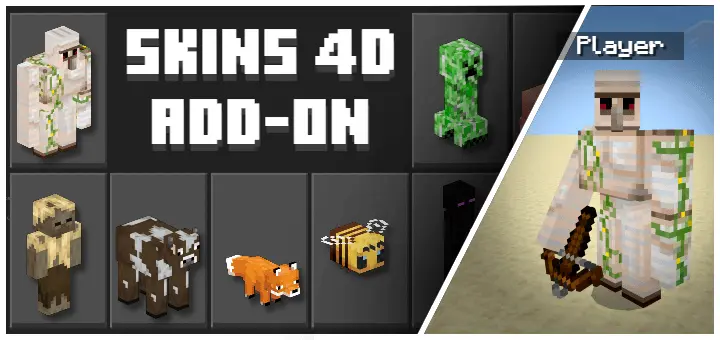
Rolling up to your server looking like another generic Steve is totally played out, but the Vanilla 4D Skin Pack lets you physically transform into the actual mobs you’ve been fighting for years. If you want to totally mess with your friends' heads or flex some serious custom geometry, this cosmetic download is an absolute W.
Most cosmetic downloads in the community are incredibly lazy, just slapping some pixelated Creeper face onto the standard humanoid model. This Minecraft Bedrock 4D skin pack completely throws that outdated method in the trash. Instead of just wearing a painted-on costume, you are getting custom geometry and layered rendering that physically alters your character's shape. We are talking about dropping the blocky human arms and legs entirely to take on the actual physical dimensions of a massive Iron Golem, a crawling Spider, or even the Ender Dragon. Every single outfit features stacked layers and extruded details that make the textures pop, ensuring you don't just look like a fanboy—you literally become the mob.
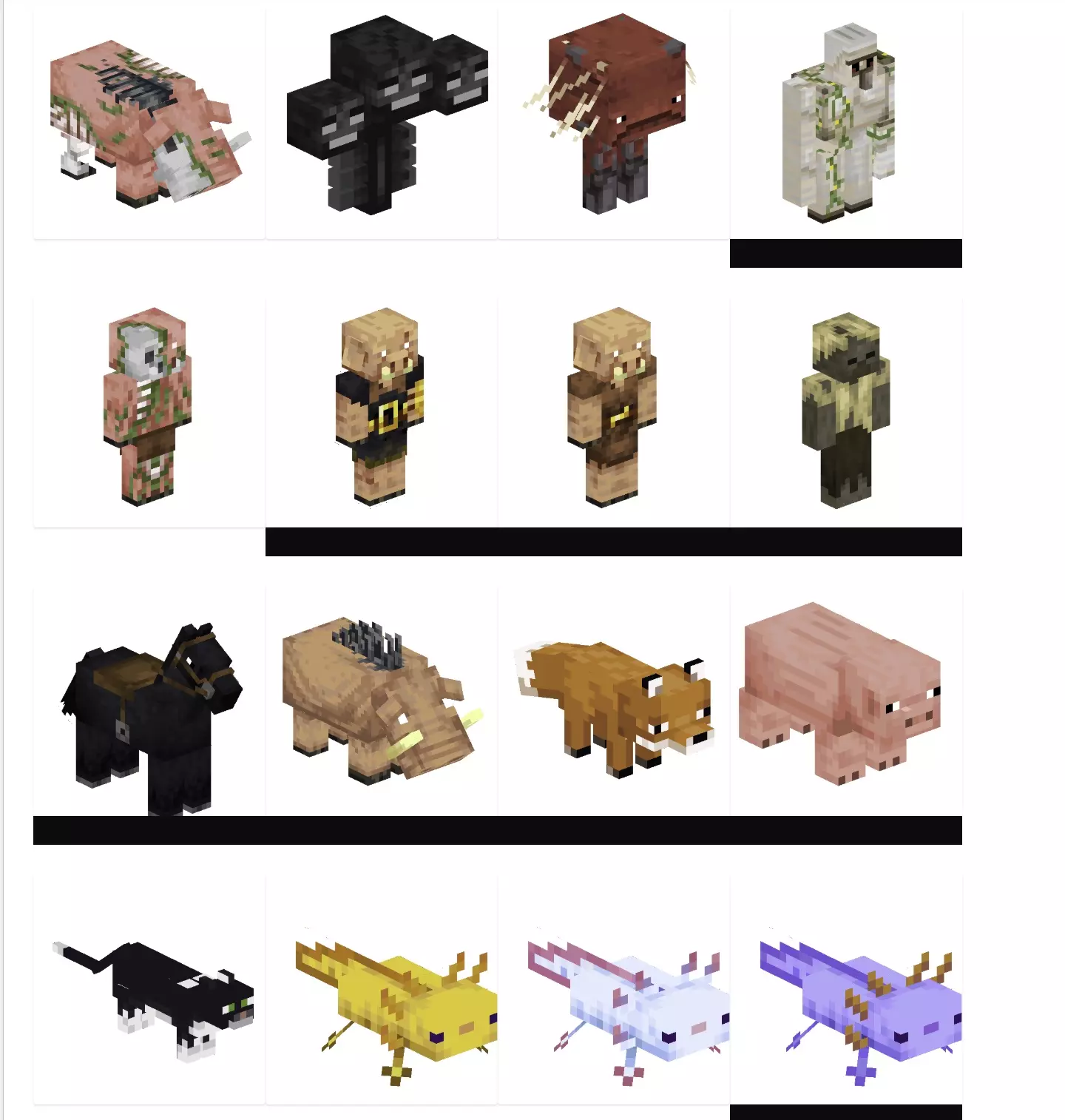
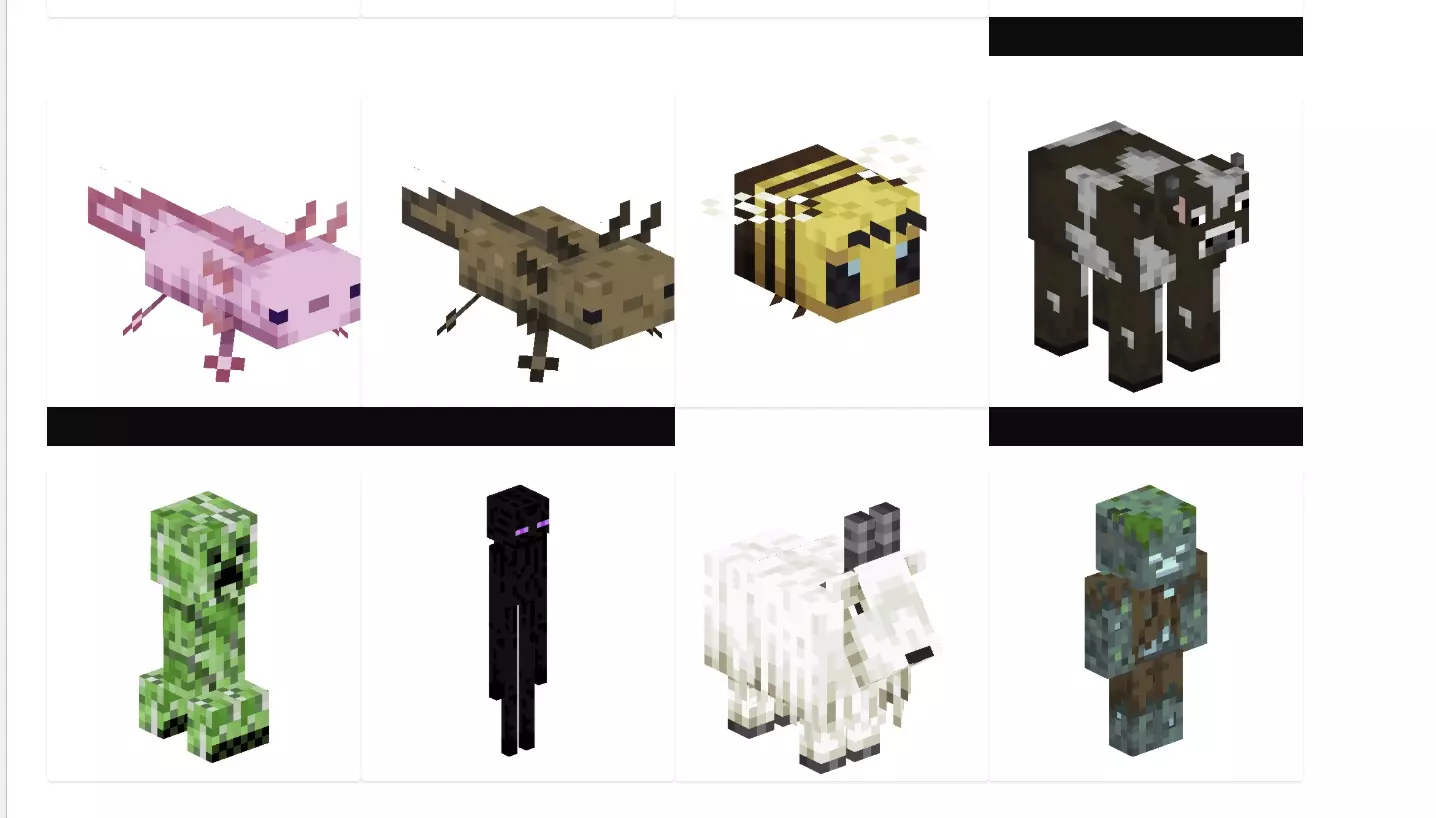
The utility here goes way beyond just looking cool in the lobby. If you are running an active multiplayer Realm or sweating in custom minigames, the troll potential is off the charts. Imagine hiding in a pitch-black cave while wearing a hyper-realistic Zombie or Skeleton outfit and absolutely jump-scaring the life out of your squad when they come down to strip mine. Because these vanilla mob skins for MCPE maintain the exact shapes of the original enemies, you can easily blend into the environment and pull off some legendary griefs. Even in chaotic PvP arenas, shifting your visual shape can seriously throw off your opponent's aim and mess with their crosshair placement, giving you a hilarious psychological advantage before the fight even starts.
For the players heavily invested in narrative gameplay, this pack is basically a mandatory install. Hosting a massive server event or running dedicated adventure maps feels ten times more immersive when your cast actually looks the part. You can easily populate your custom Minecraft worlds with actual players acting out the roles of local wildlife, hostile bosses, or passive farm animals without needing to set up broken command blocks or laggy morphing scripts. The sheer variety in the catalog means whether you want to chill as a stray cat or terrorize the server as a Wither, you have the exact drip ready to go.
Stop settling for flat, boring textures that look like they were made in MS Paint a decade ago. Equip this premium custom 3D skin pack, load into your favorite survival map, and start running your server as the ultimate apex predator.
Quick guide: How to install this Minecraft skinpack
Downloaded the .mcpack file? Here is exactly how to get it into your game depending on what device you are using right now.
- On Windows or Android: Just click or tap the downloaded file twice. Minecraft will open up on its own and load the skins immediately.
- On iPhone or iPad: Save the file, open your Files app, and hold your finger on it. Hit Share, select Minecraft from the list, and the game will handle the rest.
To put the skins on, just open Minecraft, head over to the Dressing Room (Profile), click on Classic Skins on the left, find this pack under Owned, and tap Equip.
Comments (0)