Zani Skin Pack From Wuthering Waves
- 17-07-2026, 14:06
- 343
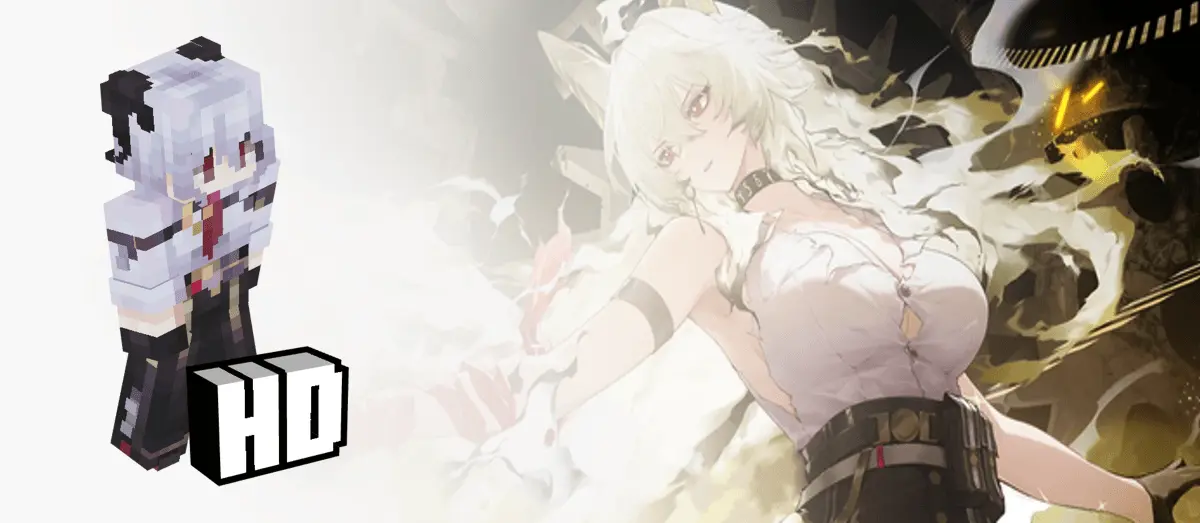
Bringing gacha characters into Minecraft is always a pretty fun crossover. This skin pack is super straightforward—it just completely swaps out your default model so you can run around your world playing as Zani from Wuthering Waves.

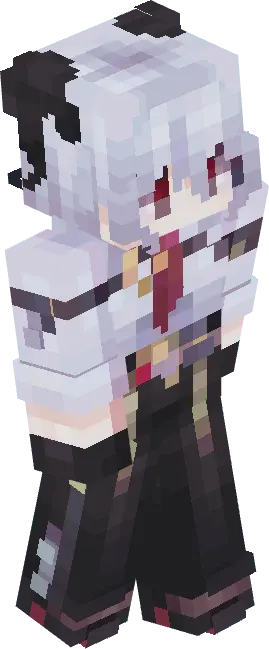
Running around a standard Overworld map looking like a dimension-hopping Resonator completely shifts the tone of your gameplay. You aren't just punching trees anymore; you look like you are about to trigger a perfect dodge and unleash a massive combo on a random Creeper. The creators utilized the slim arm geometry perfectly, avoiding that bulky, awkward look that historically ruins the sleek silhouette of agile ARPG characters. This aerodynamic profile is a massive tactical advantage if you spend your weekends sweating in high-tension Treasure Wars or SkyWars lobbies. You get the intimidation factor of a highly detailed, premium-looking avatar without any chunky pixel overhangs blocking your peripheral vision during a frantic melee exchange.
The color palette scaling is arguably the biggest flex here. Instead of relying on blinding, oversaturated neons to grab attention, the textures utilize the moody, atmospheric tones native to the source material. Deep gunmetal grays, soft glowing cyan highlights, and rich crimson fabrics are shaded with actual depth. If you run your realm with advanced lighting engines or heavy ray tracing, the ambient Overworld light bounces off these specific pixel gradients, making the clothing look like physically layered fabric rather than a flat digital sticker plastered over your character's chest.
If your recent gacha luck has been entirely tragic and you need a mental reset from the terminal echo grind, this is the perfect aesthetic pivot. Sync up your Minecraft Bedrock skins with your current RPG obsession, forge your strongest enchanted sword, and treat the Wither like it is just another weekly hologram boss waiting to get farmed for materials.
It's a really simple add-on, but seeing a detailed anime-style action character chopping down trees or fighting creepers is honestly just a great visual contrast. If you've been grinding Wuthering Waves lately and just want to rep the character while you hang out on a multiplayer server or start a new survival save, this is a super quick and easy download to grab.
Quick guide: How to install this Minecraft skinpack
Downloaded the .mcpack file? Here is exactly how to get it into your game depending on what device you are using right now.
- On Windows or Android: Just click or tap the downloaded file twice. Minecraft will open up on its own and load the skins immediately.
- On iPhone or iPad: Save the file, open your Files app, and hold your finger on it. Hit Share, select Minecraft from the list, and the game will handle the rest.
To put the skins on, just open Minecraft, head over to the Dressing Room (Profile), click on Classic Skins on the left, find this pack under Owned, and tap Equip.
Comments (0)