Light Fixer Skin Pack
- 12-02-2026, 13:28
- 539

Light Fixer Skin Pack is all about that modern, electrician/tech-hero identity. The theme is simple and easy to roleplay: you’re the one with steady hands and a sharp eye who shows up, fixes the problem, and brings light back where everything’s gone dark. In Minecraft Bedrock, that vibe fits perfectly with survival nights, cave runs, and base work, because lighting is literally the difference between “safe home� and “mob disaster.�
The pack includes six named skins: VoltEdge, AmpTech, Circuit Master, PowerFlow Solution, WireWise, and BeamTech. Even just the names give you different character vibes—some sound more like sleek engineers, others like hardcore problem-solvers who live in the wiring. That makes it fun to pick a main identity for a world, especially if your gameplay style matches it. If you’re the person who always carries torches and keeps paths lit, this pack basically turns that habit into a character concept.
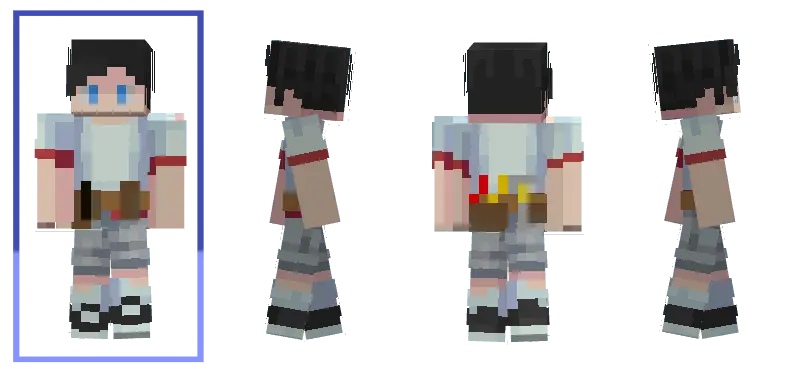
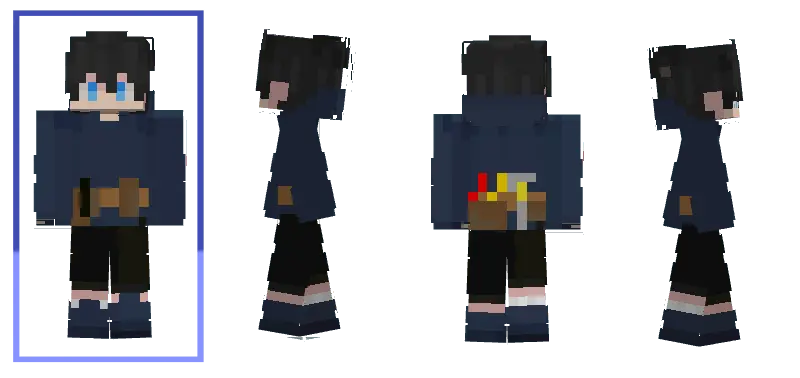
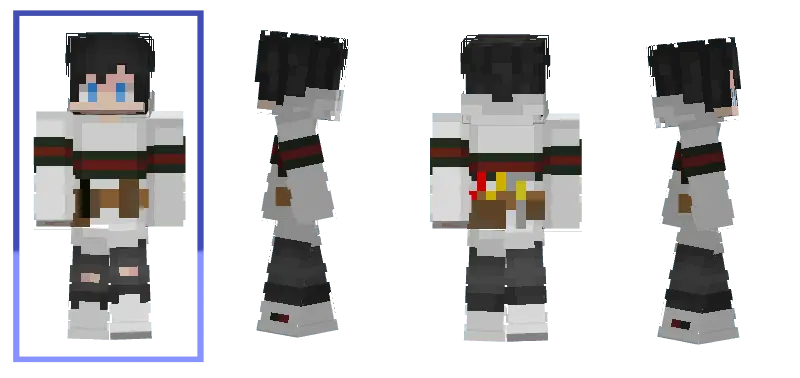
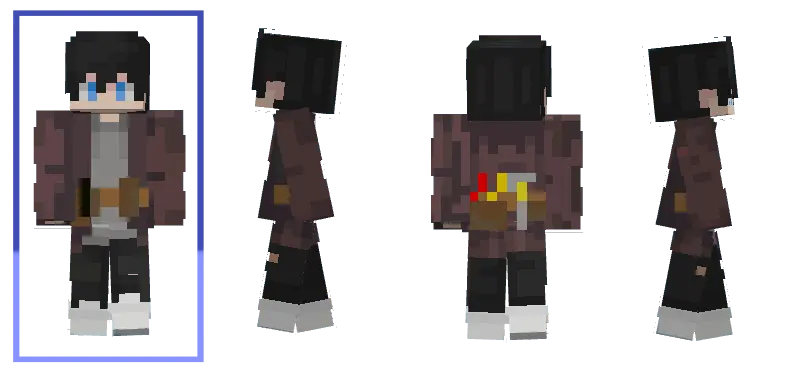
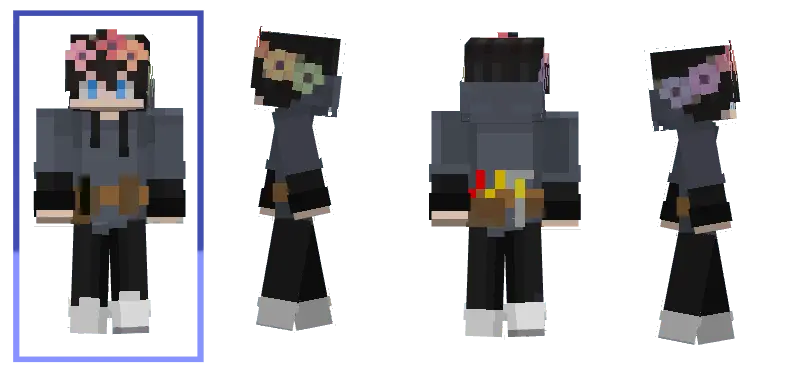
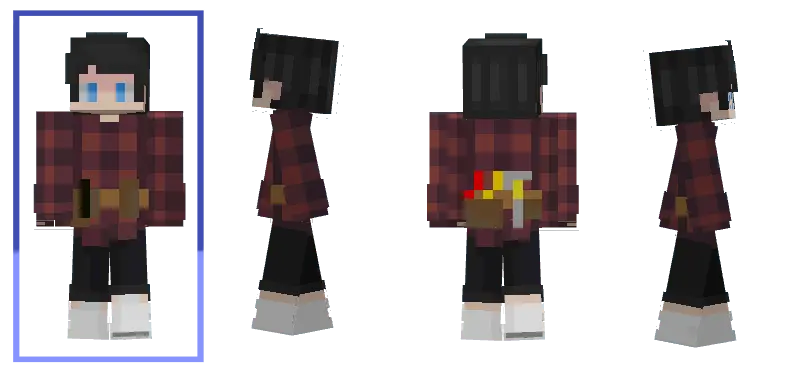
This skin pack also pairs nicely with building themes. If you like modern bases, factories, labs, or anything with clean lines and bright lighting, the Light Fixer Skin Pack fits the look without feeling out of place. And in multiplayer, it’s genuinely useful because a themed set makes your group feel coordinated. One friend can be VoltEdge, another can be WireWise, and you instantly look like a crew with a shared purpose instead of random skins thrown together.
Practical tip: if you want the “banish darkness� theme to actually feel real, build your base lighting like it’s part of your character—lantern lines, well-lit farms, and safe road paths between builds. Light Fixer Skin Pack is a clean choice for Minecraft Bedrock when you want an electric, techy style and a simple roleplay hook that matches how survival actually plays. Someone left a single wooden pressure plate outside my Minecraft bedroom, and it took me three days to realize why my door kept opening. Every time I walked past, I'd hear the familiar click and assume something was wrong with the house. I checked the hinges, replaced the door, and even moved a nearby chest because I thought it was causing a problem. Eventually, my sister visited and immediately spotted the pressure plate hidden beneath a carpet. She laughed so hard she nearly fell into the basement. Apparently, she'd placed it there during our last building session and forgotten to mention it. Once I understood what was happening, I started playing around with similar little details elsewhere in the house. Nothing complicated, just small changes that made familiar rooms behave differently. My sister now examines every doorway before entering. I may have added a few surprises of my own.
How to Install Skins in Minecraft Bedrock
- Download a .png skin (64×64 or 128×128).
- Open Minecraft Bedrock.
- Go to Profile (hanger icon) → Edit Character.
- Tap Owned → Import → Choose New Skin.
- Select your .png file.
- Pick a model: Classic (Steve) or Slim (Alex).
- Confirm to equip and play.
Comments (0)