Better Foliage Addon/Texture Pack for Bedrock
- 19-10-2026, 14:21
- 52 275
Mods 1.26 / Mods 1.21 / Mods 1.20 / Mods 1.19 / Mods 1.18 / Mods 1.17 / Textures
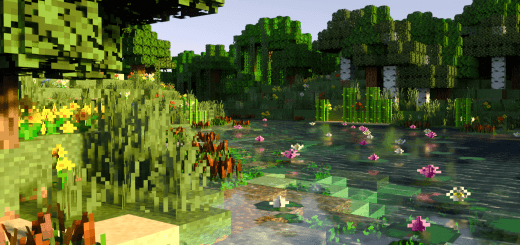
Better Foliage Texture Pack for Bedrock is an excellent texture pack that can improve the appearance of leaves, nature and plants in the Minecraft game world. Check out the screenshots to see how it works. Hope you like how it works.
Boxy, cardboard-stiff trees have held back Minecraft’s natural landscapes for over a decade, but the Better Foliage Texture Pack for Bedrock finally gives the wilderness the lush, overgrown makeover it deserves.
Vanilla leaf blocks look like green dice glued onto brown wooden toothpicks. Whenever you step into an old-growth birch forest or a jungle valley, the landscape feels flat, rigid, and oddly sterile despite the bright biomes. This pack completely bypasses the blocky grid limitation by layering custom 3D sub-models directly over standard plant blocks. The result is pure visual eye-candy: bushy, fluffy canopies that spill outside their regular block boundaries.
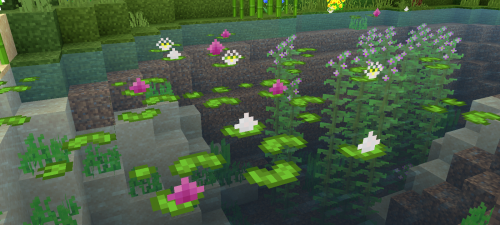
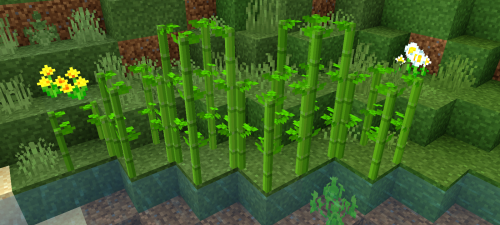
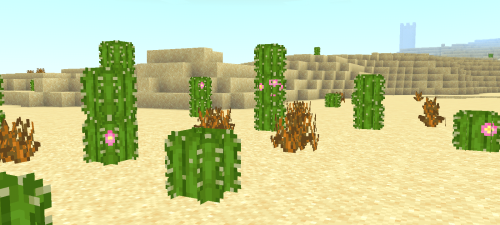
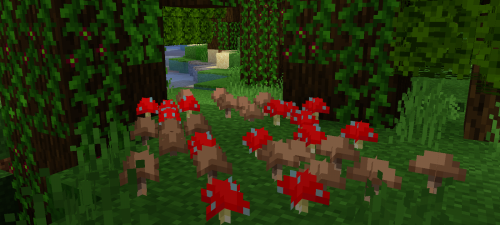
The visual overhaul runs way deeper than just puffing up oak leaves. Grass blocks get thick, tufted edges that drape down over adjacent dirt tiles, erasing those harsh brown-and-green seamlines that plague rolling plains. Lily pads float with layered blossoms and roots dangling into murky swamp water. Sugar cane looks like dense river reeds rather than flat, crisscrossed paper cutouts, while cacti gain spiky, rounded silhouettes that actually look dangerous out in the desert heat. Even Nether flora gets love, giving warped and crimson fungi strange, alien fungal caps that pop against the subterranean gloom.
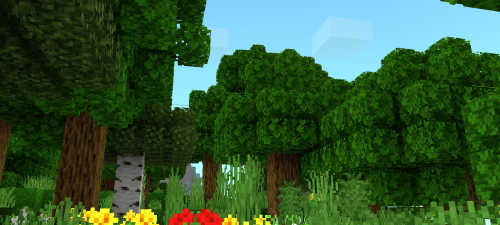
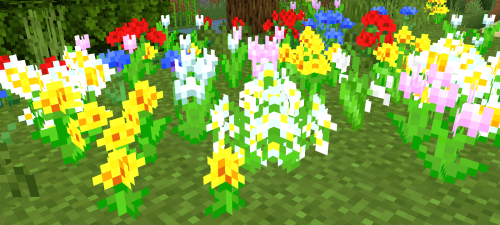
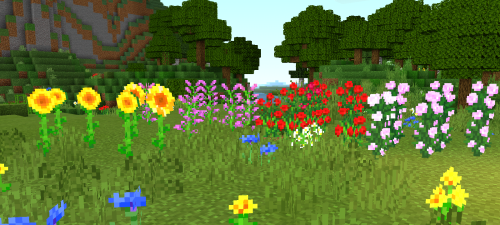
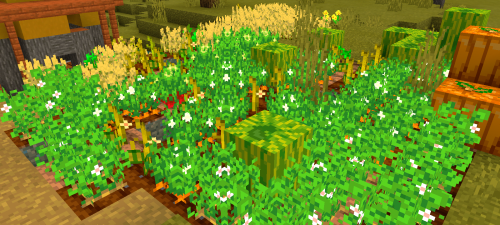
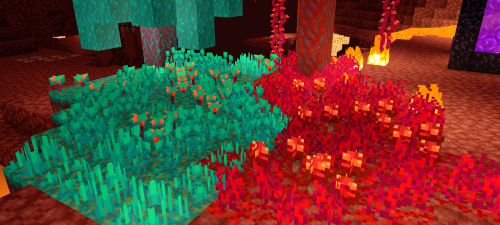
A common trap with heavy model packs is broken hitbox collision, especially when you are sprinting across branches or trying to frame a roofline through an overhanging canopy. Better Foliage keeps all physical collision data locked strictly to default block boundaries. You can still sprint across canopies, slap torches onto tree trunks without invisible barriers pushing you off, and harvest logs without weird ghost blocks ruining your swing rhythms. It keeps your mechanical survival habits intact while tricking your brain into thinking you booted up an entirely different game. Pair this pack with a vibrant lighting tweak or clean skybox, and the extra geometric depth catches shadows in ways flat vanilla cubes could only dream of.
Usually, pumping thousands of extra polygons into active vegetation across a wide render distance is an instant recipe for thermal throttling on phones or dropped frames on older consoles. Yet the pack balances its poly budgets with remarkable restraint, keeping frame pacing clean whether you're skimming over a massive jungle canopy or running down dark ravines. You get that elusive, cinematic Java-modded aesthetic directly on Bedrock without touching third-party launchers or sacrificing silky smooth camera pans. If your survival compound still feels trapped inside 2011's rigid block grid, drop the Better Foliage Texture Pack for Bedrock into your active resource list and let your wilderness breathe.
Installation:
- Download Texture;
- Open the downloaded .mcpack to install;
- Select texture in settings;
- Done.
Comments (11)