Creative Zone Addon
- 7-05-2026, 06:48
- 3 343
Mods 1.26 / Mods 1.21 / Mods 1.20
Creative Zone Addon creative mode in your survival in game world. Your survival base needs a new roof, but you’re not sure whether the design in your head will actually look good. Creative Zone gives you a place in the same Minecraft Bedrock world to test it before you spend hours gathering materials.
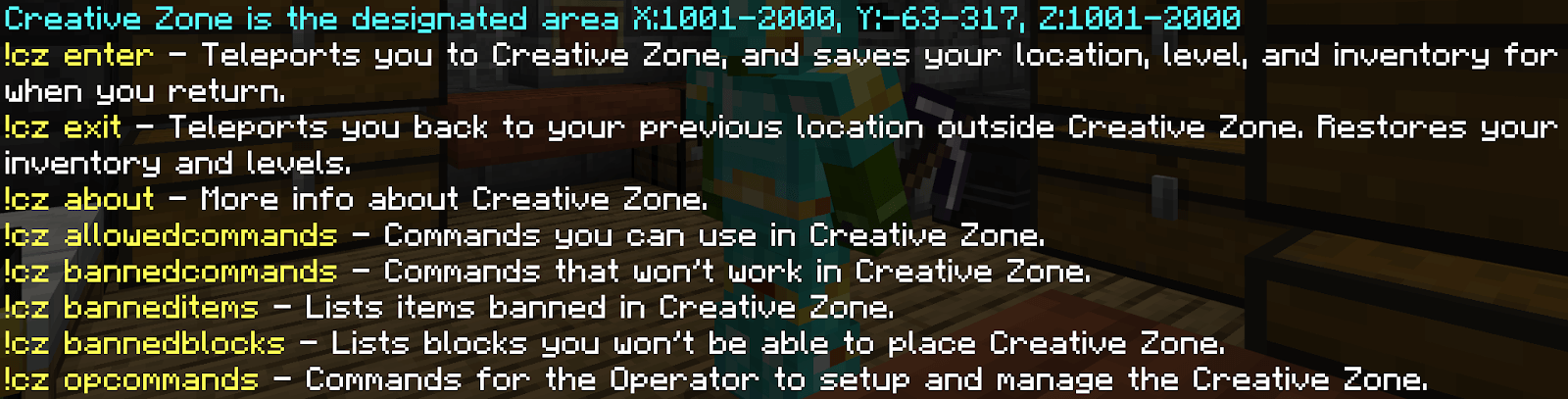
The addon creates a separate area where players can use Creative mode and many commands while keeping their survival progress set aside. When you enter with `!cz enter`, the addon saves details including your inventory, experience, location, spawn point, and current game mode. Leave with `!cz exit`, and those saved details are restored. That makes the zone handy for trying out a build, checking how a mob behaves, or messing around with blocks you haven’t collected yet. There is one limitation worth knowing: hunger level isn’t preserved when you return.
The zone is surrounded by a transparent barrier, so other players can see what you’re working on from outside. Inside, you can fly around in Creative mode, try different materials, and tear down an idea that looked much better in your head. Want to compare three roof shapes before rebuilding your survival house? Put them side by side. Trying to decide how tall a watchtower should be? Build a rough version and see how it looks from ground level. You’ll still need to gather the materials and construct the final version in survival, but you can work out the awkward details first.
Commands give the space another use. Players can access many common commands inside the zone even if they don’t normally have permission to use them. Type `!` instead of `/` for the addon’s command system; options include commands for giving items, teleporting, and summoning entities. Some commands, items, blocks, and entities are restricted, and the addon is designed to keep command targets within the zone. You can check what’s allowed through the in-game command lists. There’s also a menu opened with `!cz`, which gives you access to the zone’s options without memorizing every command.
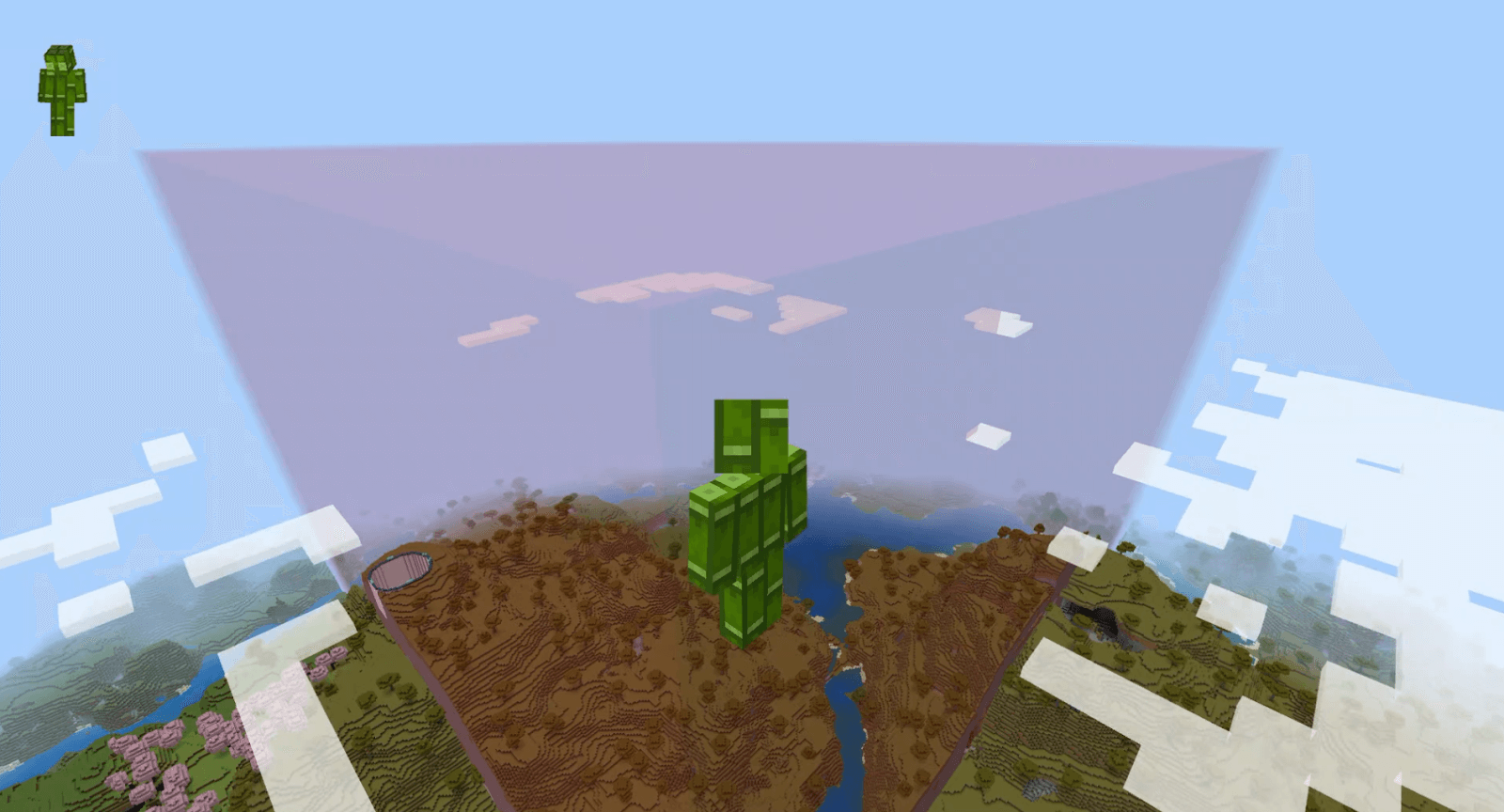



On a multiplayer world, that setup can turn the zone into a shared testing ground. Friends can experiment with building styles, show each other ideas through the barrier, or try out mob encounters before taking on the real thing in survival. The admin controls whether the zone is available and builds its boundaries, so the group has a designated place for experiments. The barrier is intended to keep the zone separate from the rest of the world, though the addon has documented limitations and bugs, so server owners shouldn’t treat it as a flawless security system.
Creative Zone is useful when inspiration strikes halfway through a survival session. Test a tricky design, play around with commands, or show your friends what you’re planning, then return to your adventure with your saved gear. Your next build might still take a mountain of resources, but at least you’ll know what you’re building before the mining marathon begins.
Installation:
- Download Mod;
- Open the downloaded file to install;
- Select it in the settings;
- Have fun!
Comments (1)