Fantasy Pack – Addon / Texture Pack
- 5-05-2026, 06:03
- 556
Mods 1.26 / Mods 1.21 / Textures

Fantasy Pack Minecraft mod will replace sword textures and add really cool magic blades to the video game.
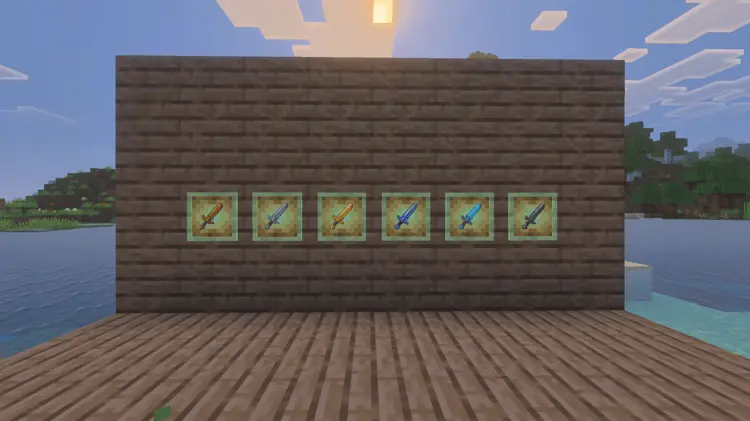

That variety makes switching between swords more interesting, especially if you enjoy choosing equipment that suits your character. You might find yourself favoring a particular design because it matches your skin, or keeping several swords around so you can compare them. Take a look at each one in your hand before deciding which you like best. A texture that catches your attention in the inventory may feel different once you’re carrying it around your world.
These are visual replacements for your existing swords, so treat the fantasy styling as a change in appearance. A blade with fiery colors doesn’t promise a new fire attack, and an icy design doesn’t mean you can freeze enemies. You’ll still want to choose your equipment with the usual survival considerations in mind. The fun comes from having a weapon that looks a little more special during the adventures you already enjoy. Head into a cave, prepare for a trip away from home, or take your favorite sword along while exploring. It can be satisfying to carry something that looks like it belongs to the character you imagine playing.
The designs could also work well in a fantasy build. If you have a castle, a wizard’s tower, or a medieval house, try making a display for your collection. Item frames give you a simple way to show the different swords together, and you could arrange the surrounding room to suit them. Warm lighting and darker walls might complement one blade, while another could inspire an entirely different corner of your base. Those are decorating ideas you can develop yourself. Start with a small display, see how it looks, and expand it if you end up enjoying the project.
For players who like taking screenshots or making little stories in Minecraft, the swords offer another detail to work with. Give a favorite blade a name, build a place where your character supposedly found it, or save it for a particular adventure. You don’t need a complicated roleplay world to have fun with that idea. Sometimes a weapon you’ve carried through several close calls becomes memorable simply because of where you’ve taken it. Fantasy Pack gives those familiar items a distinctive appearance from the start. Pick a design that suits you, keep your gear in good condition, and see what stories you end up attaching to it after a few journeys beyond your base.
Installation:
- Download Texture;
- Open the downloaded .mcpack to install;
- Select texture in settings;
- Done.
Comments (0)