Sleeping Coffins Mod / Addon
- 11-09-2025, 21:19
- 1 039
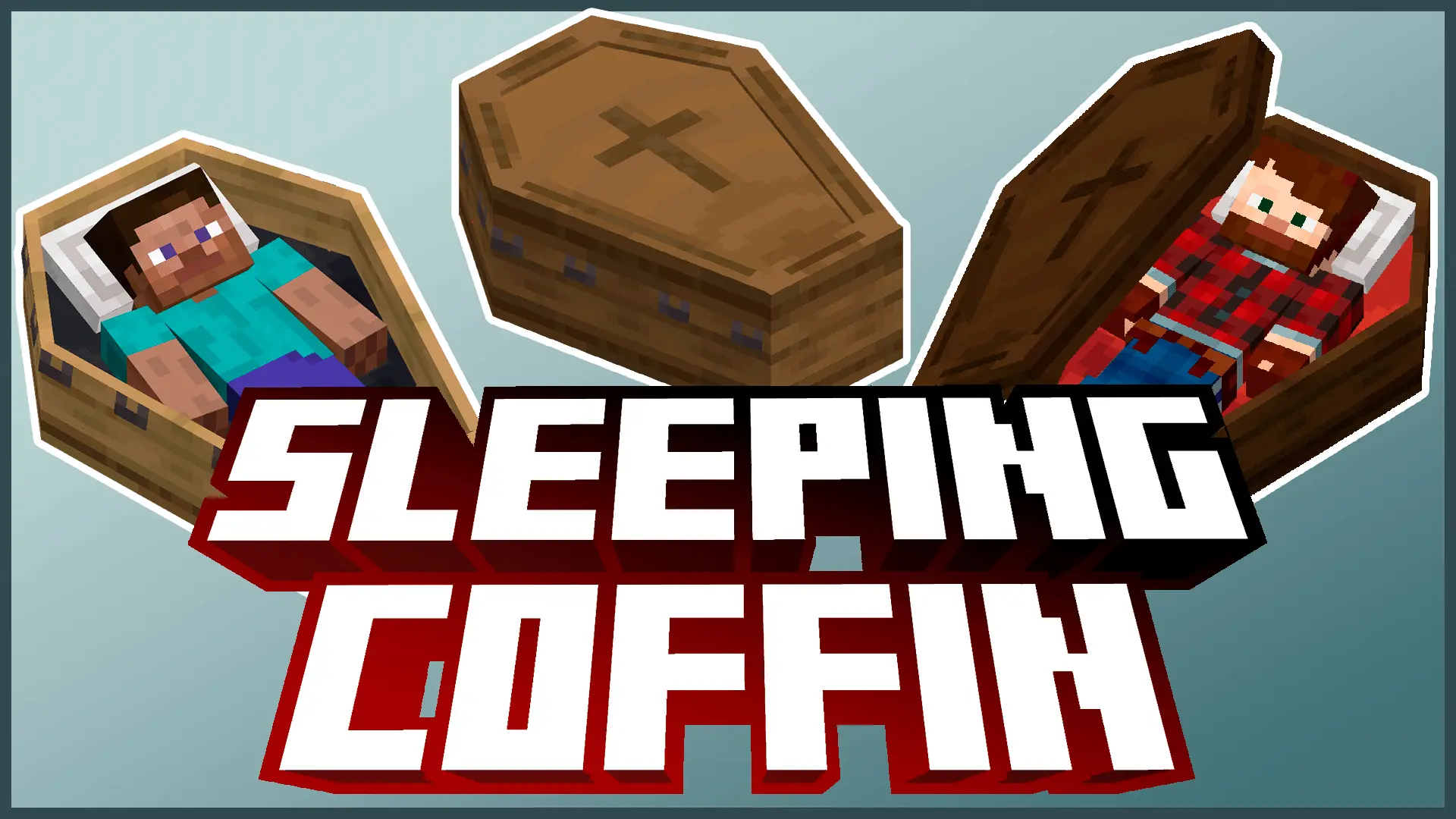
Sleeping Coffins mod
Swap cozy for creepy and make nighttime your aesthetic. Sleeping Coffins turns your spawn point into a statement piece in Minecraft Bedrock: you crash in a coffin, set your spawn, and push the clock to sunrise just like a bed—only with proper gothic vibes.
I tested it on a survival server and the rule is clear: to skip the night, every player has to be sleeping in a coffin from this add-on. Vanilla beds or beds from other packs don’t count toward sleep detection, so tell your crew to craft their own before the phantoms show up. Once everyone’s tucked in, the night flips fast, and you wake right where you meant to—inside the coffin, spawn set, ready to loot your own crypt if things go sideways.

Your vampire castle deserves a better place to sleep than an ordinary bed. Sleeping Coffins adds a wonderfully spooky way to rest in Minecraft Bedrock.
These craftable coffins do more than complete the look of a crypt: you can sleep in them to skip the night and set your spawn point. Put one in the bedroom of a gothic mansion, tuck it beneath a ruined chapel, or make it the centerpiece of a secret chamber under your survival base. The add-on offers coffins in different wood types and colors, giving you room to match the design to your surroundings. A darker wood can fit a gloomy castle, while another finish might look right at home in a witch’s house or a forest hideaway. The choice is yours. Once you’ve picked a design, decorate the room around it with your favorite blocks and lighting. A few candles, stone walls, and a narrow entrance can turn a simple sleeping space into a memorable part of your base.
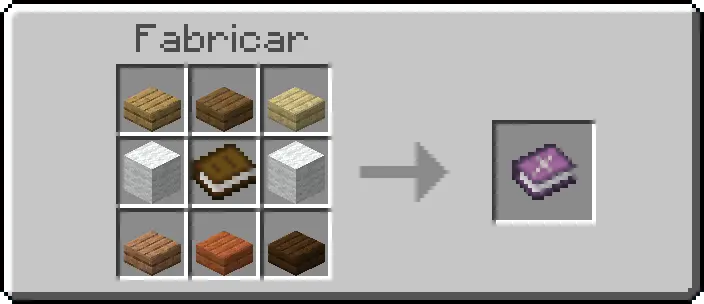
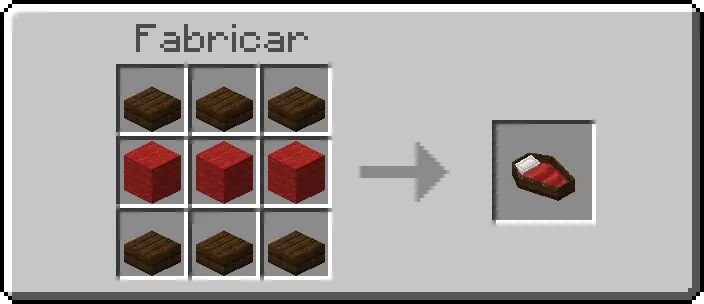
There’s a practical side to that creepy style. Setting your spawn near home can save you a long trip back after an unfortunate encounter, and sleeping gives you a way to move on to morning when you’re ready. The coffins are craftable using wooden slabs and wool, with choices of wood and color; check the in-game Add-On Guide for the full recipe and available configurations. It’s a nice fit for a survival world where you want useful furniture to match the story you’re building around your base. Maybe your character lives in a castle overlooking a village, or perhaps your group has claimed an old-looking mansion and turned its basement into a shared crypt. Either way, the coffin can be part of the place you use every day. You don’t have to save it for a Halloween map, though it would look right at home in one.
If you’re playing with friends, pay attention to how the add-on handles sleeping. Its sleep detection recognizes these coffins, but it doesn’t count players sleeping in regular beds or beds from other add-ons. Make sure your group has coffins available when you want to skip the night together. You can give each player a different color or wood type and arrange the sleeping spaces in a shared hall, or let everyone design a chamber of their own. The in-game guide provides more information about the available settings if you want to adjust the experience. To get started, open the downloaded add-on file in Minecraft and activate it in your world settings. Then gather materials, choose a coffin that fits your build, and find the right spot for it. Sleeping Coffins gives your next nighttime retreat a bit of character, whether you’re running a grand vampire fortress or a tiny house with a surprisingly eerie basement.
Crafting is straightforward and flexible. Coffins come in all wood types and colors, so you can match a spruce castle, a warped-Nether chapel, or a mangrove swamp hut without clashing with your build. The in-game Add-On Guide covers recipes and options; craft it first, skim the quick usage tips, and you’ll be placing styled spawn points in minutes. I keep one coffin in my ender chest, drop it in a safe room before big digs, and stash another in a travel kit for quick outposts. They’re compact, screenshot-friendly, and they make base bedrooms feel like intentional sets instead of a bed jammed in a corner.
On SMP, label coffins or color-code by player so nobody steals your spawn in a rush. For roleplay, lean into it—line a chapel with varied wood coffins, run a “curfew� before raids, or hide a secret coffin under a trapdoor as your emergency respawn. Functionally, it’s a bed; stylistically, it’s a whole mood. If your world skews spooky—or you just want a cleaner theme—Sleeping Coffins nails the look without changing the bed logic you rely on in Minecraft Bedrock.
Installation:
- Download Mod;
- Use Minecraft
- Open the downloaded file to install;
- Select it in the settings;
- Have fun!
Comments (0)