BetterChatRanks Mod / Addon
- 2-10-2025, 08:29
- 1 572
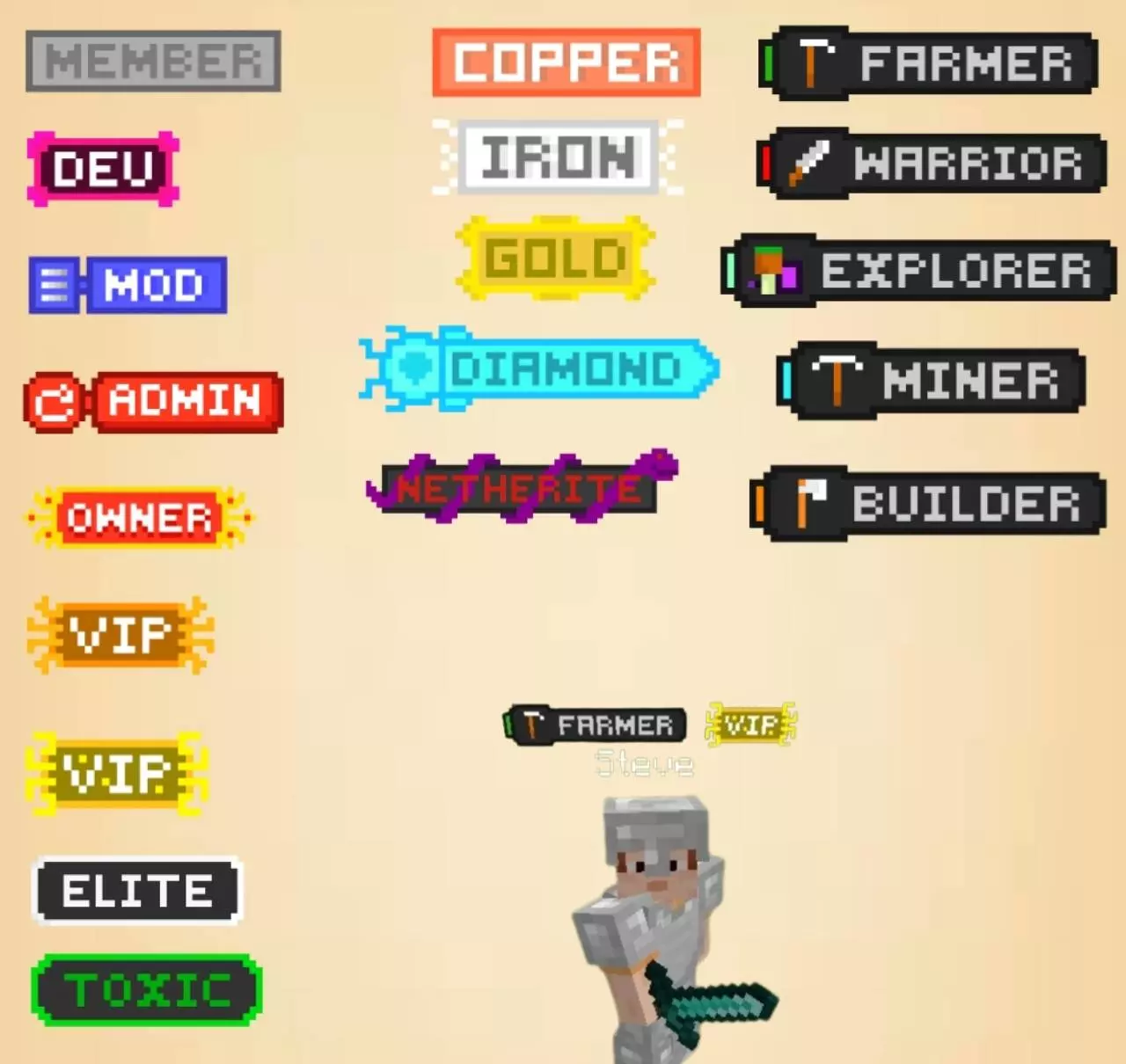
The BetterChatRanks addon makes Bedrock chat feel way less messy. On most servers, everyone’s name looks the same, and it’s hard to tell who’s an admin, mod, or just a random player. With this addon, ranks show right next to your name in chat, so when an admin types, you see it instantly, and when VIPs or regulars talk, they stand out too.
I dropped it into my Realm, and the difference was huge. My “Admin” tag popped up every time I typed, while friends had “Mod” or “VIP,” and suddenly the chat looked way more organized. It’s also cool that you can see which dimension people are in — if someone’s grinding in the Nether or exploring The End, an icon shows right next to their name. Small thing, but it adds a ton of flavor.
Setup isn’t complicated either. Enable Beta APIs, give yourself a tag like /tag @s add admin, and then manage ranks with /ranks. That’s it. No confusing configs, just clean roles in chat. If you run a Realm or server and want chat to actually look professional, BetterChatRanks is a no-brainer.
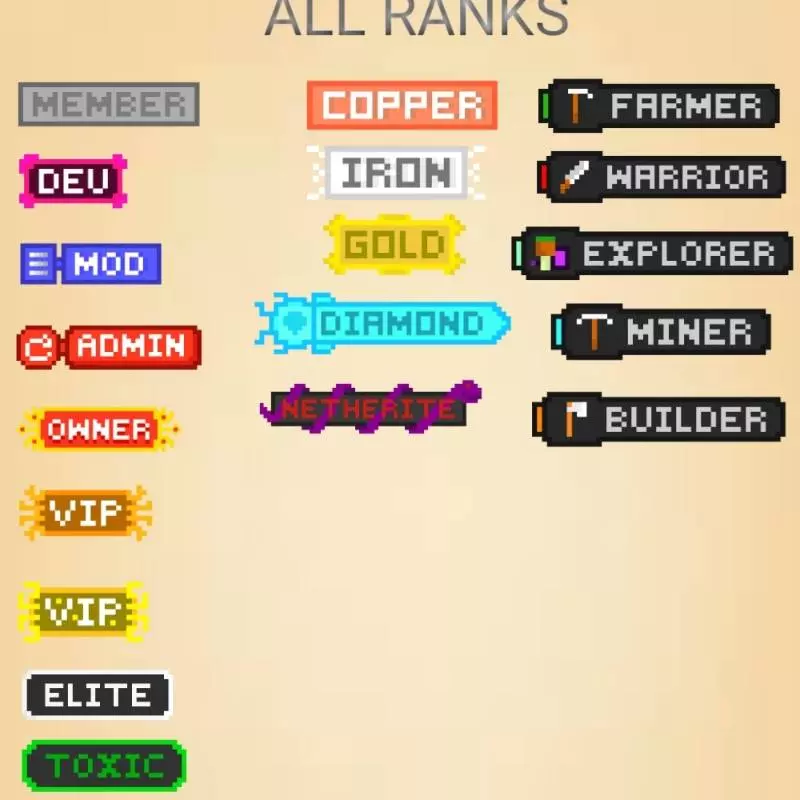
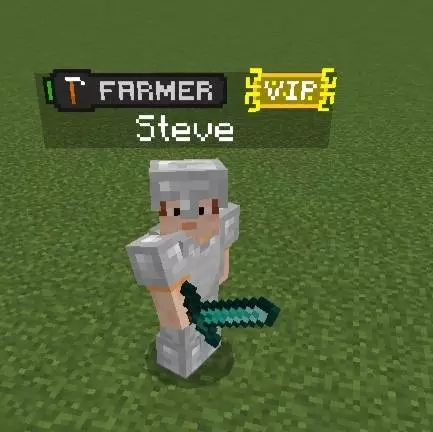
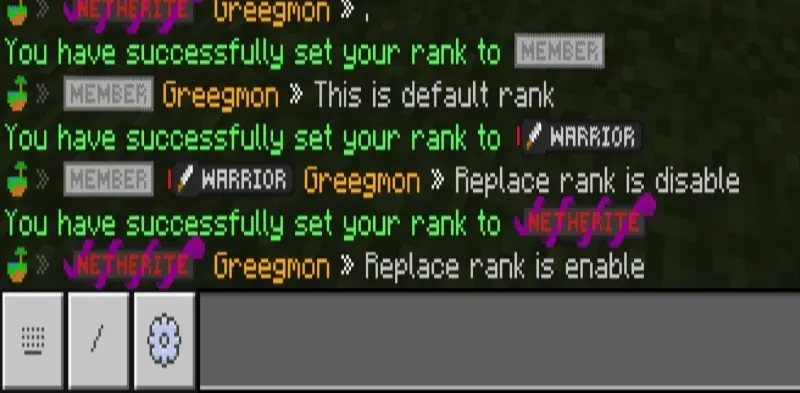
“Who’s a moderator?” is a perfectly reasonable question when everyone in your Minecraft chat looks the same. BetterChatRanks puts that information next to player names, so your staff can be recognized as soon as they speak.
The add-on brings customizable chat ranks to Minecraft Bedrock. An Admin tag can identify the person running the world, while Mod and VIP labels help distinguish other members of your community. That’s useful on a busy server where new players might not know who to ask for help. It also gives a smaller world with friends a bit of personality: your regular building crew, event hosts, and longtime players can have labels that suit the way your group plays.
There’s another handy detail in chat: dimension indicators. When someone sends a message, an icon can show whether they’re in the Overworld, Nether, or End. If a friend asks for help while exploring a fortress, you can see they’re in the Nether without asking which portal they took. It won’t give you their exact coordinates, but it’s a useful bit of context when several conversations are happening at once.
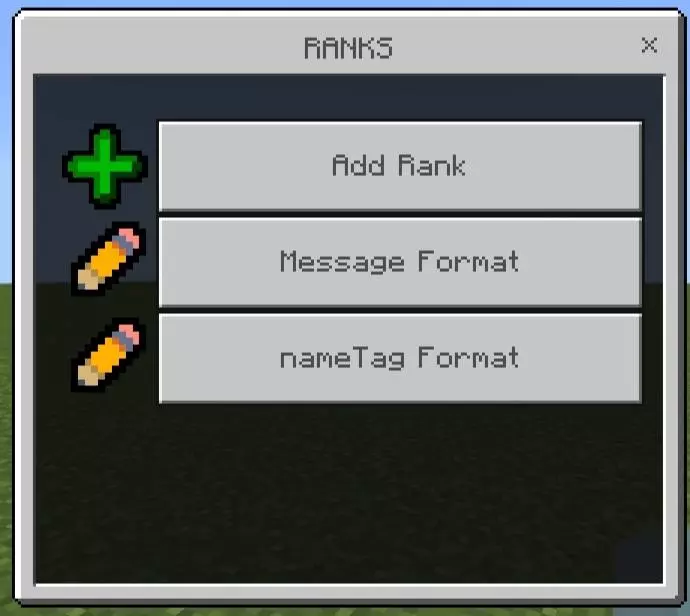
To set up the add-on, import the downloaded file into Minecraft and activate it in your world settings. Enable Beta APIs under Experiments, then use the command /tag @s add admin to give yourself the required admin tag. Keep “admin” lowercase. After that, try /ranks or /admin:ranks to open the rank controls. You’ll need permission to use the setup command, so the world owner or an operator should handle this part.
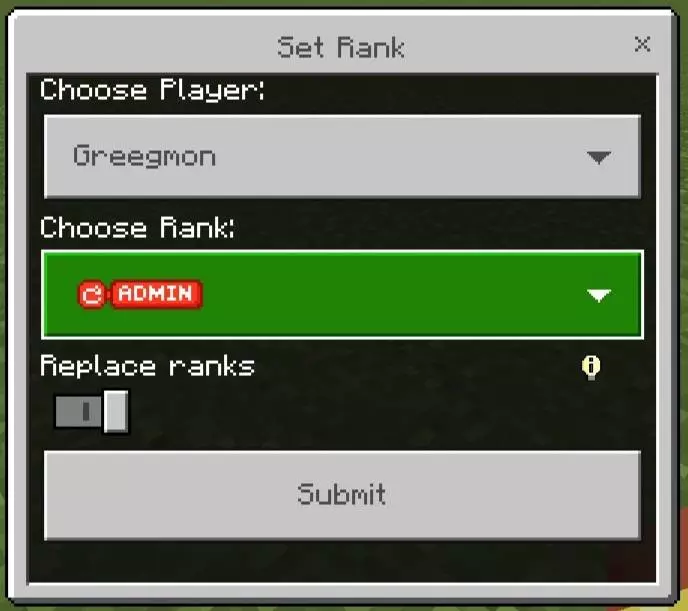
Once the menu is open, you can start organizing the labels for your community. Keep it simple with an admin and a couple of moderators, or add a VIP rank for players you want to recognize. Before assigning anything, decide what each label means so newcomers understand who can help them. A chat title is a way to identify someone; check your world’s actual permissions separately rather than assuming a displayed rank automatically gives them moderation powers.
If the rank menu doesn’t appear, first check the lowercase admin tag, the Beta APIs setting, and whether the add-on version matches your Minecraft version. Other add-ons can also cause conflicts, so testing BetterChatRanks in a separate world can help narrow down the problem. The linked download is version 1.4.0, while newer game releases may need a compatible update. Once it’s working, send a message and check the result: your players can get back to chatting, with a little more context beside every name.
Installation:
- Download Mod;
- Open the downloaded file to install;
- Select it in the settings;
- Have fun!
Comments (0)