No More Mobs Mod / Addon
- 12-08-2025, 13:26
- 1 499
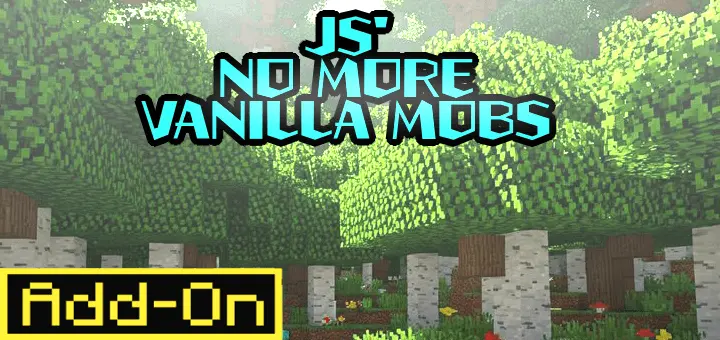
I tried out the No More Mobs mod in my Bedrock worlds, and it’s super simple but crazy useful. Basically, it gives you two choices — remove all animals or remove all hostile mobs. You pick one, and boom, the world instantly feels completely different.
I went with “no monsters” first, and survival suddenly turned into a peaceful stroll. No zombies, no creepers, nothing jumping me at night. Then I flipped it and removed all animals, and the whole place felt empty, almost creepy — perfect if you’re making a horror map or want that post-apocalypse vibe.
It’s awesome for creative builds too. No more cows mooing in the middle of your fancy city, no random mobs spawning where they don’t belong. Just clean, controlled worlds. If you ever wanted total control over what lives (or doesn’t) in your game, No More Mobs gets it done without any hassle.
A Minecraft world without cows feels surprisingly eerie. Take away the monsters instead, and those same familiar hills become a much more relaxing place to call home.
No More Mobs gives you two different ways to change the atmosphere of your Minecraft Bedrock world. One download targets hostile mobs, while the other removes animals. Pick the one that fits the kind of world you’re trying to make. Want to finish a massive castle without a creeper redecorating the entrance? The no-monsters option makes room for longer building sessions without the usual zombie and skeleton interruptions. You can stay out after dark, explore caves, or work on a rooftop without constantly listening for trouble. Other survival challenges still matter, though: you’ll need food, and a bad fall or a swim in lava can still ruin your day. It’s a calmer way to play without giving up the gathering, crafting, and exploration that make a survival world yours.
The no-animals option has a completely different vibe. Walk through an empty field where you’d normally expect sheep and chickens, and the silence starts to feel a little strange. That makes it an interesting choice for abandoned cities, post-apocalyptic survival, and horror maps where a lively farm would break the mood. It changes practical decisions, too. If you’re used to grabbing meat from nearby animals or collecting wool for a bed, you’ll need another plan. Grow crops, pay attention to the supplies you find, and think ahead before setting out. A world with fewer familiar sources of food can make even a routine trip feel different. For map makers, the quieter landscape also leaves more room to establish a specific setting, whether that’s a deserted settlement or a wilderness that feels a little too empty.
There’s also potential for themed worlds built around creatures from other add-ons. The project is intended to remove ordinary Minecraft creatures while leaving room for custom ones, so a dinosaur world, for example, doesn’t have to feel quite so crowded with the usual wildlife and monsters. Some Minecraft mobs are exceptions: villagers and the Ender Dragon are listed as remaining, along with summonable creatures such as iron golems. Keep that in mind if you’re planning a map that depends on a particular mob, and test your setup before committing to a large project. The downloads are separate, so check their names before importing and activating the one you want in your world settings. Try the monster-free option for a laid-back building world, or remove the animals if you’re after an unsettling survival scenario. Either way, changing who shares the landscape with you can give a familiar seed a whole new personality.
Installation:
- Download Mod;
- Open the downloaded file to install;
- Select it in the settings;
- Have fun!
Comments (0)