Mask Collection Mod / Addon
- 30-07-2025, 21:26
- 1 500
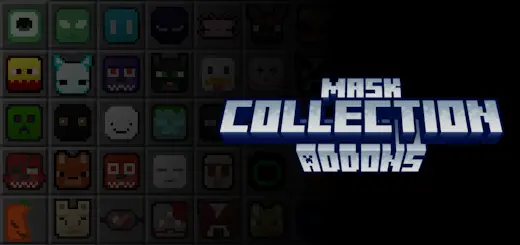
Mask Collection Addon – Throw On a Mask, Change the Vibe
Wanna look cooler in Minecraft without changing your skin? The Mask Collection addon drops a huge variety of wearable masks into the game. We’re talking Allay, Axolotl, Rabbit, Robot, Zombie, Skeleton, and a whole bunch more—you’ll find a style for any mood or build. Perfect for roleplay, pranks, or just flexing a new look.
If you're in Creative, just pull ‘em straight from the inventory. In Survival, you’ll need leather and a blueprint to craft each one. That’s it. Super simple, super fun. Mix ‘em up with armor or outfits and stand out like a boss on your server.

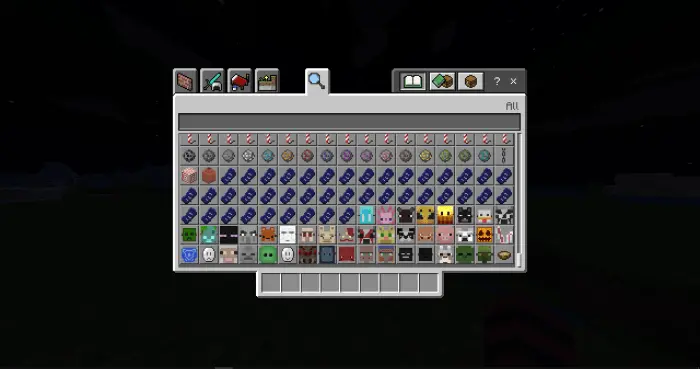
Some days call for an axolotl face. Others call for a skeleton. Mask Collection gives your Minecraft Bedrock character a whole wardrobe of wearable disguises to match the mood.
The selection draws on creatures and characters you’ll recognize from around the game, including Allays, rabbits, zombies, and skeletons. There’s also a robot mask when you want a look that feels a little less natural and a little more mechanical. The fun is in picking a face that fits what you’re doing: an axolotl look for a trip around your aquarium build, a rabbit for a cheerful farm, or a zombie when you want to give your friends a laugh. You don’t have to redesign your whole skin every time you want a change, either. Wear a different mask and your familiar character takes on a new personality. Try a few with your usual outfit and see which ones look best from the front and in third person. A favorite can be surprisingly different once you see it on your own character.
Getting hold of the masks depends on how you play. In Creative mode, you can pick them from the inventory and try out the collection without gathering supplies first. That’s a good way to put together a look for a build, a group screenshot, or a roleplay session. Survival players have a bit more work ahead: the map listing describes crafting masks with leather and a corresponding blueprint. Another description of the collection mentions obtaining blueprints through a leatherworker trade, so it’s worth checking the trades and recipes available in your game as you build your collection. Once you find a design you like, gathering the materials gives you a small goal to work toward between mining trips and building sessions. You can stick with one signature mask or make a few to suit different occasions.
Mask Collection is especially fun if you enjoy giving your character a role in the world you’ve built. A robot face could suit a player showing off a high-tech base, while a skeleton mask feels right at home on a spooky adventure. Get a group together and everyone can choose a different look for a village gathering, a themed build, or a round of hide-and-seek. The mask doesn’t have to match the setting, either; showing up to a serious meeting in a rabbit mask is its own kind of character choice. The available descriptions focus on appearance and crafting rather than special powers, so the appeal is picking a look you enjoy and making it part of your Minecraft adventures. Browse the designs, find one that makes you smile, and give your next session a different face.
Installation:
- Download Mod;
- Open the downloaded file to install;
- Select it in the settings;
- Have fun!
Comments (0)