WarPads Classic Mod / Addon
- 11-07-2025, 12:38
- 881
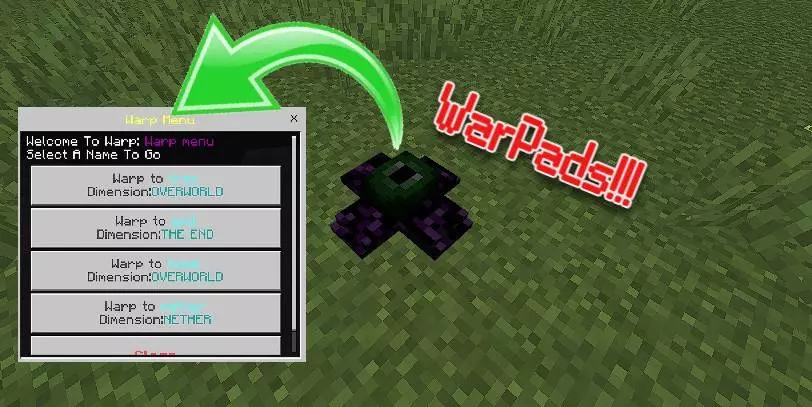
🌀 WarPads Classic – Quick Teleport, No Commands
This addon gives you teleportation pads that actually feel built into the game.
With WarPads, you can jump between locations (or even different worlds) without commands or cheat menus — just step on, choose your destination, and boom, you’re there.
It’s perfect for survival bases, adventure maps, or multiplayer hubs.
Features:
Craftable teleport pads
Set locations and name them
Works between far points or dimensions
No commands or scripting needed
Bedrock compatible (mobile, Xbox, Win10)
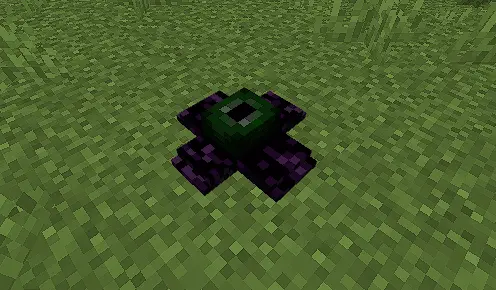
Your storage room is at home, your farm is across the ocean, and the Nether portal is somehow inconveniently far from both. WarPads Classic gives those places a direct connection, so a supply run doesn’t have to turn into another cross-country expedition.
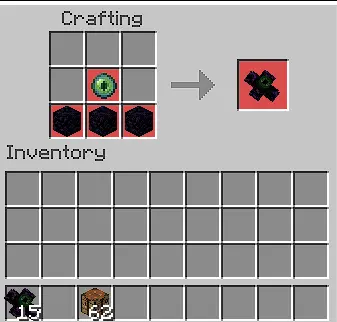
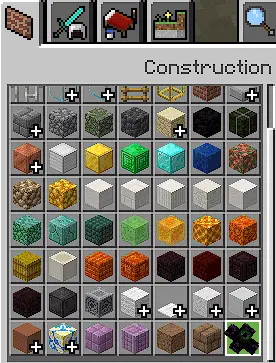
The add-on introduces a Warp Block that saves a location and gives you access to a menu of destinations. Place a block where you want a travel point, interact with it, and give it a recognizable name. Set up another block at a different location, name that one too, and you’re ready to travel between them through the menu. Names like “Home,” “Iron Farm,” or “Mountain Mine” are much more useful than a collection of mystery warps you’ll have to test later. Interact with a configured block, select the destination you want, and you’ll arrive without retracing the route on foot. Warp Blocks are available through the creative inventory and can also be crafted in survival. You’ll still need to reach a location and set up a block there before adding it to your travel network, so finding that perfect mountain base remains an adventure.
The system reaches beyond the Overworld, too. A properly placed and named Warp Block can connect locations across the Nether, the End, and the Overworld. That opens up some useful possibilities: keep a travel point near your main storage room, another by a Nether project, and one at an End destination you visit regularly. When a building session calls for supplies from several places, you can hop between them instead of spending most of your evening on the road. It also makes distant projects easier to revisit. Maybe you built a fishing cabin thousands of blocks from your main base and stopped using it because the trip was a pain. Give it a warp, and it becomes a practical place to spend time again. On a shared world, a clearly named collection of destinations can help everyone find the communal builds without asking for coordinates every five minutes.
There are a few details to know before you start arranging your network. To pick up a Warp Block, sneak and interact with it, then confirm your choice in the prompt; it isn’t removed by breaking it normally in survival. The menu also lets you rename blocks if a location’s purpose changes. For world operators, there are commands to open the warp menu or create a destination using coordinates. When creating a warp by command, make sure the target area is loaded, since the block may not appear in an unloaded chunk. The add-on’s instructions also call for Beta APIs to be enabled in world settings. WarPads Classic leans toward convenient travel and creative utility, so decide with your friends how freely you want to use it in a survival world. You can still take the scenic route when you feel like exploring; the warp network is there for the trips you’ve already made a hundred times.
“Used it to link my overworld base and Nether hub. Way easier than portals.”
– @WarpedOut
– @WarpedOut
📥 Download WarPads Classic and make travel actually fun.
Installation:
- Download Mod;
- Open the downloaded file to install;
- Select it in the settings;
- Have fun!
Comments (0)