Effects shop Mod / Addon
- 2-10-2025, 08:56
- 883
🧪 Effects Shop – Buy the Buffs You Actually Need
This mod adds a simple but super useful shop system where you can buy potion effects instead of brewing them yourself.
You just walk up to an effect vendor, pick what you want — speed, strength, night vision, whatever — and get the buff. It works in survival, fits into realistic/modern builds, and feels way more organized than random potion spam.
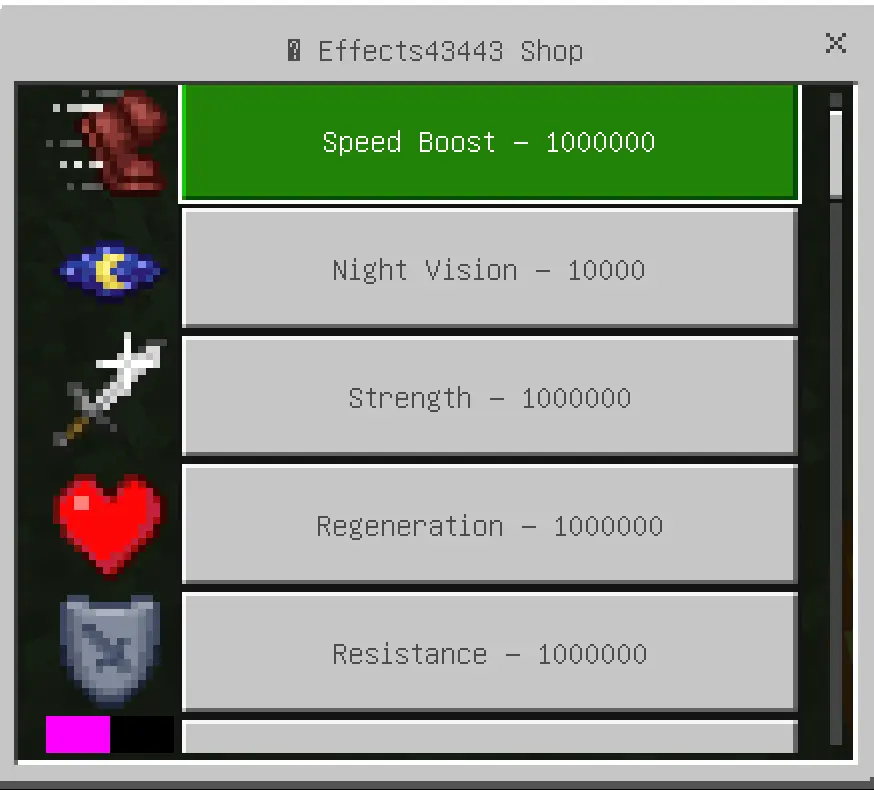
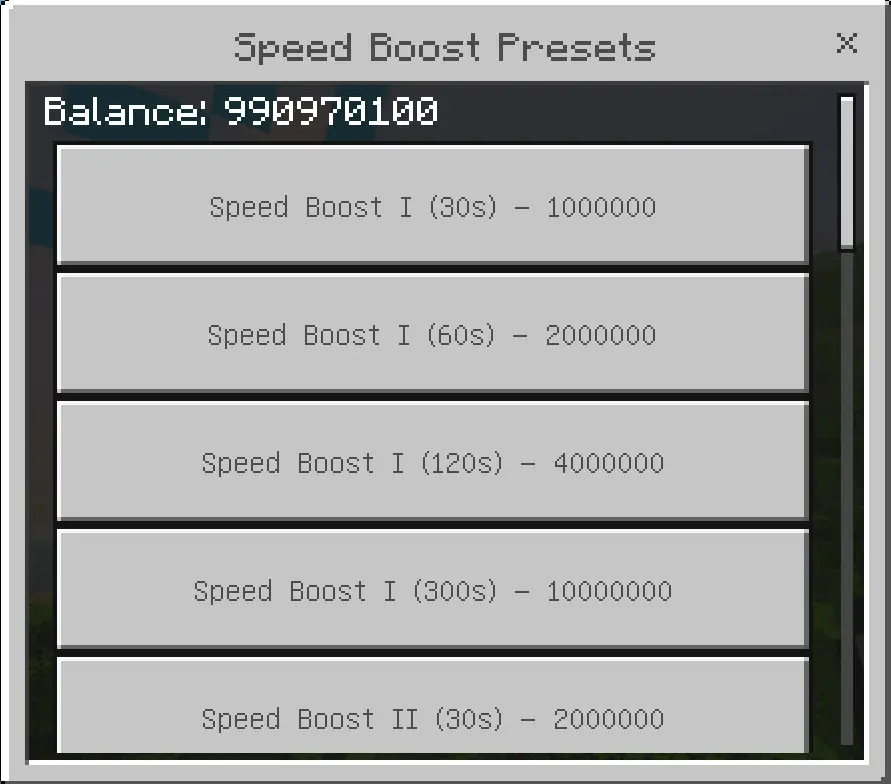
Need Night Vision before a cave trip? Effects Shop lets Minecraft Bedrock players spend in-game currency on potion effects through a shop menu.
The idea gives your money another use in a survival world. Instead of saving every coin for blocks and equipment, you can put some toward an effect that suits your next activity. The listing mentions options such as Speed, Strength, and Night Vision. A mining expedition, a fight with friends, and a long journey across the map all call for different preparations, so it’s worth looking at the menu before you spend. Night Vision could be a tempting pick when you’re heading underground, while Strength may be more appealing if combat is on the agenda. You’ll still need to bring your own tools, food, and armor; the shop gives you another choice to make as you get ready. And because these are effects, timing matters. Think about when you’ll actually need the boost rather than buying it long before you reach your destination.
Behind the shop is a scoreboard-based economy. The world host needs to set up the money objective and give players a way to receive currency before they can start shopping. That could be as straightforward as assigning balances for a minigame, or part of a larger economy your group already uses. The current project instructions use a scoreboard objective named money, and players can be given a balance through scoreboard commands. Once the economy is in place, the menu gives players a way to choose what to buy without having to enter an effect command for every purchase. The shop also gives a host something to think about when planning a world: how much should players have to spend, and when should they earn more? A boost bought before a dungeon run can feel like a useful reward for work done back at the base. In a competitive world, everyone might start with the same amount and decide for themselves how to use it.
Effects Shop can fit a few different kinds of multiplayer sessions. On an RPG-style map, the effect menu could be part of the preparation before a group heads out on a quest. In a survival world, friends might save their currency until they have a difficult trip planned. For a friendly PvP event, everyone can check the available effects and agree on what’s allowed before the fighting starts. The exact menu options and controls can vary between releases, so check the instructions for the pack you install rather than assuming every shop has the same features. Import the addon, activate it in your world settings, and set up the scoreboard economy before inviting players to make purchases. Then open the shop and see which effects fit your plans. It’s a straightforward way to make a server’s currency matter during the adventure itself, right up to the moment you decide whether that next boost is worth the price.
What You Get:
Custom effect shop with clean interface
Buy useful effects instead of crafting potions
Works in survival mode (good for RPG & city maps)
Bedrock-compatible (mobile, Xbox, Win10)
“No more messing with blaze powder just to get fire resistance. I’ll take it.�
– @PotionSkipGuy
– @PotionSkipGuy
📥 Download it and build your own potion store in style.
Installation:
- Download Mod;
- Use Minecraft
- Open the downloaded file to install;
- Select it in the settings;
- Have fun!
Comments (0)