Dynamic Lighting – Addon / Texture Pack
- 17-06-2025, 14:45
- 1 351
Mods 1.21 / Mods 1.20 / Textures
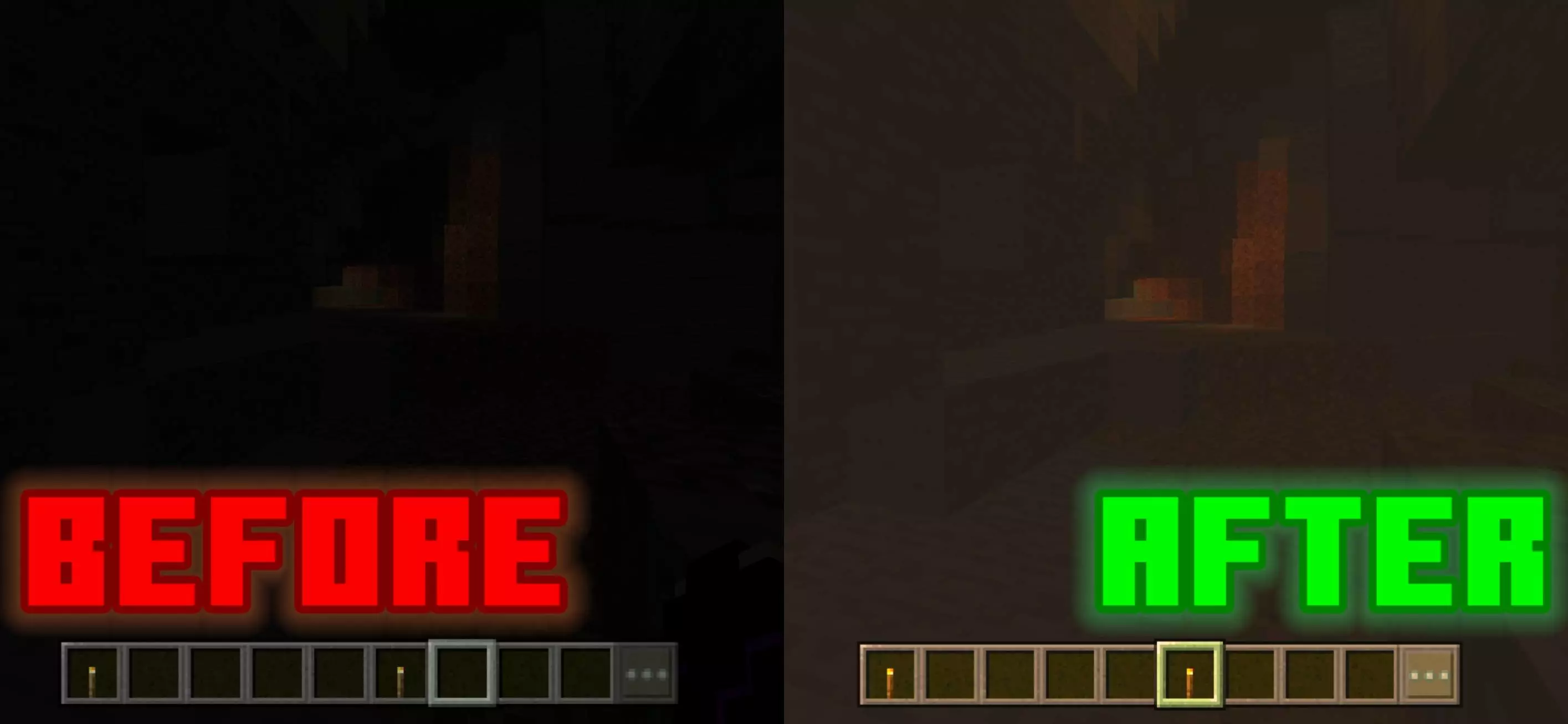
Dynamic Lighting (Bright Torch) Texture with the best lighting in the game. That cave looked manageable from the entrance. Three turns later, you’re staring into the dark, wondering whether the shape ahead is iron ore or a skeleton waiting to ruin your trip. Dynamic Lighting, also listed as Bright Torch, is a Minecraft Bedrock texture pack focused on lighting.
Torches are one of those items you stop thinking about until you run low. They mark the route back to the surface, brighten the corners of a mineshaft, and help you see where that suspicious hissing is coming from. A pack centered on torch lighting is an interesting addition if you spend a lot of time underground and want to give those everyday trips a different visual feel. Bring it along for your next mining session and see how the lighting looks in the places you know best.
A good place to try it is a cave you’ve already explored. Head down with your usual gear, follow a familiar tunnel, and pay attention to how the torchlight looks against stone, deepslate, and the wider openings between them. Then take the same approach in a fresh cave, where you don’t already know what’s around the corner. It’s a straightforward way to see how the pack fits your game without needing to build a separate test world.
Lighting matters above ground, too. Think about the torches along the path from your house to the animal pens, or the ones you placed around a work area before heading out for more supplies. Those little pools of light are part of what makes a survival base feel lived in after dark. If you like the atmosphere of a nighttime Minecraft world, you might enjoy checking out the pack around your home as well as deep underground.
The listing describes Dynamic Lighting as a Bright Torch texture pack, but it doesn’t explain exactly which items are supported or whether a torch lights the area while you hold it. Keep that in mind when trying it out, and check the effect in your own world before planning a long expedition around it. You’ll still want your usual supplies: food, a pickaxe, a weapon, and enough torches to mark the way home.
For players who enjoy tweaking the look of Minecraft Bedrock, this pack puts the focus on something you use all the time. Try it on a familiar mining route, take a walk around your base at night, and decide whether its lighting suits your world. Just don’t get so busy inspecting the view that you forget to watch the cave floor—gravity is still very much part of the experience.
Installation:
- Download Texture;
- Open the downloaded .mcpack to install;
- Select texture in settings;
- Done.
Comments (0)