NPC Expansion Addon
- 25-08-2025, 09:40
- 7 835
Mods 1.21 / Mods 1.19 / Mods 1.18
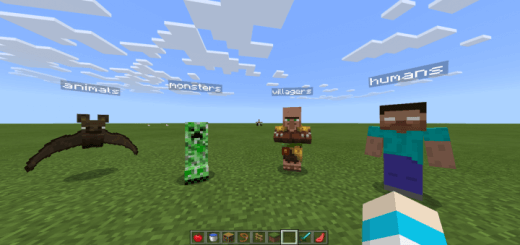
NPC Expansion (Added Warden, Animation Fixes) Mod adds 100 NPC skins to Minecraft Bedrock. Your adventure map has a castle, a market, and a suspiciously empty throne room. NPC Expansion gives Minecraft Bedrock mapmakers a larger selection of NPC appearances, making it easier to put characters into all those places you’ve spent hours building.
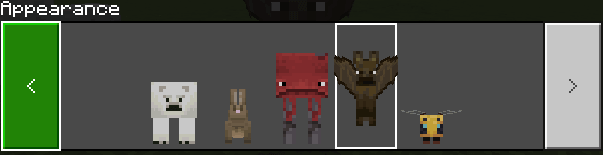
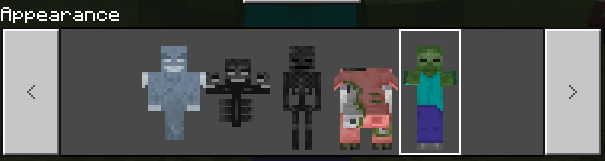
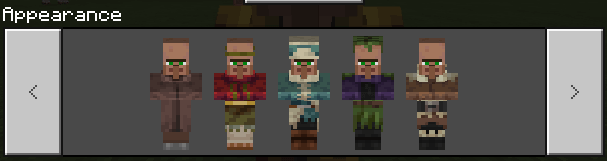
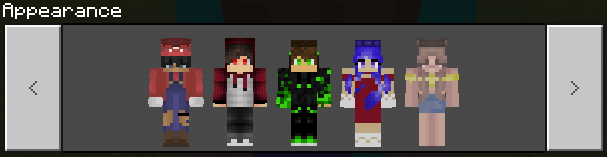
The addon expands the available NPC skins to around 100 choices, including a Warden appearance. That gives you more room to match a character to the setting you’re creating. A figure waiting at the entrance to a fortress can look different from someone standing behind a shop counter, and a strange encounter deep underground doesn’t have to use the same face as your village guide. The Warden-inspired option is especially fun if you’re putting together a dark, mysterious location. Imagine players walking into an ancient chamber and finding a familiar silhouette waiting there. What that character says or does in your map is up to your setup, but the appearance alone can make players stop and take a closer look. NPC Expansion is aimed at adding visual variety, so think of the new skins as a collection of characters to work with while designing your world.
A good-looking map can feel much more inviting once there are people for players to meet along the way. Place a guide near spawn to introduce your setting, give a castle hall a few inhabitants, or add someone at a crossroads who points adventurers toward the next destination. For a city build, you might fill a station, storefront, or town square with characters that fit the neighborhood. A spooky map could use the Warden look as part of a scene near the entrance to an underground ruin. You can also use different appearances to help players remember who is who: the person explaining the rules should be easy to tell apart from the character delivering the next piece of the story. The addon supplies the visual options; creating dialogue, objectives, and encounters remains part of your own mapmaking work.
NPC Expansion can be useful for multiplayer hubs and roleplay worlds as well as standalone adventure maps. Build a welcome area with a cast of characters, create a themed town for friends to explore, or put together a small mystery where each NPC has a place in the story. Start with a few characters and see how they fit the spaces you’ve made before filling every room; sometimes one figure at the end of a corridor is more interesting than a crowd. To get started, open the downloaded addon file with Minecraft and activate the imported packs in your world settings. Then explore the NPC appearance options and choose the ones that suit your project. Whether you’re finishing a big adventure or adding a little personality to a server spawn, having more looks available makes it easier to turn an impressive build into a place players want to explore.
Installation:
- Download Mod;
- Open the downloaded file to install;
- Select it in the settings;
- Have fun!
Comments (2)