Military Armors Mod / Addon
- 14-11-2025, 02:13
- 1 745

Military Armors Mod (AMA) drops a full locker room into your world so you can look and play the part without wrestling menus or weird rules. You’re not stuck with one “tough chestplate� reskin—you’re picking from a range of military-style sets and kit pieces that actually feel like loadouts. It works on the latest version of Minecraft and is happy alongside other packs, which means you can pair the armor with whatever weapon or vehicle add-ons you already love and build a whole scenario around them.
Out in survival, the mod shines when you pick roles. One of you kits up heavy for point, another runs light for recon, and a third handles support while calling routes. Night run to a village? Roll out from a safehouse, cross a field by torchlight, and lock the streets before the bell rings. Long trek across bad terrain? Stage a little forward base, stash food and blocks, then rotate shifts while the builder pushes the road. The gear just makes the plan feel legit, from the first step off the porch to the last chest you slam shut.
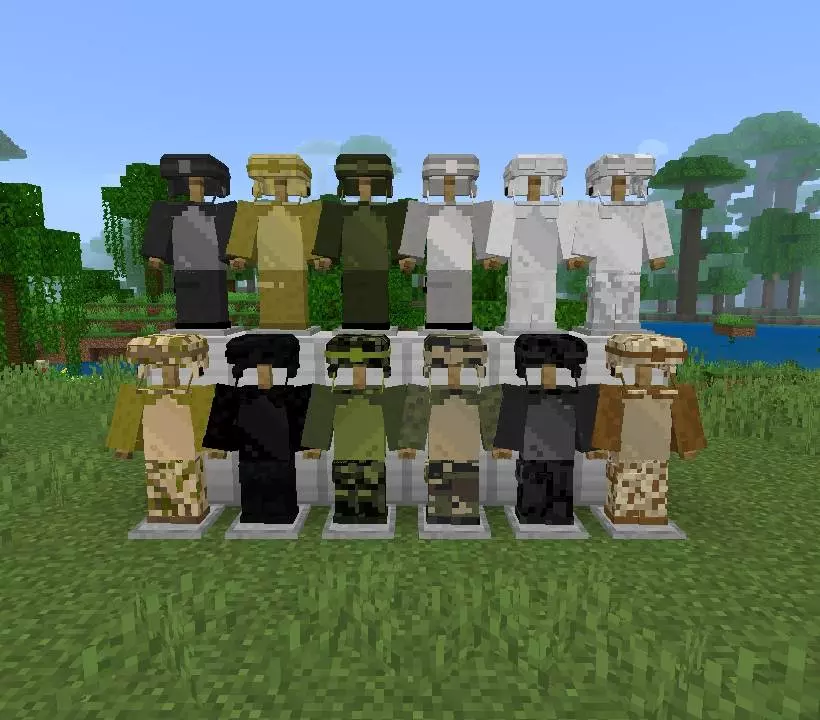
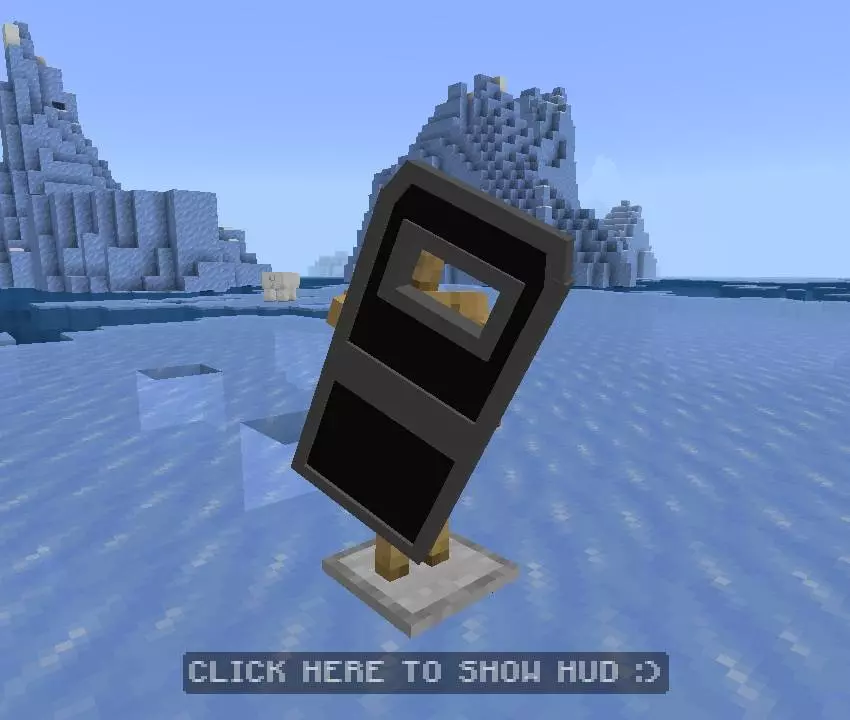
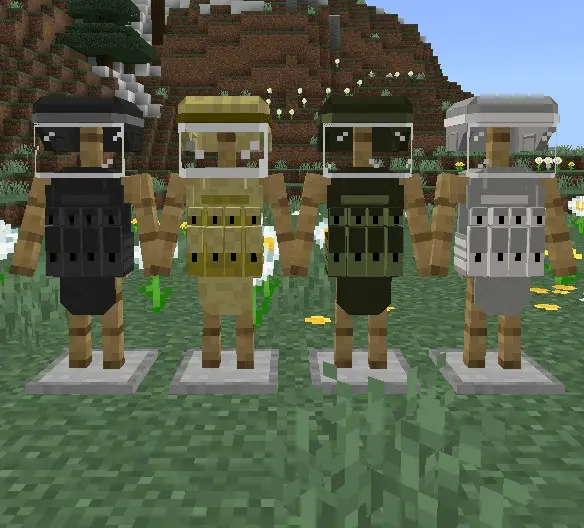
Your squad is ready to leave the safehouse, but everyone is still wearing a random mix of armor. Military Armors gives your Minecraft Bedrock team a selection of military-style equipment to suit the mission.
The add-on includes more than 60 items, with a range of armor and gear pieces for putting together different looks. You can prepare an outfit for a patrol, choose something that fits a guarded base, or give your character a tactical style for a multiplayer world. Spend a little time looking through the selection before settling on a loadout. If you’re playing with friends, everyone can choose equipment that suits their role while still looking like part of the same group.
A survival expedition is a good excuse to put those outfits to use. Set up a safehouse near a village, gather food and building materials, and plan a trip into unfamiliar territory. One player can lead the way while another watches the route back, with the rest of the team carrying supplies for a camp. The add-on gives the group a military appearance for the journey; the plan, the base, and the inevitable argument over directions are up to you. Once you return, an armory makes a good place to organize the equipment before the next outing.
For PvP players, the gear fits naturally into a custom battlefield or team event. Build a map with an entrance to defend, a few narrow corridors, and an open courtyard where both sides have to watch their surroundings. Give each team time to choose its equipment and agree on the rules before starting the match. A coordinated group in military-style gear makes a strong visual impression, especially when players are moving together through a base they built themselves. You can also use the outfits for screenshots or clips after the round is over.
Builders have plenty of ways to use the theme around the armor. A checkpoint beside the road, a briefing room inside a bunker, or a storage area for the squad’s supplies can turn a simple base into a place with a purpose. You might even make a training ground where friends can practice moving through the map before starting a larger event. If you use other weapon or vehicle add-ons, Military Armors can be part of a broader setup; check that the packs work together in your chosen Minecraft version.
Import the add-on, activate it in your world settings, and look through the equipment to decide what fits your character. Whether you’re planning a survival patrol or setting up a PvP night, the different gear gives your group a way to dress for the occasion before heading out.
PvP nights get cleaner and more cinematic. Callouts over voice, two-man entries, someone holding the stairwell while another covers the window—suddenly those tight hallway fights and courtyard pushes look like clips you actually want to save. And for builders, AMA’s “more than 60 items� means screenshots that read instantly: checkpoint gate, briefing corner, armory wall—done. No need to invent a new way to say “military vibe�; you can see it the moment you kit up. If you’ve been waiting to give your world a proper tactical flavor, Military Armors Mod (AMA) is the wardrobe and prop rack you needed to make it stick.
Installation Mod:
- Download the .mcaddon / .mcpack;
- Open the file to import into the game;
- In World Settings → Resource Packs and Behavior Packs, enable it (turn on Experiments if needed);
- Have fun!
Comments (0)