Craftopia Furniture Addon
- 29-10-2026, 03:19
- 12 063
Mods / Addons / Mods 1.26 / Mods 1.21 / Mods 1.20

Craftopia Furniture Addon is a whole modpack with 3 mods for 2200+ furniture in Minecraft.
You can spend hours building a Minecraft house, get the roof just right, add windows with a view, and then walk inside to find a bed, a crafting table, and a row of chests against the wall. If you’ve ever finished a build and wondered what to do with all that empty space, Craftopia Furniture gives you plenty to work with. The addon brings together modern furniture, medieval decorations, and items for pets, with a large selection of pieces for homes, gardens, and other places in your world. You can furnish a single room or take on an entire village.
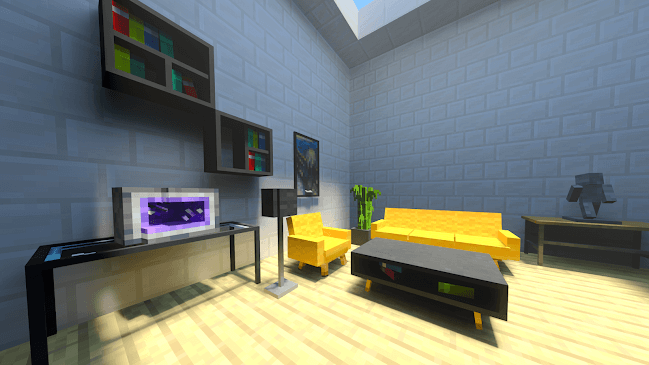
For a modern house, start with the rooms you use most. Put a sofa in the living room, arrange a few chairs around a table, and add shelves to make the walls feel less bare. A room doesn’t need to be packed from floor to ceiling to look lived in. Sometimes a chair in the corner and a couple of carefully chosen decorations are enough to make it feel like someone actually spends time there. If you’re building with friends, you could give each player a room and see how differently everyone decorates the same space.
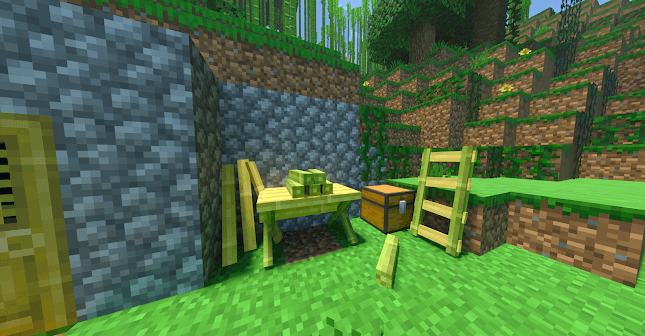
The medieval selection opens up a different set of possibilities. A wooden cottage, a castle hall, or a small inn can feel more convincing when the furniture suits the building around it. You might furnish an inn with tables and chairs, then add shelves and decorations to give the place some character. Or turn an empty room in your castle into a quiet study. These pieces can also work in a survival base that started out as a simple wooden shelter and grew over time. You don’t need a grand project to find a use for them.
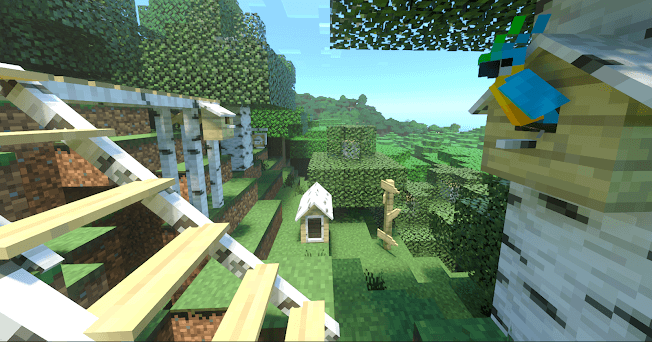
There are decorations for pets as well, including a cat scratcher. If your tamed animals usually end up sitting in a row beside the bed, you can give them a space of their own. Make a little corner for your cat, decorate the area around a doghouse, or set aside part of the yard for your animals. It’s the sort of detail that may not change your next mining trip, but it can make returning home afterward more enjoyable. Pet items also give you a reason to think about the spaces outside your house, where a porch or garden might otherwise stay empty.
You can use the furniture in survival without switching to creative mode. Gather some clay and use a stonecutter to find the boxes for the different furniture categories. Once you have a box for the kind of decoration you want, use the stonecutter again to choose an item from that collection. If you’d rather browse without gathering materials first, the creative inventory lets you look through the available categories and try out ideas. There are a lot of pieces to explore, so starting with one room or one style can make choosing a little easier.
Some blocks can also be changed with the Modern Tool. Look for pieces marked as configurable, then use the tool on them to alter their appearance or position. It’s useful when you like a piece of furniture but want to see whether another arrangement fits the room better. To install Craftopia Furniture, import both the behavior pack and the resource pack, then activate them in your world settings. After that, pick a room you’ve been meaning to finish and start experimenting. Even an old base can feel different once you’ve given its empty corners a purpose.
Installation:
- Download Mod;
- Open the downloaded file to install;
- Select it in the settings;
- Have fun!
Comments (0)