Disenchanter Table Addon
- 14-05-2025, 16:32
- 16 974
Mods 1.21 / Mods 1.20 / Mods 1.19 / Mods 1.18
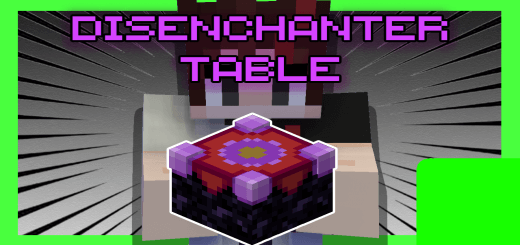
Disenchanter Table Addon is a useful item in Minecraft Bedrock. How to use the Disenchanter Table will be shown in the video review. Disenchanter Table: Save the Enchantment, Scrap the Gear
You finally find an enchantment you’ve been looking for, and it’s stuck on a piece of gear you’ll never use. Into the chest it goes, alongside all the other “I’ll deal with this later� loot.
The Disenchanter Table addon gives that pile a purpose. It adds a workstation to Minecraft Bedrock that lets you remove enchantments from equipment or enchanted books and recover them on regular books. From there, you can save the resulting books for later or use an anvil to apply compatible enchantments to gear you actually want. Think of the battered enchanted bow you found while exploring, or a pair of boots whose enchantment would be much more useful on your favorite armor. Instead of leaving those items to gather dust, you can bring them back to your base and see what’s worth keeping. It makes a quick inventory check after an adventure a lot more interesting.
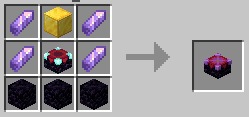
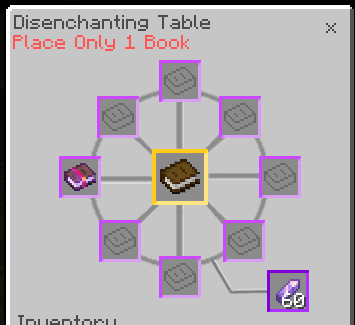
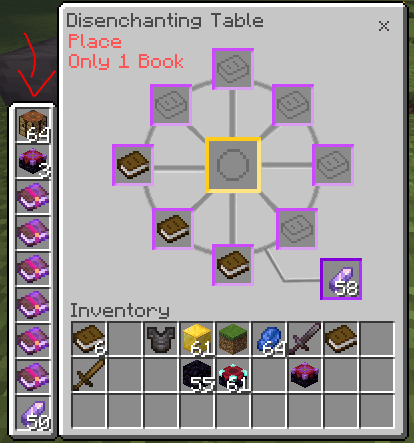
Using the table takes a little preparation, but the process itself is straightforward. Craft and place the Disenchanter Table, then open its interface and put the enchanted equipment or book in the middle slot. Place regular books in the surrounding slots, with only one book in each slot, and add an amethyst shard to the bottom-right slot. The table uses those supplies to recover enchantments as books. Keep a supply of plain books and amethyst nearby if you’re planning to sort through a larger collection. A chest next to the workstation is handy for storing your haul before you decide which enchantments deserve a place on your best tools.
There are plenty of ways to put the table to work in a survival world. Clear out a chest full of enchanted fishing rewards, check the gear you brought back from a structure, or revisit equipment you replaced a while ago. Even an item you don’t want to wear can be worth bringing home if its enchantment catches your eye. Once you have the books, you can plan your upgrades around the tools and armor you prefer using. You’ll still need to consider normal anvil rules and whether an enchantment fits the item you want to improve, so the best part is deciding where each saved book belongs. That old loot chest might finally hold the missing piece for your next project.
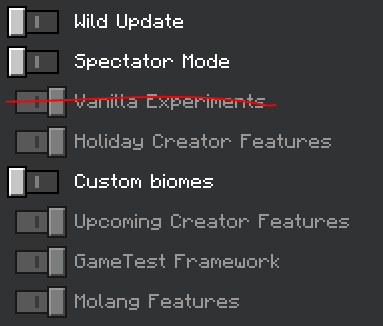
The table also has an interface designed for both computer and mobile play. If its screen appears as an ordinary chest while you’re using other addons, check the behavior pack settings: switching the table’s container option to Horse can help with interface conflicts. To install the addon, open the downloaded file in Minecraft and activate its packs in your world settings. Then give the table a spot near your enchanting setup and put those forgotten finds to work. Your storage room will be easier to sort through, and the next time you find an awkward piece of enchanted gear, you’ll have a reason to pick it up.
Installation:
- Download Mod;
- Open the downloaded file to install;
- Select it in the settings;
- Have fun!
Comments (1)