StoneTombs Addon
- Yesterday, 03:14
- 47 828
Mods / Addons / Mods 1.26 / Mods 1.21 / Mods 1.20 / Mods 1.19 / Mods 1.18 / Mods 1.17 / Mods 1.16
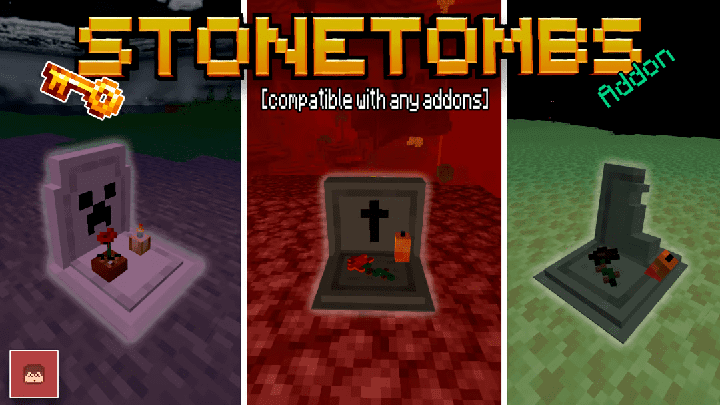
StoneTombs Addon gravestones in Minecraft. Use them to pick up lost items and blocks from your inventory in survival and adventure mode in Minecraft. One wrong step into lava, and suddenly your diamond gear, enchanted tools, and three hours of mining are gone. Normally, that would be the moment you stare at the death screen and seriously consider closing Minecraft for the evening. With StoneTombs, your items are collected into a grave instead of being scattered everywhere. After respawning, you receive a Grave Key connected to that particular tomb. The key contains information about where you died, helping you figure out where to go instead of wandering around hoping to recognize the landscape. Depending on the server settings, an enchanted key can even teleport you directly to your grave. That's especially helpful when your last adventure ended thousands of blocks from home. You'll still have to deal with whatever killed you in the first place, though. Getting your sword back is great, but returning to the same cave full of angry mobs without preparing first is asking for another disaster.
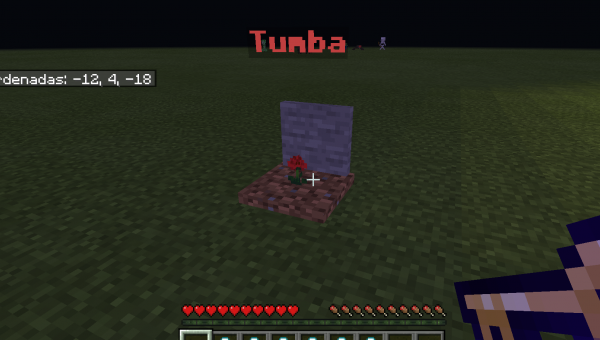
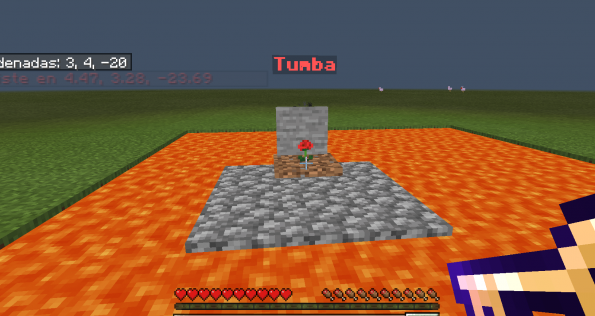
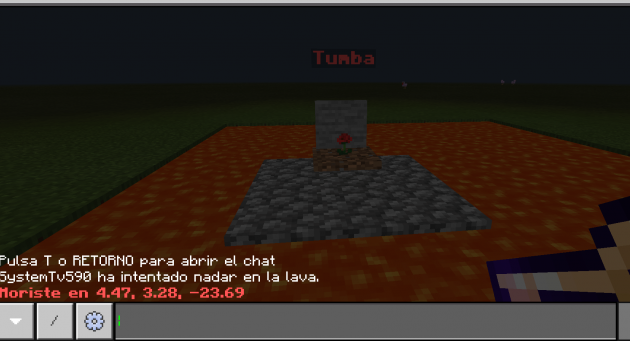
The grave system also makes multiplayer survival a lot less frustrating. Imagine four friends exploring an enormous cave system together. One gets knocked into a ravine, another accidentally walks into lava, and somebody else decides fighting an Enderman with an iron shovel is a brilliant idea. Instead of turning the next half hour into a desperate search for scattered equipment, everyone has a clearer way to recover their belongings. StoneTombs uses individual grave keys, so your friend's tomb isn't automatically yours to open. There are also configuration options for changing how the system behaves, including settings that affect grave access and teleportation. You can customize the appearance of graves as well, choosing different models and colors to give them a more personal look. I can already imagine a multiplayer server where somebody keeps dying in the same dangerous mountain pass, gradually turning the area into an accidental cemetery. At that point, maybe it's time to build a bridge instead of trusting your parkour skills.
What I appreciate about StoneTombs is that it doesn't make death completely meaningless. You still lose your position, have to return to the dangerous area, and might need to prepare for another encounter. The addon simply removes much of the frustration of losing everything because your items vanished before you could reach them. It's particularly useful for long survival adventures, massive underground expeditions, and worlds where players have spent weeks collecting valuable equipment. Some settings can even introduce surprises when opening graves, including the possibility of a zombie appearing, if that option is enabled. So recovering your inventory doesn't necessarily have to be a peaceful little shopping trip. To install StoneTombs, import both the behavior pack and resource pack, then activate them in your Minecraft world settings. I'd test it with a few disposable items before taking my best equipment into the Nether. Once you've seen the grave system working, you'll probably feel a lot more comfortable exploring those dangerous places you've been avoiding.
Installation:
- Download Mod;
- Open the downloaded file to install;
- Select it in the settings;
- Have fun!
Comments (7)